
Download Podman Desktop 1.31.0
Safe so farDeveloper: RedHat
Last updated: · Verified by  CristianBuilt Everyversion after working at Softonic. Runs the checks and answers for the results. ClaudeAnthropic’s AI. Runs the download, checksum and signature checks and reports every result. VirusTotalScans files with dozens of security engines. We look up each file by its SHA-256 only.
Manage different container engines from a single UI and tray icon
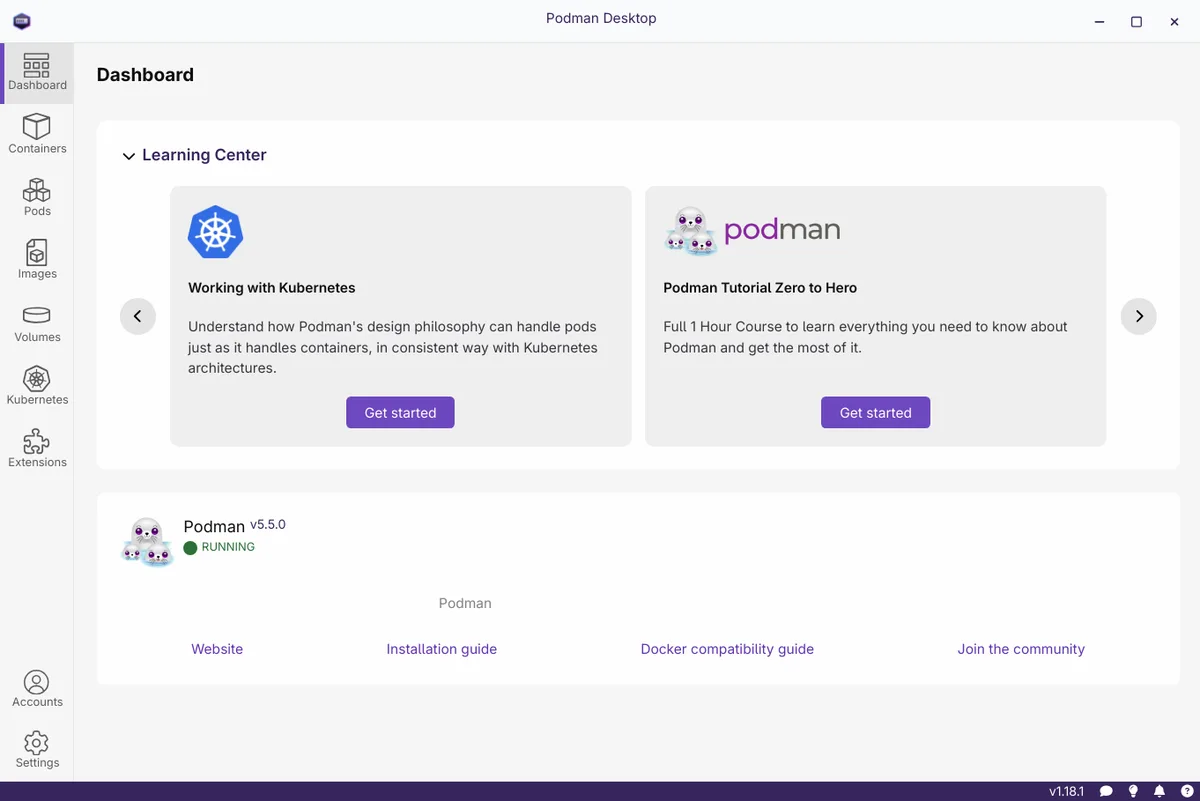
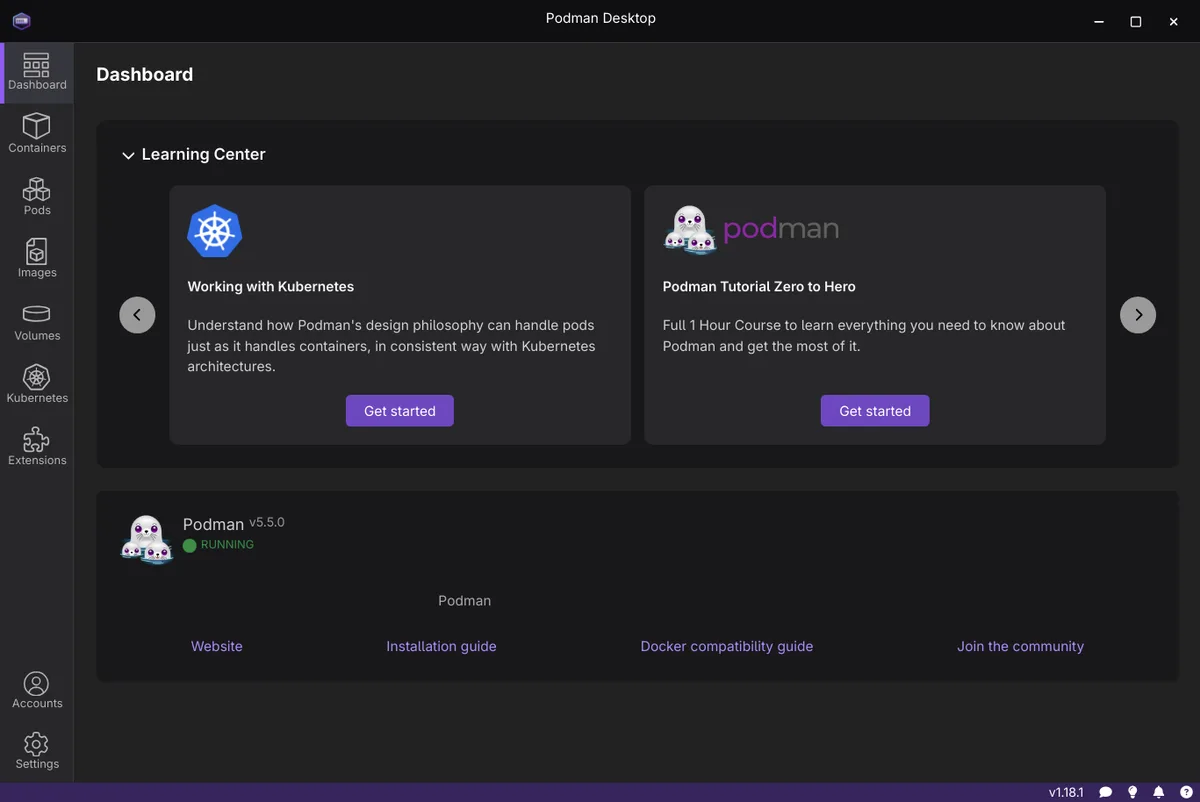
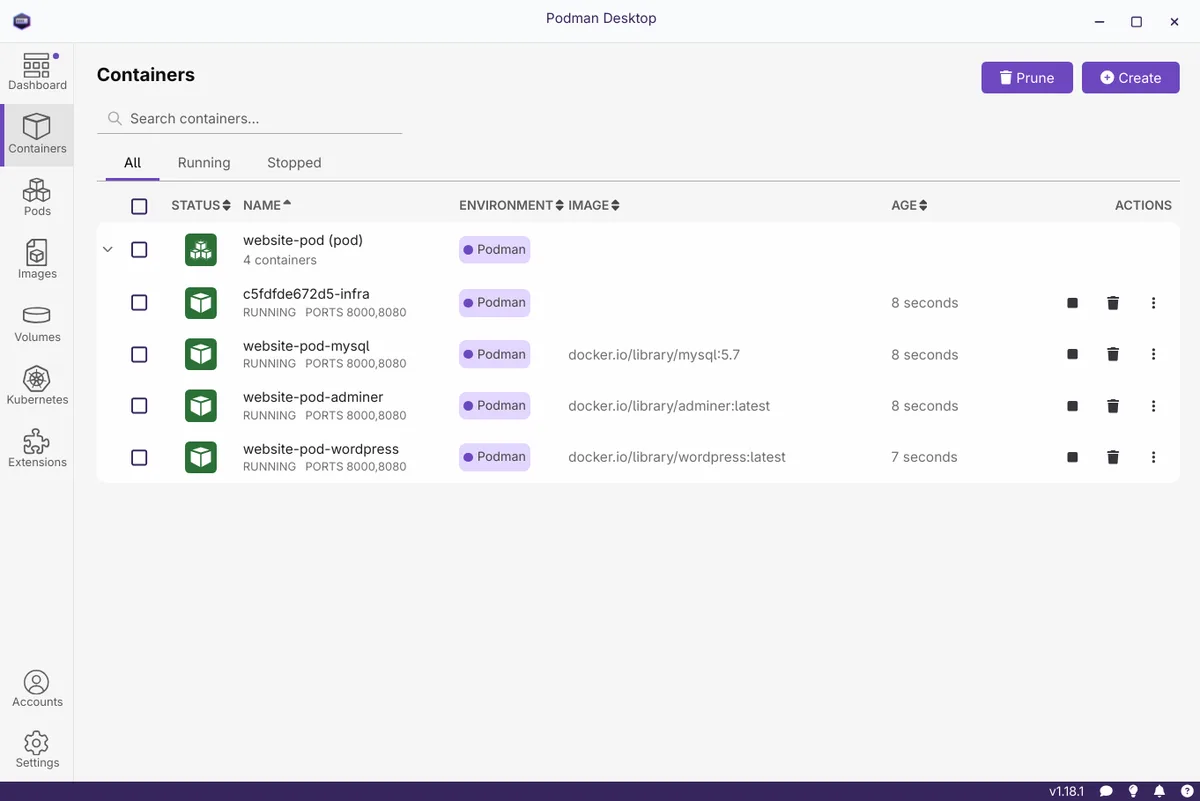
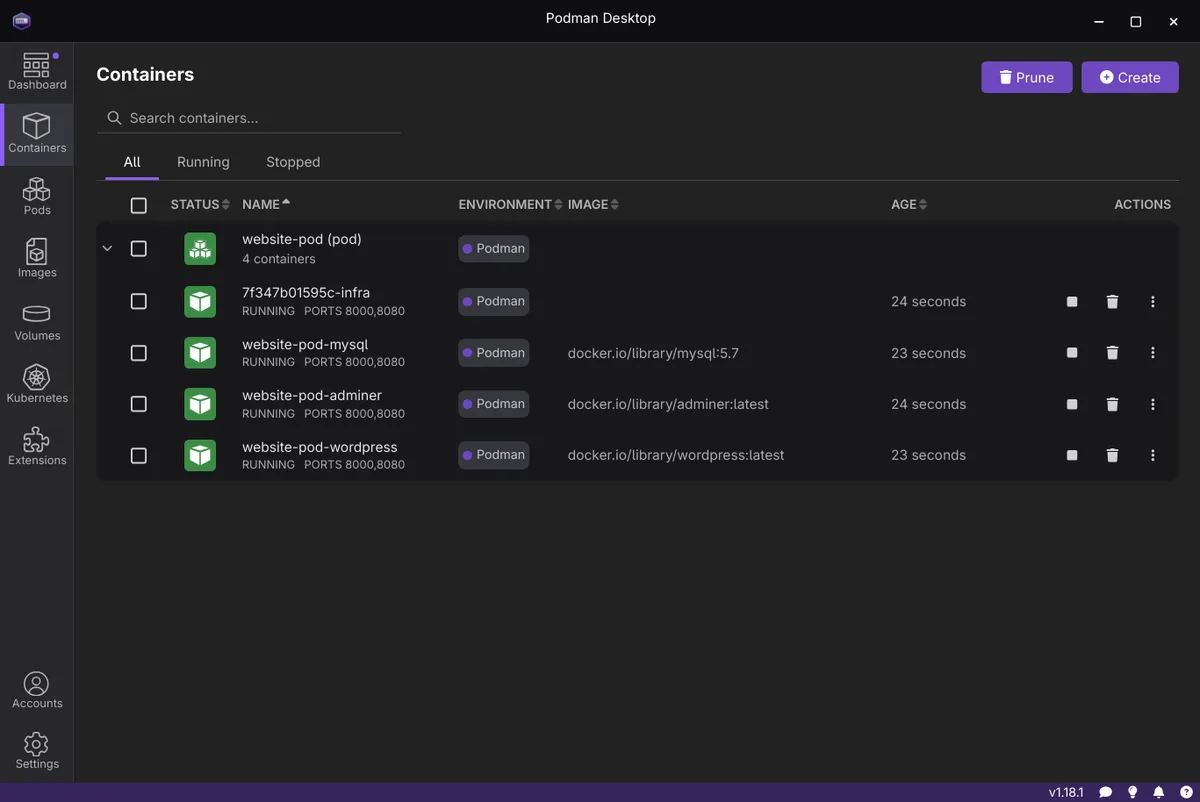
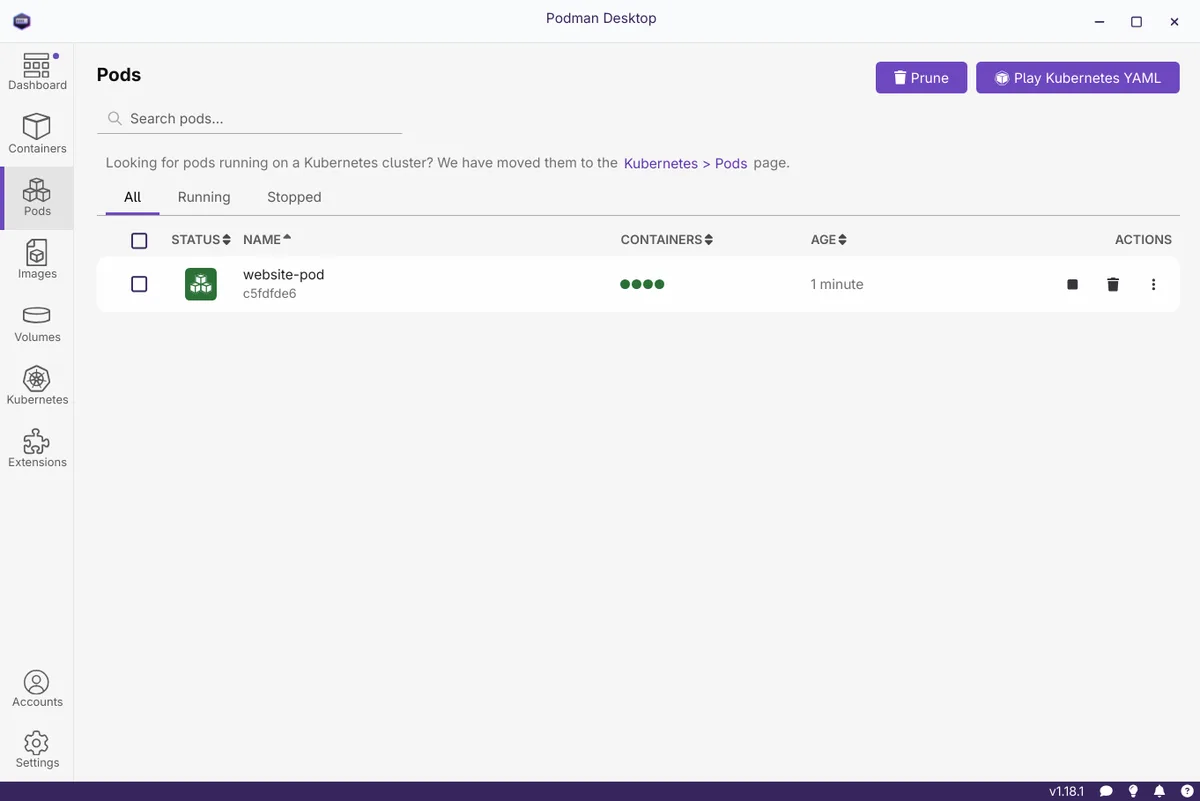
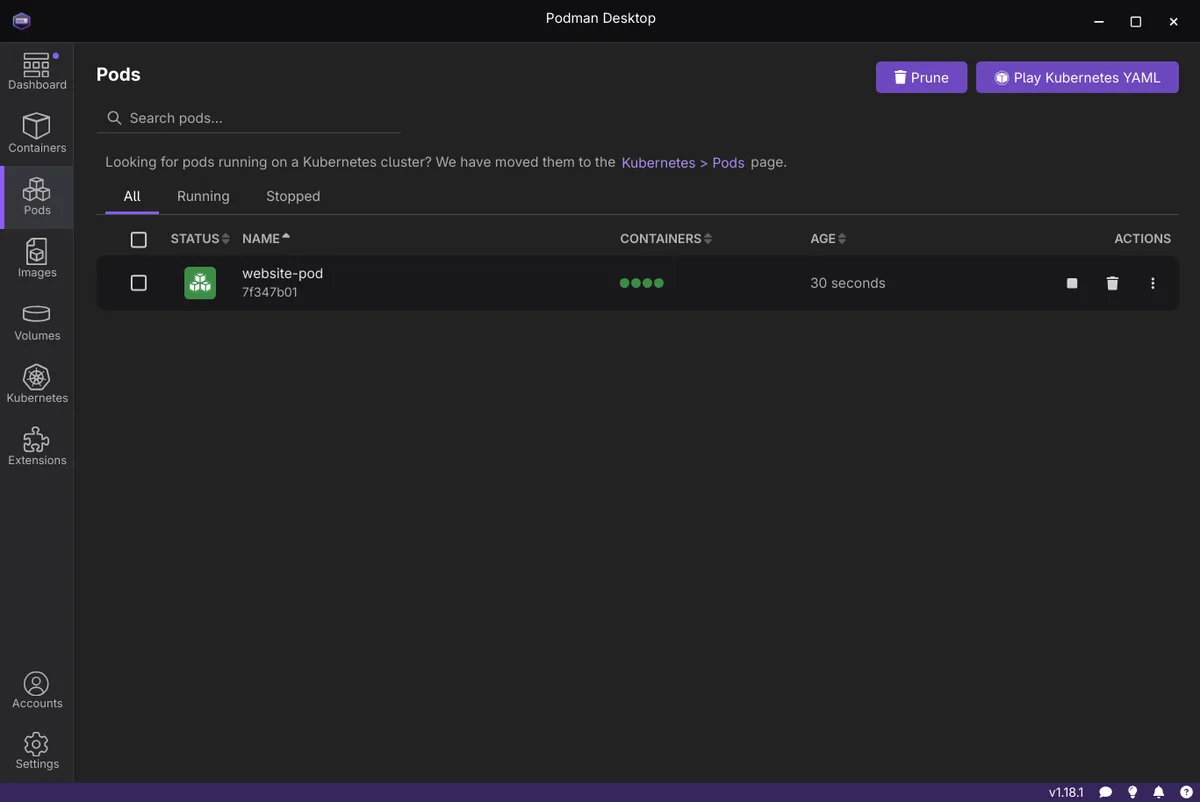
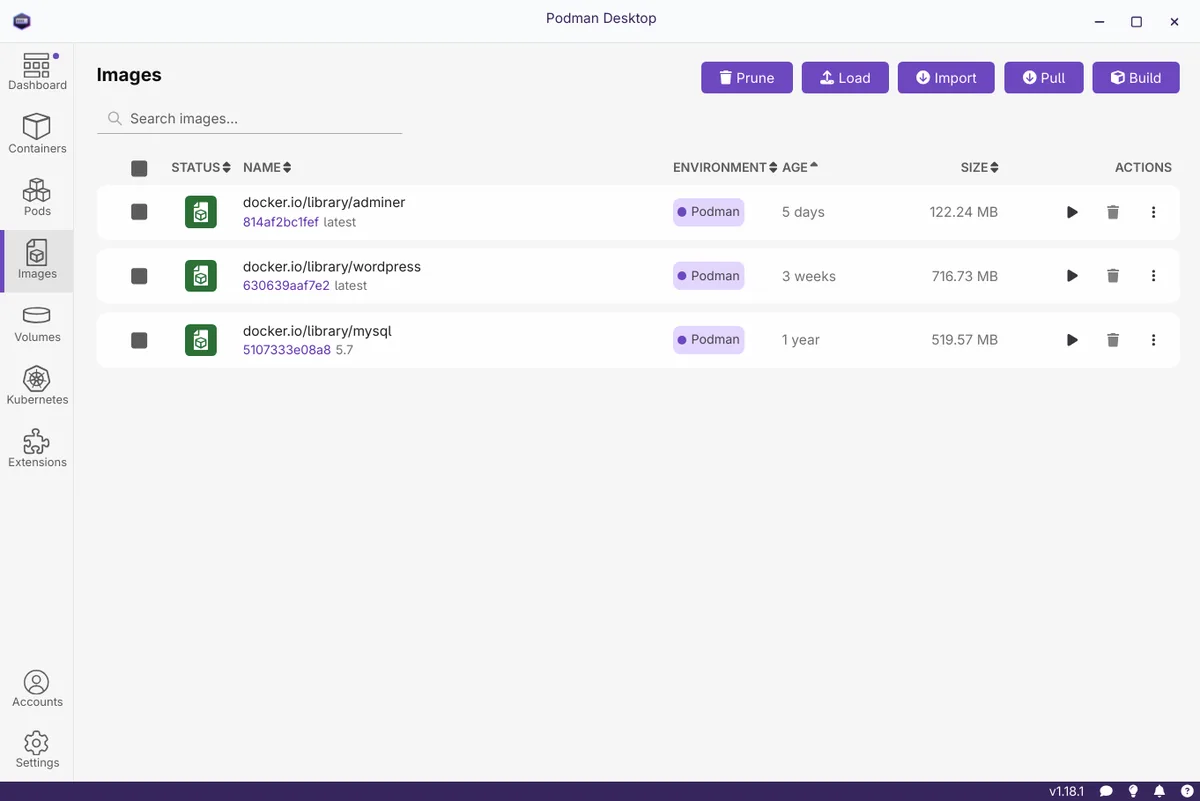
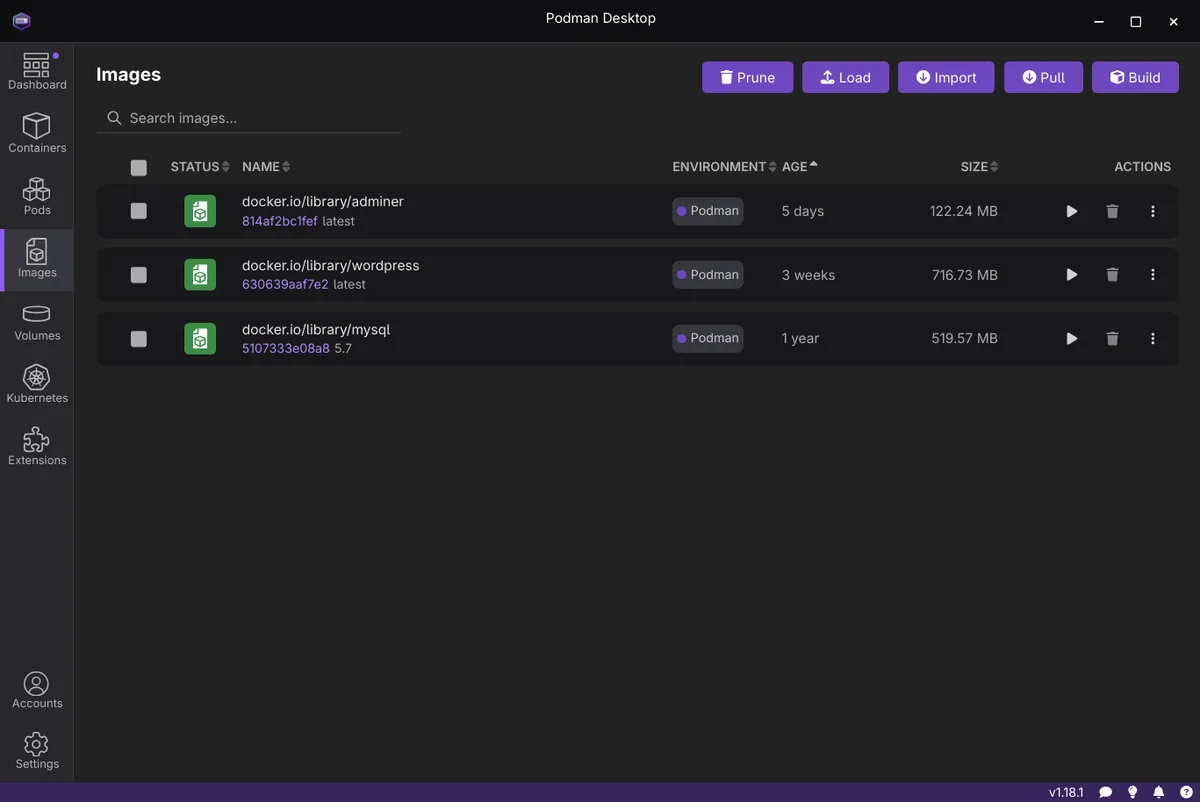
Screenshots of the Linux version, from Flathub.
Downloads
Windows 1.31.0
Show SHA-256
ede10a7e779c166bc7332ca790c82e17e2a74a249c40dedee145700d547254b1 Show SHA-256
1d6f10519d93f0535609315d28fe7af4188b94732daa113e85d777c1cd771f35 Mac 1.31.0
Show SHA-256
4f5f4bfd55d187de364b6b5691d3069fa3de62e230bf1dc9d618388fef8e9e47 Show SHA-256
ac35c0adf00c526852a6a5dfe4838eaad5b3413262452dbb31b6dededa5cf596 Linux 1.31.0
Choose the x64 (64-bit) installer for Intel or AMD PCs and the ARM64 installer for ARM PCs. The package data states no minimum Windows version, so check the publisher’s system requirements before installing on an older PC. Choose the Apple silicon (ARM64) build for Macs with an M-series chip and the Intel (x64) build for older Intel Macs. Every build needs macOS 13 Ventura or later. Choose the x64 (64-bit) download for Intel or AMD computers and the ARM64 download for ARM computers. The Flathub listing states no minimum Linux version or distribution, so check the publisher’s system requirements before installing.
Install with winget: winget install --id RedHat.Podman-Desktop --exact
Install with Homebrew: brew install --cask podman-desktop
Install with Flatpak (Flathub): flatpak install flathub io.podman_desktop.PodmanDesktop
Check a download: Get-FileHash .\<file> -Algorithm SHA256 (PowerShell) or shasum -a 256 ~/Downloads/<file> (Terminal) and compare it with the SHA-256 above.
Linux (Flatpak): Flathub publishes no file checksum; Flatpak checks the app against Flathub’s signed repository when it installs. Flathub shows this app as publisher-verified. App page on Flathub.
What the installer does
Windows
- Delivered as an NSIS (Nullsoft) setup program (.exe) for x64 and ARM64.
- Installs for all users on the PC, which normally requires administrator rights.
- No custom silent switch is declared; winget falls back to its default for this installer type (
/S).
PC requirements
- CPU architecture: x64 (64-bit), ARM64
Mac
- Delivered as a disk image (.dmg) for Intel (x64) and Apple silicon (ARM64).
- Installs the app
Podman Desktop.appinto the Applications folder. - The app updates itself, so it may be newer than the version Homebrew lists.
- On uninstall, Homebrew asks the app to quit and deletes 1 extra file.
- A full “zap” removal also deletes up to 5 support, cache and preference locations in your home folder.
Mac requirements
- Minimum macOS version: macOS 13 or later
- CPU architecture: Intel (x64), Apple silicon (ARM64)
Linux
- Delivered as a "flatpak" installer for x64 and ARM64.
- The manifest does not state an install scope.
- No silent-install switch is declared in the manifest.
Linux requirements
- Architectures: ARM64, x64 (64-bit)
- Download size: 169 MiB
- Installed size: 458 MiB
Description
Manage different container engines from a single UI and tray icon
Best for: Developers leaving Docker Desktop, or new to containers, who want a free GUI for Podman, Compose and local Kubernetes clusters on Windows, Mac or Linux.
Features
- Free and open source, no license tiers: Podman Desktop is Apache-2.0 licensed and free for any use, including at work. It is a CNCF project; Red Hat offers a separate build with paid enterprise support.
- Containers and Kubernetes in one window: Build, pull and push images, start containers, read logs and open a terminal. It runs Compose files and can create local Kind or Minikube clusters or connect to existing ones, then apply YAML and forward ports.
- Docker habits carry over: The docs cover importing saved containers, aliasing the
dockercommand and usingDOCKER_HOST, so most scripts keep working. Podman runs containers without a daemon and can run them rootless. - On Windows it needs a Linux VM: Podman runs inside a Linux machine on WSL 2 or Hyper-V. Turning on either feature needs administrator rights, and the docs ask for 6 GB of RAM for that machine. The installer listed here is per-machine, for x64 and Arm64.
- On Mac, use the .dmg: The project recommends its .dmg because it bundles the Podman engine and avoids path problems seen with package managers. Builds exist for Intel and Apple silicon, and macOS 13 or later is required.
- Extensions and a local AI lab: Extensions add features, and Podman AI Lab can download models and start a local inference server. GPU acceleration is supported for those workloads.
- Flatpak and older versions: The Linux Flatpak is verified on Flathub as Red Hat's own, for x64 and Arm64. The Windows listing keeps 63 versions; macOS and Linux list only the current release.
Podman Desktop at a glance
| What it is | Manage different container engines from a single UI and tray icon |
|---|---|
| Latest version | Windows 1.31.0 (November 18, 2026) Mac 1.31.0 Linux 1.31.0 (November 18, 2026) |
| Price | Free and open source |
| Open source | Yes |
| License | Apache License 2.0 |
| License type | Open source |
| Copyright | Copyright © 2022 Podman Desktop |
| Made by | RedHat |
| Category | Developer tools and runtimes |
| Runs on | Windows, Mac, Linux |
| Official website | github.com |
| More links | Support · Bug tracker · Wiki · Release notes |
| Source code | github.com/containers/podman-desktop |
| Tags | container containers desktop docker hacktoberfest kubernetes podman podman-desktop tray-application ui |
| winget ID | RedHat.Podman-Desktop |
| Homebrew cask | podman-desktop |
| Flathub | io.podman_desktop.PodmanDesktop Verified data from Flathub |
| Flathub verification | Publisher verified on Flathub by proving control of podman-desktop.io, 2023-05-22 |
| License on Flathub | Apache-2.0 as listed on Flathub |
| Check your download | SHA-256 checksums in the download tables · Security scan |
What’s new in Podman Desktop 1.31.0
The publisher gives no notes text for this release.
Release notes on the publisher’s site
Notes for older versions are inside each version below.
Is Podman Desktop safe?
Score result: No detections so far
None of the 63 security engines on VirusTotal flagged any of the 4 scanned files.
Covers 4 of 5 files. The rest have no VirusTotal report yet, so this result does not speak for them.
- 0 flagged in total
- 4 of 5 files scanned
- 63 engines
Scan info
- Last scan
- Scan provider
- VirusTotal · Full report
File integrity
| File | SHA-256 | Hash check | Signature | VirusTotal |
|---|---|---|---|---|
| podman-desktop-1.31.0-setup-x64.exeWindows · x64 (64-bit) | ede10a7e779c166bc7332ca790c82e17e2a74a249c40dedee145700d547254b1 |
Matches the manifest (re-computed) | Valid | 0/63 flagged |
| podman-desktop-1.31.0-setup-arm64.exeWindows · ARM64 | 1d6f10519d93f0535609315d28fe7af4188b94732daa113e85d777c1cd771f35 |
Matches the manifest (re-computed) | Valid | 0/39 flagged |
| podman-desktop-1.31.0-x64.dmgMac · Intel (x64) | 4f5f4bfd55d187de364b6b5691d3069fa3de62e230bf1dc9d618388fef8e9e47 |
Matches the manifest (re-computed) | Not signed | 0/58 flagged |
| podman-desktop-1.31.0-arm64.dmgMac · Apple silicon (ARM64) | ac35c0adf00c526852a6a5dfe4838eaad5b3413262452dbb31b6dededa5cf596 |
Matches the manifest (re-computed) | Not signed | 0/57 flagged |
| io.podman_desktop.PodmanDesktop.flatpakrefLinux · x64 (64-bit) | Not provided | Copied from the manifest, not re-computed | Not checked | — |
| Hash re-computed by Everyversion | 4 of 4 installers match. |
|---|---|
| Code signature checked | 2 valid, 2 unsigned. |
We host no installers. Every download link goes to the download location named in the package listing, normally the publisher’s own server. For this software we downloaded the files from that source ourselves, re-computed each checksum and checked the code signature where our tools could, as shown above. A passing check shows a file is the one that was published; it is not a guarantee it is free of problems. For more information, visit our Security and Trust Center.
Source and provenance
| Windows: source | microsoft/winget-pkgs |
|---|---|
| Windows: SHA-256 in upstream manifest | Yes |
| Windows: observed at commit | 6581c2e6d123 · retrieved 2026-11-25 |
| Mac: source | Homebrew/homebrew-cask |
| Mac: SHA-256 in upstream manifest | Yes |
| Mac: observed at commit | 05ed6977d588 · retrieved 2026-11-25 |
| Linux: source | Flathub · Flathub API · github.com/flathub/io.podman_desktop.PodmanDesktop |
| Linux: checksum | None published. Flatpak checks the app against Flathub’s signed repository when it installs. |
| Linux: publisher verified | Publisher verified on Flathub by proving control of podman-desktop.io, 2023-05-22 |
| Linux: data retrieved | 2026-11-25 · attribution: app data from Flathub, license listed there: Apache-2.0 |
Old versions
Windows versions
Showing the newest 20 of 64 versions (the JSON and Markdown versions list 64). Open a version for its installers, checksums and a command that pins it.
1.31.0 latest · 2026-11-18 · 2 installers notes
| Architecture | Format | Scope | SHA-256 | Download |
|---|---|---|---|---|
| x64 (64-bit) | NSIS | All users | ede10a7e779c166bc7332ca790c82e17e2a74a249c40dedee145700d547254b1 |
Download |
| ARM64 | NSIS | All users | 1d6f10519d93f0535609315d28fe7af4188b94732daa113e85d777c1cd771f35 |
Download |
Pin this version: winget install --id RedHat.Podman-Desktop --version 1.31.0 --exact
Release notes
Read the release notes on the publisher’s site
Manifest: manifests/r/RedHat/Podman-Desktop/1.31.0
1.30.7 · 2026-11-13 · 2 installers notes
| Architecture | Format | Scope | SHA-256 | Download |
|---|---|---|---|---|
| x64 (64-bit) | NSIS | All users | 3c8e91013bc0f0093076d6c7cb677bdc55b2c1b9eb438e206ce06083bb7ab6ca |
Download |
| ARM64 | NSIS | All users | fdefa4e49fe4ea91820db5bdd3c3a2371063a769f6ca6964857389b413d70b81 |
Download |
Pin this version: winget install --id RedHat.Podman-Desktop --version 1.30.7 --exact
Release notes
Read the release notes on the publisher’s site
Manifest: manifests/r/RedHat/Podman-Desktop/1.30.7
1.30.5 · 2026-10-13 · 2 installers notes
| Architecture | Format | Scope | SHA-256 | Download |
|---|---|---|---|---|
| x64 (64-bit) | NSIS | All users | 0689d9389853a5256c2b0ce7a09c012399948a5df4c9c4d4735c09de1bbe6928 |
Download |
| ARM64 | NSIS | All users | ba5feb232e8dfe37136505a92e7e808a0de96fba78eb3d1757e7b86b4db7bea4 |
Download |
Pin this version: winget install --id RedHat.Podman-Desktop --version 1.30.5 --exact
Release notes
Read the release notes on the publisher’s site
Manifest: manifests/r/RedHat/Podman-Desktop/1.30.5
1.29.3 · 2026-09-01 · 2 installers notes
| Architecture | Format | Scope | SHA-256 | Download |
|---|---|---|---|---|
| x64 (64-bit) | NSIS | All users | 63e95821fa0942521cc17ef96b0ae5ae9af8207991a9cfcf79e48bf5552e35de |
Download |
| ARM64 | NSIS | All users | 64bda1ce8b7ad8ce3a6320bfa37b3aa7adf0f2096c24657584bebf9c68ff9c1e |
Download |
Pin this version: winget install --id RedHat.Podman-Desktop --version 1.29.3 --exact
Release notes
Read the release notes on the publisher’s site
Manifest: manifests/r/RedHat/Podman-Desktop/1.29.3
1.29.1 · 2026-07-31 · 2 installers notes
| Architecture | Format | Scope | SHA-256 | Download |
|---|---|---|---|---|
| x64 (64-bit) | NSIS | All users | 43143381361e1343cf6c037dad0b5e52e95d6e352a8ac5725026eb67b882b89b |
Download |
| ARM64 | NSIS | All users | 34b8046687939b47e145327a6d543df5c7568fac139bd55e1f64ec1c92bfbd62 |
Download |
Pin this version: winget install --id RedHat.Podman-Desktop --version 1.29.1 --exact
Release notes
Read the release notes on the publisher’s site
Manifest: manifests/r/RedHat/Podman-Desktop/1.29.1
1.29.0 · 2026-07-27 · 2 installers notes
| Architecture | Format | Scope | SHA-256 | Download |
|---|---|---|---|---|
| x64 (64-bit) | NSIS | All users | d5b42835d5a7caddd3a926401735cae9d981ecfcf494929b1e736f7b57fb2942 |
Download |
| ARM64 | NSIS | All users | 7e8c2374ed4520f6250d58f8c4c86d417cbbbcf86c8b0ee243129540df8ff061 |
Download |
Pin this version: winget install --id RedHat.Podman-Desktop --version 1.29.0 --exact
Release notes
Read the release notes on the publisher’s site
Manifest: manifests/r/RedHat/Podman-Desktop/1.29.0
1.28.3 · 2026-07-20 · 2 installers notes
| Architecture | Format | Scope | SHA-256 | Download |
|---|---|---|---|---|
| x64 (64-bit) | NSIS | All users | 1b405749ae21b3c84d639fd01d6f667076d439a13e5498d2c084cb158bb6bb05 |
Download |
| ARM64 | NSIS | All users | a1650eea98d5724882d4d5d355aef292979c6410b3cb4ffa1b87d94aad028fb3 |
Download |
Pin this version: winget install --id RedHat.Podman-Desktop --version 1.28.3 --exact
Release notes
Read the release notes on the publisher’s site
Manifest: manifests/r/RedHat/Podman-Desktop/1.28.3
1.28.2 · 2026-06-15 · 2 installers notes
| Architecture | Format | Scope | SHA-256 | Download |
|---|---|---|---|---|
| x64 (64-bit) | NSIS | All users | 2c54b2cdec30b736e6372f527b603a4618fc98a4f207b5c8a724e53cf3411639 |
Download |
| ARM64 | NSIS | All users | dabfcb90d3a0816cc12ffc3c743e903f3cde7e19f81aedc053d05003a6a9cc6f |
Download |
Pin this version: winget install --id RedHat.Podman-Desktop --version 1.28.2 --exact
Release notes
Read the release notes on the publisher’s site
Manifest: manifests/r/RedHat/Podman-Desktop/1.28.2
1.27.2 · 2026-05-20 · 2 installers notes
| Architecture | Format | Scope | SHA-256 | Download |
|---|---|---|---|---|
| x64 (64-bit) | NSIS | All users | e41b9b33a6b2f988e7e3277de7e9b56479cd397a7defe7830a9a0416bc054e1f |
Download |
| ARM64 | NSIS | All users | a762be1059ca9977062172cdb1ff242f74247843a9296fe990d50649b07f4345 |
Download |
Pin this version: winget install --id RedHat.Podman-Desktop --version 1.27.2 --exact
Release notes
Read the release notes on the publisher’s site
Manifest: manifests/r/RedHat/Podman-Desktop/1.27.2
1.27.1 · 2026-04-22 · 2 installers notes
| Architecture | Format | Scope | SHA-256 | Download |
|---|---|---|---|---|
| x64 (64-bit) | NSIS | All users | b67973922e97abd19a691656fbf6173a9029ee92232c12d832f3dfae4e59fe20 |
Download |
| ARM64 | NSIS | All users | 0044d654efc333c9e7ff0ae36dccf337ec61a9a80b16d28a4f239ef395661771 |
Download |
Pin this version: winget install --id RedHat.Podman-Desktop --version 1.27.1 --exact
Release notes
Read the release notes on the publisher’s site
Manifest: manifests/r/RedHat/Podman-Desktop/1.27.1
1.26.2 · 2026-03-25 · 2 installers notes
| Architecture | Format | Scope | SHA-256 | Download |
|---|---|---|---|---|
| x64 (64-bit) | NSIS | All users | a8cfab73be4fb8f112b180c5a73d4ae8a328c4a3b9f65e208801a78b4c6c0377 |
Download |
| ARM64 | NSIS | All users | f0114ec370f449ab94eba7219494093003ef698fa1340dca678b0ae27b1cc07e |
Download |
Pin this version: winget install --id RedHat.Podman-Desktop --version 1.26.2 --exact
Release notes
Read the release notes on the publisher’s site
Manifest: manifests/r/RedHat/Podman-Desktop/1.26.2
1.26.1 · 2026-03-19 · 2 installers notes
| Architecture | Format | Scope | SHA-256 | Download |
|---|---|---|---|---|
| x64 (64-bit) | NSIS | All users | d38af8a672134a21f22cc775ddc02e02462ea6181a1e1e214553b99c053e21ad |
Download |
| ARM64 | NSIS | All users | 8086f084893d67986cde3aaad55769247c1676db469541d0017847d906e49b41 |
Download |
Pin this version: winget install --id RedHat.Podman-Desktop --version 1.26.1 --exact
Release notes
Read the release notes on the publisher’s site
Manifest: manifests/r/RedHat/Podman-Desktop/1.26.1
1.25.1 · 2026-01-22 · 2 installers notes
| Architecture | Format | Scope | SHA-256 | Download |
|---|---|---|---|---|
| x64 (64-bit) | NSIS | All users | 90ab4ecbd7cc56e79cf42e064a4470ea718eccb5484fd12aee24c362002e627e |
Download |
| ARM64 | NSIS | All users | 3a0d1dc34d735875349410b813699acb114f2cf1bf52fa148059a51bf12ea217 |
Download |
Pin this version: winget install --id RedHat.Podman-Desktop --version 1.25.1 --exact
Release notes
Read the release notes on the publisher’s site
Manifest: manifests/r/RedHat/Podman-Desktop/1.25.1
1.24.2 · 2025-12-10 · 2 installers notes
| Architecture | Format | Scope | SHA-256 | Download |
|---|---|---|---|---|
| x64 (64-bit) | NSIS | — | ddfdfaa72fe7dec4867bab8f601bf5723b06eb6cf68618ce2e9e82544c13b11e |
Download |
| ARM64 | NSIS | — | e60bbb27f0d2ae6b2cb3bd214c1c42451ffeb1e496c861a97be0fa0d1f3bb2f8 |
Download |
Pin this version: winget install --id RedHat.Podman-Desktop --version 1.24.2 --exact
Release notes
Read the release notes on the publisher’s site
Manifest: manifests/r/RedHat/Podman-Desktop/1.24.2
1.23.1 · 2025-11-13 · 2 installers notes
| Architecture | Format | Scope | SHA-256 | Download |
|---|---|---|---|---|
| x64 (64-bit) | NSIS | — | b628f3b2b14b6c67e8095d610bdab06b5b2225e93829c960e7760aba25fa0f1c |
Download |
| ARM64 | NSIS | — | 67e3414cf4ed8aa882f544c61446d7886b1320fa865d7aa0b3ab5efc6f695af4 |
Download |
Pin this version: winget install --id RedHat.Podman-Desktop --version 1.23.1 --exact
Release notes
Read the release notes on the publisher’s site
Manifest: manifests/r/RedHat/Podman-Desktop/1.23.1
1.22.1 · 2025-10-14 · 2 installers notes
| Architecture | Format | Scope | SHA-256 | Download |
|---|---|---|---|---|
| x64 (64-bit) | NSIS | — | 41ba25ba536abb9b63104802b2b36f89b9e828ce31d3a8fd63a908438c4fb2a0 |
Download |
| ARM64 | NSIS | — | b554bdbf0f156f7addc02651d6761b3ca645a64711c1e832d552727d2d54a119 |
Download |
Pin this version: winget install --id RedHat.Podman-Desktop --version 1.22.1 --exact
Release notes
Read the release notes on the publisher’s site
Manifest: manifests/r/RedHat/Podman-Desktop/1.22.1
1.22.0 · 2025-09-29 · 2 installers notes
| Architecture | Format | Scope | SHA-256 | Download |
|---|---|---|---|---|
| x64 (64-bit) | NSIS | — | cc0273b1864246464c269572cae04a25c8484710476d1818b1c8ee3a4aeb7006 |
Download |
| ARM64 | NSIS | — | ab4087ebd78e43c39128474d70de2b5b8a4bc047551a021b9ac299292c79463a |
Download |
Pin this version: winget install --id RedHat.Podman-Desktop --version 1.22.0 --exact
Release notes
Read the release notes on the publisher’s site
Manifest: manifests/r/RedHat/Podman-Desktop/1.22.0
1.21.0 · 2025-08-19 · 2 installers notes
| Architecture | Format | Scope | SHA-256 | Download |
|---|---|---|---|---|
| x64 (64-bit) | NSIS | — | 4f12a60d822c7f8f79615d95dca104c4080c8c57082bdc8622ed2500b2dee8d3 |
Download |
| ARM64 | NSIS | — | fb421bec7310013d584f3af9c9027cd3b2ac1b9032d257916304c5f0fa36b7b8 |
Download |
Pin this version: winget install --id RedHat.Podman-Desktop --version 1.21.0 --exact
Release notes
Read the release notes on the publisher’s site
Manifest: manifests/r/RedHat/Podman-Desktop/1.21.0
1.20.2 · 2025-07-17 · 2 installers notes
| Architecture | Format | Scope | SHA-256 | Download |
|---|---|---|---|---|
| x64 (64-bit) | NSIS | — | aa08dcecb4d89f89652b03ddc4a4387fa0f81ca2ffd54b62b1b48c332cc37c95 |
Download |
| ARM64 | NSIS | — | 09fe30b116de3564ffb4aa8b2751ff1d66b64c8ed1741f2c7df18ae04fa3258b |
Download |
Pin this version: winget install --id RedHat.Podman-Desktop --version 1.20.2 --exact
Release notes
Read the release notes on the publisher’s site
Manifest: manifests/r/RedHat/Podman-Desktop/1.20.2
1.20.1 · 2025-07-11 · 2 installers notes
| Architecture | Format | Scope | SHA-256 | Download |
|---|---|---|---|---|
| x64 (64-bit) | NSIS | — | 478a109c39cf794df1713787031dffe0f18428532067f4351ba9a30acd5a1953 |
Download |
| ARM64 | NSIS | — | 5fb9c03c0c78268e728e00ef83d7bf3d6eb688e30310907fc1a55a9d456cd70c |
Download |
Pin this version: winget install --id RedHat.Podman-Desktop --version 1.20.1 --exact
Release notes
Read the release notes on the publisher’s site
Manifest: manifests/r/RedHat/Podman-Desktop/1.20.1
All older versions: manifests/r/RedHat/Podman-Desktop
Mac versions
Homebrew casks list only the current release. Earlier builds appear in the cask’s history on GitHub, and Homebrew cannot install them directly.
1.31.0 latest · 2 installers
| Architecture | Format | Requires | File & source | SHA-256 | Download |
|---|---|---|---|---|---|
| Intel (x64) | DMG | macOS 13+ | podman-desktop-1.31.0-x64.dmggithub.com | 4f5f4bfd55d187de364b6b5691d3069fa3de62e230bf1dc9d618388fef8e9e47 |
Download |
| Apple silicon (ARM64) | DMG | macOS 13+ | podman-desktop-1.31.0-arm64.dmggithub.com | ac35c0adf00c526852a6a5dfe4838eaad5b3413262452dbb31b6dededa5cf596 |
Download |
Release notes
Linux versions
Flathub lists only the current release, and Flatpak installs the newest build; earlier versions cannot be chosen from the listing.
Alternatives to Podman Desktop
Similar apps in Developer tools and runtimes on Everyversion. Each one links to the download location named in the publisher’s package data, with a SHA-256 checksum.


Podman Desktop FAQ
Is Podman Desktop safe to download from here?
We host no installers. Every download button goes to the download location named in the package listing, and the checks below were run on those files.
On 2026-11-25 we downloaded the latest 4 installers from those sources and re-computed the SHA-256 of each: 4 of 4 match the package catalog’s value. Code signatures: 2 valid, 2 not signed.
VirusTotal: none of its 63 security engines flagged any of the 4 scanned files.
Reports exist for 4 of 5 files, so the rating does not cover the rest.
Our rating: Safe so far. No check is a guarantee. See the security details above and our Security and Trust Center. Publisher’s website: Podman Desktop’s official website.
Does Podman Desktop update itself after I install an old version?
For Windows, we have no information on whether Podman Desktop updates itself, and for Mac, the app is listed as updating itself, so an older build will likely offer, or simply install, the newest release when you open it. To keep an old version, look for an automatic-update setting in Podman Desktop (see Podman Desktop’s documentation) and turn it off before you rely on it.
Does Podman Desktop cost anything?
No. Podman Desktop is free and open source (license: Apache License 2.0).
Which versions of Podman Desktop are listed here, and how far back?
For Windows, we list 64 versions, from 0.0.6 up to 1.31.0, and for Mac, only the current release (1.31.0) is listed, because older Mac builds are not kept in the package listing, and for Linux, we list 1 version, from 1.31.0 (2026-11-18) up to 1.31.0. This page shows the newest 20 Windows versions; the JSON and Markdown files for this app list all 64 Windows versions.
Where do the download links go?
They go straight to the source named in the package catalog, with nothing added by us: for Windows, to github.com, and for Mac, to github.com, and for Linux, to dl.flathub.org. We host no files. Compare the SHA-256 shown next to each file with the one you compute after downloading. Publisher’s website: Podman Desktop’s official website.