
Download melonDS 1.1
Safe so farDeveloper: melonDS
Last updated: · Verified by  CristianBuilt Everyversion after working at Softonic. Runs the checks and answers for the results. ClaudeAnthropic’s AI. Runs the download, checksum and signature checks and reports every result. VirusTotalScans files with dozens of security engines. We look up each file by its SHA-256 only.
DS emulator. The goal is to do things right and fast.
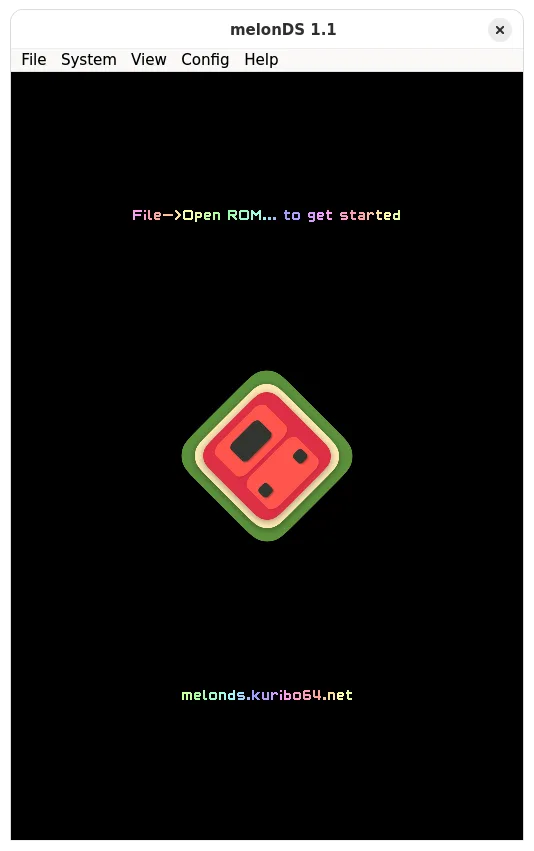
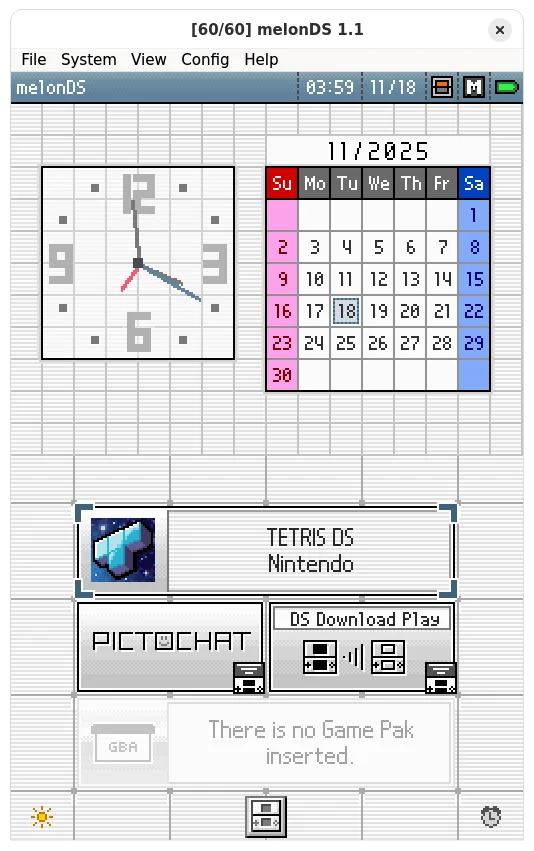
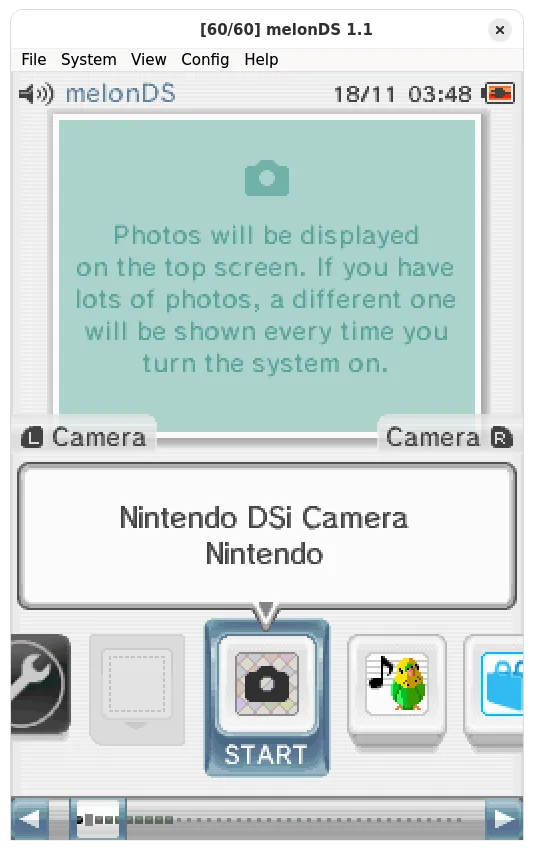
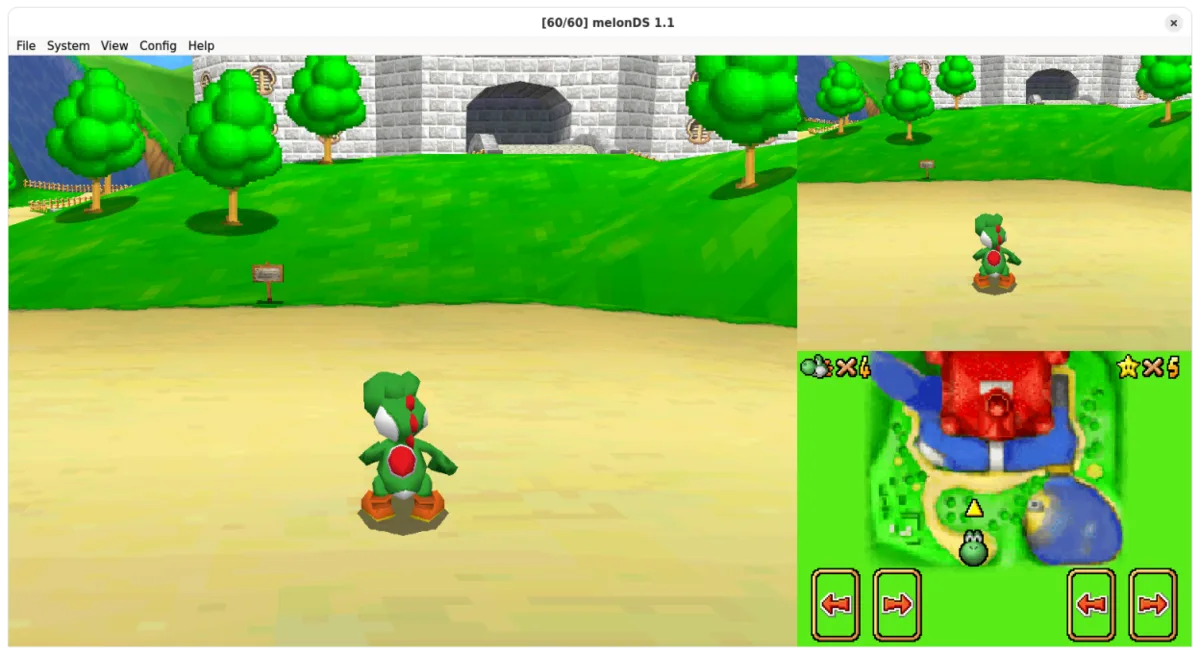
Screenshots of the Linux version, from Flathub.
Downloads
Windows 1.1
Show SHA-256
9f3f8a244103be20b5b657af5b0ed1b2a66bb20a7181476a6d294c9a53d4f8c8 Show SHA-256
9bd4c3efb529540f7577e905439ca6acd372d16b5fbbff31cca8ae3fd60026ce Mac 1.1
brew install no longer works and macOS blocks the app when you try to open it. You can still download it below from the publisher, at your own judgement. Homebrew’s cask pageShow SHA-256
79843a5e5cab93188bd11942bff5440b9505ee91c6f526f7e90c22e3cff6718d Linux 1.1
Choose the x64 (64-bit) installer for Intel or AMD PCs and the ARM64 installer for ARM PCs. The package data states no minimum Windows version, so check the publisher’s system requirements before installing on an older PC. The Universal build runs on both Intel and Apple silicon Macs. The Homebrew cask states no minimum macOS version, so check the publisher’s system requirements before installing on an older Mac. Choose the x64 (64-bit) download for Intel or AMD computers and the ARM64 download for ARM computers. The Flathub listing states no minimum Linux version or distribution, so check the publisher’s system requirements before installing.
Install with winget: winget install --id melonDS.melonDS --exact
Install with Flatpak (Flathub): flatpak install flathub net.kuribo64.melonDS
Check a download: Get-FileHash .\<file> -Algorithm SHA256 (PowerShell) or shasum -a 256 ~/Downloads/<file> (Terminal) and compare it with the SHA-256 above.
Linux (Flatpak): Flathub publishes no file checksum; Flatpak checks the app against Flathub’s signed repository when it installs. Flathub shows this app as publisher-verified. App page on Flathub.
What the installer does
Windows
- Delivered as a ZIP archive that is unpacked containing a portable program that runs without being installed for x64 and ARM64.
- The manifest does not state an install scope.
- Associates with the file types
.agb,.bin,.dmg,.dsi,.gba,.ids,.img,.nds,.rom,.sav,.sd, and.srland others. - Adds the command-line commands
melondsandmelondsarm64. - Shows up in Windows “Installed apps” as “melonDS (x64)” and “melonDS (ARM64)”.
PC requirements
- CPU architecture: x64 (64-bit), ARM64
Mac
- Delivered as a ZIP archive for Apple silicon and Intel.
- Installs the app
melonDS.appinto the Applications folder. - A full “zap” removal also deletes up to 1 support, cache and preference location in your home folder.
Mac requirements
- CPU architecture: Universal (Apple silicon + Intel)
Linux
- Delivered as a "flatpak" installer for x64 and ARM64.
- The manifest does not state an install scope.
- No silent-install switch is declared in the manifest.
Linux requirements
- Architectures: ARM64, x64 (64-bit)
- Download size: 4 MiB
- Installed size: 7 MiB
Description
DS emulator. The goal is to do things right and fast.
Best for: Nintendo DS fans who dump their own cartridges and console firmware and want a free emulator that runs on Windows, Mac and Linux.
Features
- Bring your own BIOS: To boot through the DS firmware, melonDS needs
bios9.bin,bios7.binandfirmware.bindumped from an original DS or DS Lite. Firmware from a DSi or 3DS holds only settings and works only when you boot games directly. - DSi mode asks for more: DSi emulation needs both DSi BIOS files, a DSi firmware and a NAND image of about 240 MB. The project still lists DSi support as work in progress.
- Sharper 3D on a GPU: Besides the accurate software renderer there is an OpenGL renderer that can draw 3D at higher internal resolutions. It is faster but less accurate, and work on it is what 1.2 is waiting for.
- Wi-Fi is a work in progress: Local multiplayer and online connectivity are marked as work in progress, and netplay is on the to-do list, so do not count on multiplayer yet.
- Free, open source, no installer: melonDS is GPLv3. Version 1.1 came out on November 18, 2025 as zip files for Windows x64 and Arm64 and a universal Mac app. Android ports exist but are unofficial and not supported by the developers.
- Mac: Homebrew cask off; Linux: verified Flatpak: Homebrew disabled its cask on 2026-09-01 because the app fails Apple's Gatekeeper check. On Linux, the Flathub package for x64 and Arm64 is verified as coming from the developer.
- Short history here: The Windows listing keeps 3 versions; macOS and Linux list only the current release.
melonDS at a glance
| What it is | DS emulator. The goal is to do things right and fast. |
|---|---|
| Latest version | Windows 1.1 (November 18, 2025) Mac 1.1 Linux 1.1 (November 17, 2025) |
| Price | Free and open source |
| Open source | Yes |
| License | GPL-3.0 |
| License type | Open source · Strong copyleft Software built on it must be shared under the same license. |
| Made by | melonDS |
| Category | Game development and emulation |
| Runs on | Windows, Mac, Linux |
| Official website | melonds.kuribo64.net |
| Tags | 1ds emulator nds nintendods |
| winget ID | melonDS.melonDS |
| Homebrew cask | melonds |
| Flathub | net.kuribo64.melonDS Verified data from Flathub |
| Flathub verification | Publisher verified on Flathub by proving control of kuribo64.net, 2023-02-09 |
| License on Flathub | GPL-3.0 as listed on Flathub |
| winget moniker | melonds |
| Check your download | SHA-256 checksums in the download tables · Security scan |
What’s new in melonDS 1.1
The publisher gives no notes text for this release.
Release notes on the publisher’s site
Notes for older versions are inside each version below.
Is melonDS safe?
Score result: No detections so far
None of the 62 security engines on VirusTotal flagged any of the 3 scanned files.
Covers 3 of 4 files. The rest have no VirusTotal report yet, so this result does not speak for them.
- 0 flagged in total
- 3 of 4 files scanned
- 62 engines
Scan info
- Last scan
- Scan provider
- VirusTotal · Full report
File integrity
| File | SHA-256 | Hash check | Signature | VirusTotal |
|---|---|---|---|---|
| melonDS-1.1-windows-x86_64.zipWindows · x64 (64-bit) | 9f3f8a244103be20b5b657af5b0ed1b2a66bb20a7181476a6d294c9a53d4f8c8 |
Matches the manifest (re-computed) | Not applicable | 0/62 flagged |
| melonDS-1.1-windows-aarch64(1).zipWindows · ARM64 | 9bd4c3efb529540f7577e905439ca6acd372d16b5fbbff31cca8ae3fd60026ce |
Matches the manifest (re-computed) | Not applicable | 0/66 flagged |
| melonDS-1.1-macOS-universal.zipMac · Universal (Apple silicon + Intel) | 79843a5e5cab93188bd11942bff5440b9505ee91c6f526f7e90c22e3cff6718d |
Matches the manifest (re-computed) | Not applicable | 0/65 flagged |
| net.kuribo64.melonDS.flatpakrefLinux · x64 (64-bit) | Not provided | Copied from the manifest, not re-computed | Not checked | — |
| Hash re-computed by Everyversion | 3 of 3 installers match. |
|---|---|
| Code signature checked | Not yet |
We host no installers. Every download link goes to the download location named in the package listing, normally the publisher’s own server. For this software we downloaded the files from that source ourselves, re-computed each checksum and checked the code signature where our tools could, as shown above. A passing check shows a file is the one that was published; it is not a guarantee it is free of problems. For more information, visit our Security and Trust Center.
Source and provenance
| Windows: source | microsoft/winget-pkgs |
|---|---|
| Windows: SHA-256 in upstream manifest | Yes |
| Windows: observed at commit | b5471dcc3b6c · retrieved 2026-11-13 |
| Mac: source | Homebrew/homebrew-cask |
| Mac: SHA-256 in upstream manifest | Yes |
| Mac: observed at commit | 192c285f7def · retrieved 2026-11-13 |
| Linux: source | Flathub · Flathub API · github.com/flathub/net.kuribo64.melonDS |
| Linux: checksum | None published. Flatpak checks the app against Flathub’s signed repository when it installs. |
| Linux: publisher verified | Publisher verified on Flathub by proving control of kuribo64.net, 2023-02-09 |
| Linux: data retrieved | 2026-11-13 · attribution: app data from Flathub, license listed there: GPL-3.0 |
Old versions
Windows versions
3 versions listed. Open a version for its installers, checksums and a command that pins it.
1.1 latest · 2025-11-18 · 2 installers
| Architecture | Format | Scope | SHA-256 | Download |
|---|---|---|---|---|
| x64 (64-bit) | ZIPin Portable | —en-US | 9f3f8a244103be20b5b657af5b0ed1b2a66bb20a7181476a6d294c9a53d4f8c8 |
Download |
| ARM64 | ZIPin Portable | —en-US | 9bd4c3efb529540f7577e905439ca6acd372d16b5fbbff31cca8ae3fd60026ce |
Download |
Pin this version: winget install --id melonDS.melonDS --version 1.1 --exact
Release notes
Manifest: manifests/m/melonDS/melonDS/1.1
1.0 · 2025-07-09 · 1 installer
| Architecture | Format | Scope | SHA-256 | Download |
|---|---|---|---|---|
| x64 (64-bit) | ZIPin Portable | —en-US | 4ffc3c03a6384275760faa18f56751b47377ef90bd5b5bf085d1e6e94a1e3e01 |
Download |
Pin this version: winget install --id melonDS.melonDS --version 1.0 --exact
Release notes
Manifest: manifests/m/melonDS/melonDS/1.0
0.9.5 · 1 installer
| Architecture | Format | Scope | SHA-256 | Download |
|---|---|---|---|---|
| x64 (64-bit) | ZIPin Portable | — | 289b1644004d8762987dc1daf3a61eedfafb0a5f442801bfb9d2a18299fd39a9 |
Download |
Pin this version: winget install --id melonDS.melonDS --version 0.9.5 --exact
Release notes
Manifest: manifests/m/melonDS/melonDS/0.9.5
Mac versions
Homebrew casks list only the current release. Earlier builds appear in the cask’s history on GitHub, and Homebrew cannot install them directly.
1.1 latest · 1 installer
| Architecture | Format | Requires | File & source | SHA-256 | Download |
|---|---|---|---|---|---|
| Universal (Apple silicon + Intel) | ZIP | — | melonDS-1.1-macOS-universal.zipgithub.com | 79843a5e5cab93188bd11942bff5440b9505ee91c6f526f7e90c22e3cff6718d |
Download |
Release notes
Linux versions
Flathub lists only the current release, and Flatpak installs the newest build; earlier versions cannot be chosen from the listing.
Alternatives to melonDS
Similar apps in Game development and emulation on Everyversion. Each one links to the download location named in the publisher’s package data, with a SHA-256 checksum.


melonDS FAQ
Is melonDS safe to download from here?
We host no installers. Every download button goes to the download location named in the package listing, and the checks below were run on those files.
On 2026-11-13 we downloaded the latest 3 installers from those sources and re-computed the SHA-256 of each: 3 of 3 match the package catalog’s value. Code signatures: 0 valid, 3 not applicable (archives and similar).
VirusTotal: none of its 62 security engines flagged any of the 3 scanned files.
Reports exist for 3 of 4 files, so the rating does not cover the rest.
Our rating: Safe so far. No check is a guarantee. See the security details above and our Security and Trust Center. Publisher’s website: melonDS’s official website.
Does melonDS update itself after I install an old version?
For Windows, we have no information on whether melonDS updates itself, and for Mac, we have no confirmation that the app updates itself, although many apps check for updates and offer to install them. Look for an update setting in melonDS (see melonDS’s official website) before you rely on an older version.
Does melonDS cost anything?
No. melonDS is free and open source (license: GPL-3.0).
Which versions of melonDS are listed here, and how far back?
For Windows, we list 3 versions, from 0.9.5 up to 1.1, and for Mac, only the current release (1.1) is listed, because older Mac builds are not kept in the package listing, and for Linux, we list 1 version, from 1.1 (2025-11-17) up to 1.1. This page shows all of the Windows versions.
Where do the download links go?
They go straight to the source named in the package catalog, with nothing added by us: for Windows, to melonds.kuribo64.net, and for Mac, to github.com, and for Linux, to dl.flathub.org. We host no files. Compare the SHA-256 shown next to each file with the one you compute after downloading. Publisher’s website: melonDS’s official website.