
Dolphin emulates the Nintendo GameCube and Nintendo Wii on your PC.
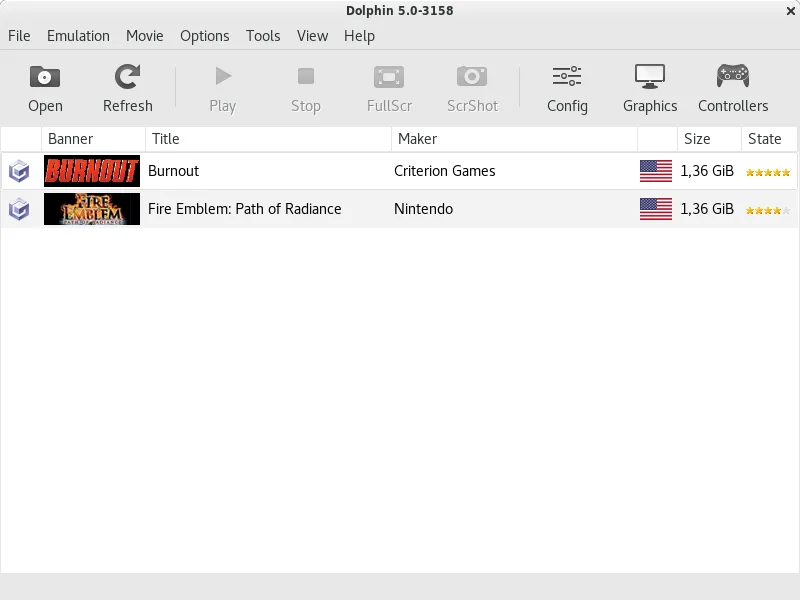
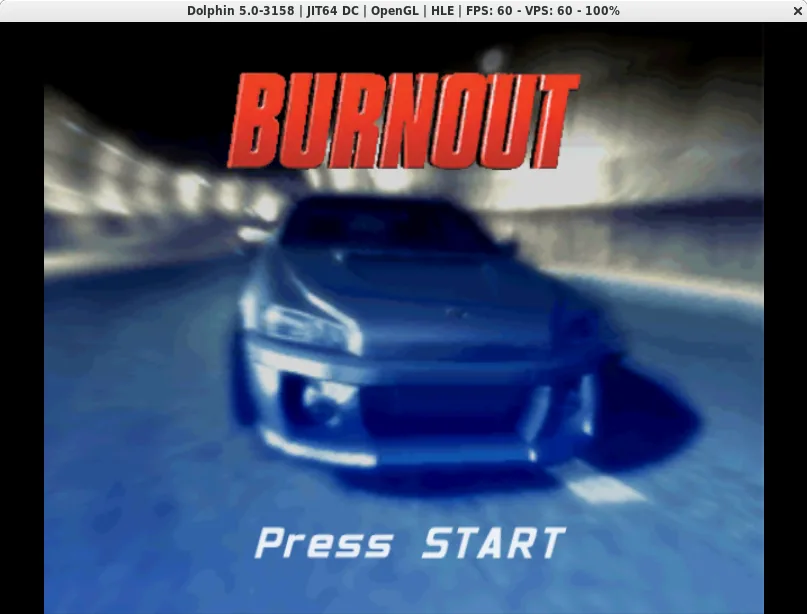
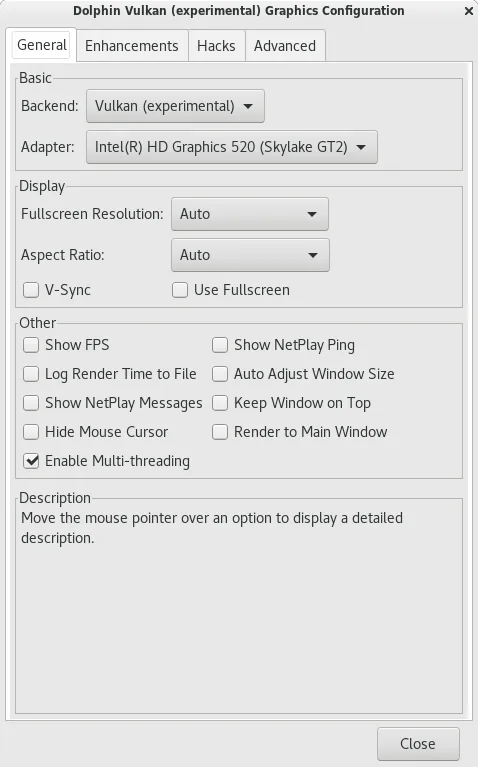
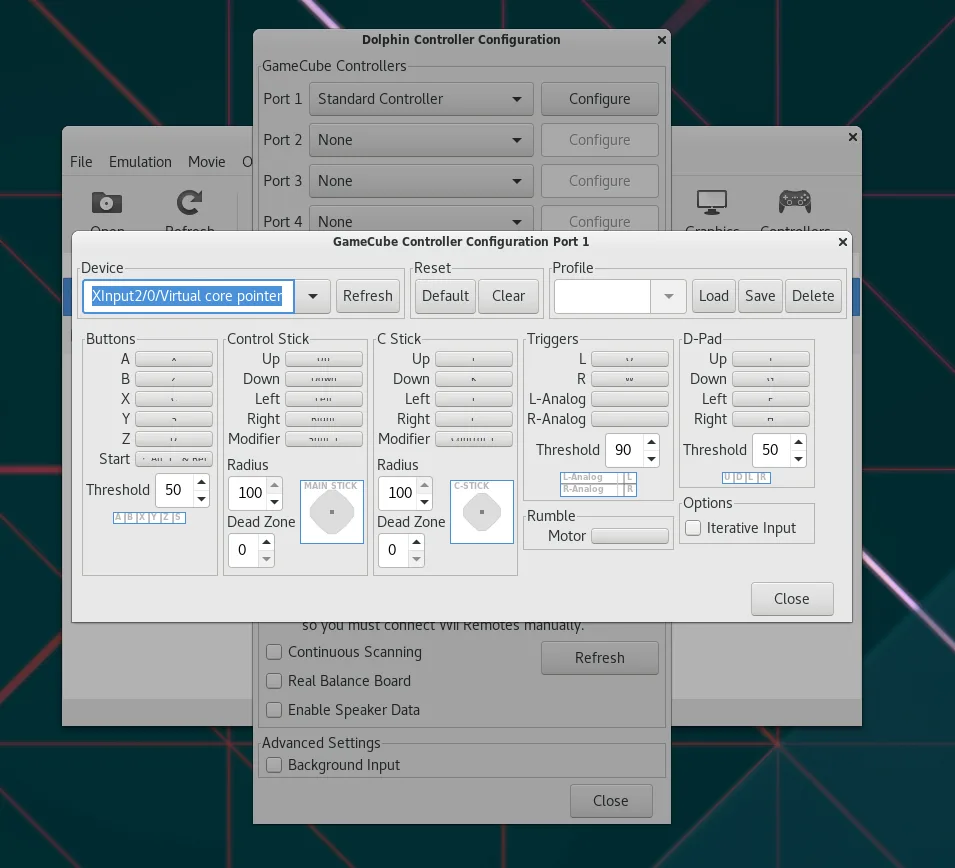
Screenshots of the Linux version, from Flathub.
Downloads
Windows 5.0
Show SHA-256
e1b3ae8fc890c6588e5656f77ef2747ae7ddfc90b6530b240c0c5b9d0ab3ce8c Mac 2609b
Show SHA-256
d7a3464ae2b71106e9bce9f53dfdbf5a6a3df2637ee8f3f78234f77653eb0a64 Linux 2609b
The publisher offers a 64-bit (x64) build for Intel or AMD PCs. This build needs Windows 10 or later. The Universal build runs on both Intel and Apple silicon Macs. The Homebrew cask states no minimum macOS version, so check the publisher’s system requirements before installing on an older Mac. Choose the x64 (64-bit) download for Intel or AMD computers and the ARM64 download for ARM computers. The Flathub listing states no minimum Linux version or distribution, so check the publisher’s system requirements before installing.
Install with winget: winget install --id DolphinEmulator.Dolphin --exact
Install with Homebrew: brew install --cask dolphin
Install with Flatpak (Flathub): flatpak install flathub org.DolphinEmu.dolphin-emu
Check a download: Get-FileHash .\<file> -Algorithm SHA256 (PowerShell) or shasum -a 256 ~/Downloads/<file> (Terminal) and compare it with the SHA-256 above.
Linux (Flatpak): Flathub publishes no file checksum; Flatpak checks the app against Flathub’s signed repository when it installs. The ownership of the org.DolphinEmu.dolphin-emu app ID has not been verified and it may be a community package. App page on Flathub.
What the installer does
Windows
- Delivered as an NSIS (Nullsoft) setup program (.exe) for x64.
- Installs for all users on the PC, which normally requires administrator rights.
- No custom silent switch is declared; winget falls back to its default for this installer type (
/S). - Declared install modes: interactive and silent.
- Associates with the file types
.ciso,.elf,.gcm,.gcz,.gol,.iso,.wad, and.wbfs. - Upgrades install over the existing version.
PC requirements
- Minimum Windows version: Windows 10 (10.0.0.0) or later
- CPU architecture: x64 (64-bit)
Mac
- Delivered as a disk image (.dmg) for Apple silicon and Intel.
- Installs the app
Dolphin.appinto the Applications folder. - The app updates itself, so it may be newer than the version Homebrew lists.
- On uninstall, Homebrew asks the app to quit.
- A full “zap” removal also deletes up to 3 support, cache and preference locations in your home folder.
Mac requirements
- CPU architecture: Universal (Apple silicon + Intel)
Linux
- Delivered as a "flatpak" installer for x64 and ARM64.
- The manifest does not state an install scope.
- No silent-install switch is declared in the manifest.
Linux requirements
- Architectures: ARM64, x64 (64-bit)
- Download size: 21 MiB
- Installed size: 53 MiB
Description
Dolphin is an emulator for two recent Nintendo video game consoles: the GameCube and the Wii. It allows PC gamers to enjoy games for these two consoles in full HD (1080p) with several enhancements: compatibility with all PC controllers, turbo speed, networked multiplayer, and even more!
Best for: Players who own GameCube and Wii discs and want to play them on a 64-bit PC or Mac with a reasonably fast CPU and GPU.
Features
- GameCube and Wii on one emulator: Dolphin runs games for both consoles. It reads common disc image formats, including ISO, GCZ, CISO, WBFS, WIA and RVZ.
- Bring your own games: Dolphin ships no games. The FAQ says downloading commercial games is illegal, even ones you bought, and suggests dumping your own discs with a homebrewed Wii and CleanRip.
- Speed beats core count: Dolphin depends on clock speed and per-core performance more than on many cores. The GPU needs DirectX 11.1 and OpenGL 4.4, and 2 GB of RAM or more is recommended. Only 64-bit systems are supported.
- Windows here is an old release: The Windows entry on this site is version 5.0. The project now numbers releases by year and month, such as 2609 for September 2026 and its hotfix 2609b, and offers them for Windows x64 and Arm64 on its download page. Windows builds need the 64-bit Visual C++ redistributable.
- Releases or development builds: Releases come every few months and are the stable choice. Development builds appear after each code change and are less tested, but get fixes first.
- Mac and Linux: The Mac build is universal for Apple silicon and Intel and needs macOS 11 or later. On Linux, the Flatpak here is not verified on Flathub, so it is a community package rather than one from the Dolphin team.
- One version per platform: Each platform lists only one version here, so a downgrade needs another source, such as the release list on the Dolphin site.
Dolphin at a glance
| What it is | Dolphin emulates the Nintendo GameCube and Nintendo Wii on your PC. |
|---|---|
| Latest version | Windows 5.0 Mac 2609b Linux 2609b (November 8, 2026) |
| Price | Free and open source |
| Open source | Yes |
| License | GPL-2.0-or-later/GPL-3.0-or-later |
| License type | Open source · Strong copyleft Software built on it must be shared under the same license. |
| Copyright | Copyright (c) 2016 Dolphin Team |
| Made by | Dolphin Team |
| Category | Game development and emulation |
| Runs on | Windows, Mac, Linux |
| Official website | dolphin-emu.org |
| More links | Support · Privacy policy |
| Source code | github.com/dolphin-emu/dolphin |
| Tags | dolphin emulation emulator game gamecube gaming ngc revolution videogame wii |
| winget ID | DolphinEmulator.Dolphin |
| Homebrew cask | dolphin |
| Flathub | org.DolphinEmu.dolphin-emu Unverified · community data from Flathub |
| Flathub verification | The ownership of the org.DolphinEmu.dolphin-emu app ID has not been verified and it may be a community package. |
| License on Flathub | GPL-2.0+ as listed on Flathub |
| winget moniker | dolphin |
| Check your download | SHA-256 checksums in the download tables · Security scan |
Is Dolphin safe?
Score result: Mostly clean
dolphin-x64-5.0.exe was flagged by 1 of 65 engines. One engine alone does not change the rating, and its label is listed under Detections.
Covers 2 of 3 files. The rest have no VirusTotal report yet, so this result does not speak for them.
- 1 flagged in total
- 2 of 3 files scanned
- 65 engines
Scan info
- Last scan
- Scan provider
- VirusTotal · Full report
File integrity
| File | SHA-256 | Hash check | Signature | VirusTotal |
|---|---|---|---|---|
| dolphin-x64-5.0.exeWindows · x64 (64-bit) | e1b3ae8fc890c6588e5656f77ef2747ae7ddfc90b6530b240c0c5b9d0ab3ce8c |
Copied from the manifest, not re-computed | Not checked | 1/65 flagged |
| dolphin-2609b-universal.dmgMac · Universal (Apple silicon + Intel) | d7a3464ae2b71106e9bce9f53dfdbf5a6a3df2637ee8f3f78234f77653eb0a64 |
Copied from the manifest, not re-computed | Not checked | 0/61 flagged |
| org.DolphinEmu.dolphin-emu.flatpakrefLinux · x64 (64-bit) | Not provided | Copied from the manifest, not re-computed | Not checked | — |
| Hash re-computed by Everyversion | Not yet |
|---|---|
| Code signature checked | Not yet |
Detections (1 from 1 file)
dolphin-x64-5.0.exe: flagged by 1 of 65 engines
| Engine | Type | Label |
|---|---|---|
| Gridinsoft | malicious | Malware.Win32.Gen.ns |
Full VirusTotal report · scanned 2026-09-12
These are the security vendors’ own labels, shown exactly as VirusTotal reports them. We do not edit or interpret them. A detection does not by itself mean a file is malicious. Read the full report and see our Security and Trust Center.
We host no installers. Every download link goes to the download location named in the package listing, normally the publisher’s own server. For this software the checksums are copied from the package manifest and we have not re-computed them yet. A passing check shows a file is the one that was published; it is not a guarantee it is free of problems. For more information, visit our Security and Trust Center.
Source and provenance
| Windows: source | microsoft/winget-pkgs |
|---|---|
| Windows: SHA-256 in upstream manifest | Yes |
| Windows: observed at commit | 615b69b21b30 · retrieved 2026-11-10 |
| Mac: source | Homebrew/homebrew-cask |
| Mac: SHA-256 in upstream manifest | Yes |
| Mac: observed at commit | b8938744284b · retrieved 2026-11-10 |
| Linux: source | Flathub · Flathub API · github.com/flathub/org.DolphinEmu.dolphin-emu |
| Linux: checksum | None published. Flatpak checks the app against Flathub’s signed repository when it installs. |
| Linux: publisher verified | The ownership of the org.DolphinEmu.dolphin-emu app ID has not been verified and it may be a community package. |
| Linux: data retrieved | 2026-11-15 · attribution: app data from Flathub, license listed there: GPL-2.0+ |
All Dolphin versions
Windows versions
1 version listed. Open a version for its installers, checksums and a command that pins it.
5.0 latest · 1 installer
| Architecture | Format | Scope | SHA-256 | Download |
|---|---|---|---|---|
| x64 (64-bit) | NSIS | All usersen-US | e1b3ae8fc890c6588e5656f77ef2747ae7ddfc90b6530b240c0c5b9d0ab3ce8c |
Download |
Pin this version: winget install --id DolphinEmulator.Dolphin --version 5.0 --exact
Manifest: manifests/d/DolphinEmulator/Dolphin/5.0
Mac versions
Homebrew casks list only the current release. Earlier builds appear in the cask’s history on GitHub, and Homebrew cannot install them directly.
2609b latest · 1 installer
| Architecture | Format | Requires | File & source | SHA-256 | Download |
|---|---|---|---|---|---|
| Universal (Apple silicon + Intel) | DMG | — | dolphin-2609b-universal.dmgdl.dolphin-emu.org | d7a3464ae2b71106e9bce9f53dfdbf5a6a3df2637ee8f3f78234f77653eb0a64 |
Download |
Linux versions
Flathub lists only the current release, and Flatpak installs the newest build; earlier versions cannot be chosen from the listing.
Alternatives to Dolphin
Similar apps in Game development and emulation on Everyversion. Each one links to the download location named in the publisher’s package data, with a SHA-256 checksum.


Dolphin FAQ
Is Dolphin safe to download from here?
We host no installers. Every download button goes to the download location named in the package listing.
The checksums on this page are copied from the package catalog. We have not re-computed them or checked signatures for Dolphin yet.
VirusTotal: one engine out of 65 flagged dolphin-x64-5.0.exe. A single flag among that many engines is usually a false alarm. We still list it under Detections.
Reports exist for 2 of 3 files, so the rating does not cover the rest.
These VirusTotal results are for the file hashes listed in the package catalog. We have not downloaded the files ourselves.
Our rating: Safe so far. No check is a guarantee. See the security details above and our Security and Trust Center. Publisher’s website: Dolphin’s official website.
Does Dolphin update itself after I install an old version?
For Windows, we have no information on whether Dolphin updates itself, and for Mac, the app is listed as updating itself, so an older build will likely offer, or simply install, the newest release when you open it. To keep an old version, look for an automatic-update setting in Dolphin (see Dolphin’s documentation) and turn it off before you rely on it.
Does Dolphin cost anything?
No. Dolphin is free and open source (license: GPL-2.0-or-later/GPL-3.0-or-later).
Which versions of Dolphin are listed here, and how far back?
For Windows, we list 1 version, from 5.0 up to 5.0, and for Mac, only the current release (2609b) is listed, because older Mac builds are not kept in the package listing, and for Linux, we list 1 version, from 2609b (2026-11-08) up to 2609b. This page shows all of the Windows versions.
Where do the download links go?
They go straight to the source named in the package catalog, with nothing added by us: for Windows, to dl-mirror.dolphin-emu.org, and for Mac, to dl.dolphin-emu.org, and for Linux, to dl.flathub.org. We host no files. Compare the SHA-256 shown next to each file with the one you compute after downloading. Publisher’s website: Dolphin’s official website.