
Download DOSBox Staging 0.83.1-8888e
Safe so farDeveloper: DOSBox Staging
Last updated: · Verified by  CristianBuilt Everyversion after working at Softonic. Runs the checks and answers for the results. ClaudeAnthropic’s AI. Runs the download, checksum and signature checks and reports every result. VirusTotalScans files with dozens of security engines. We look up each file by its SHA-256 only.
DOSBox Staging is a modern continuation of DOSBox — your existing configurations will continue to work, and you will have access to many advanced features.
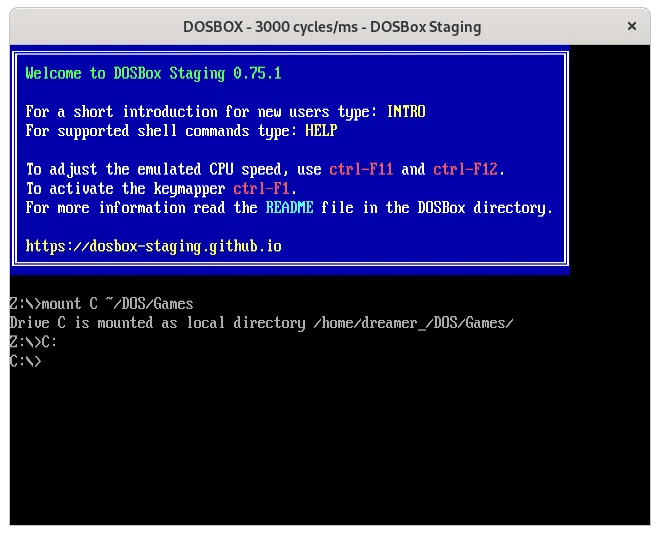
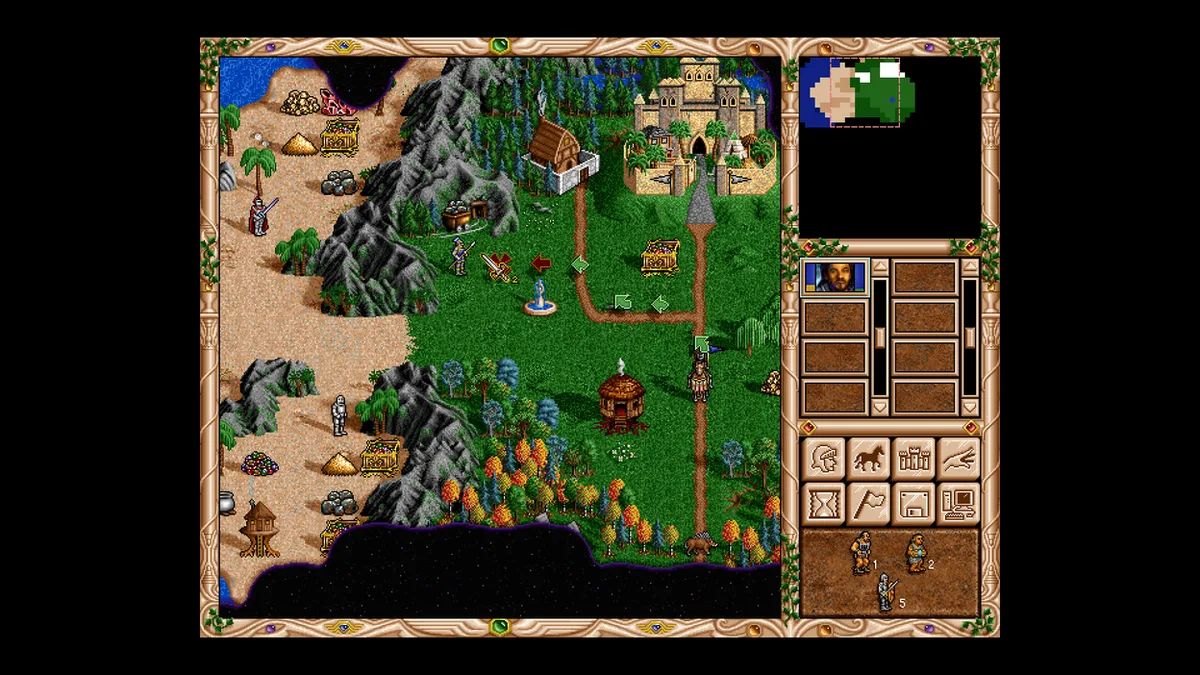
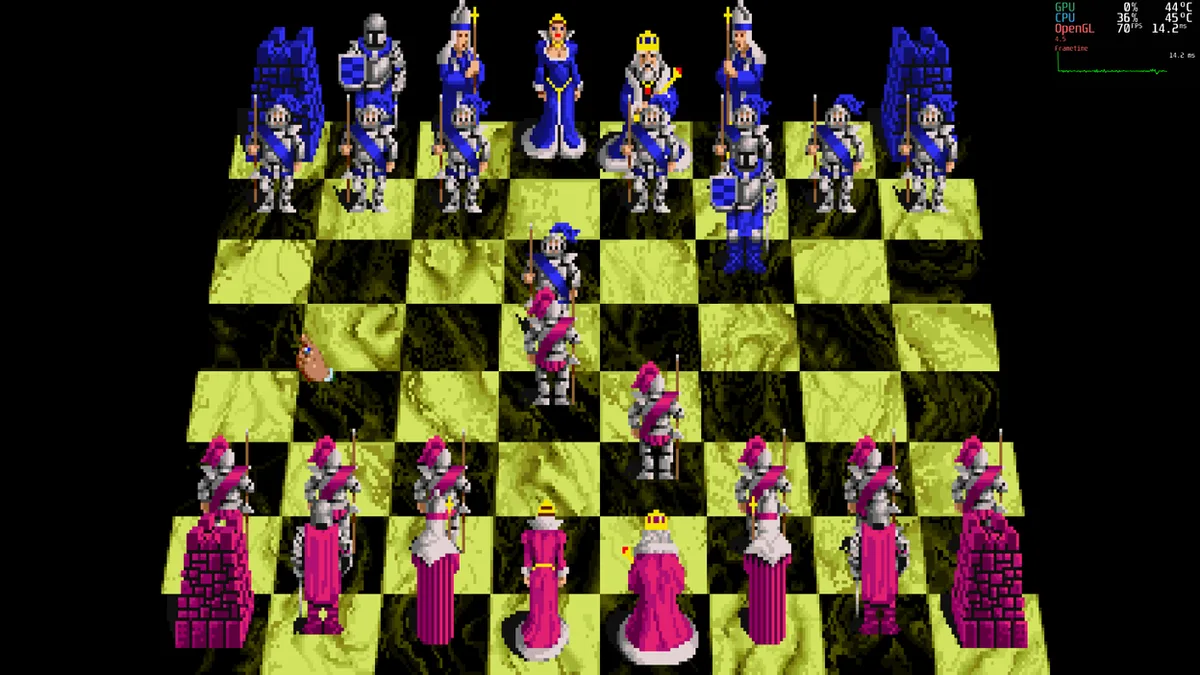
Screenshots of the Linux version, from Flathub.
Downloads
Windows 0.83.1-8888e
Show SHA-256
bb474223d1a80c9c4647546adb7fa80495b97418c1e2ca33ca3b10b6dc346c87 Show SHA-256
bb474223d1a80c9c4647546adb7fa80495b97418c1e2ca33ca3b10b6dc346c87 Mac 0.83.1
Show SHA-256
a016f04c25b0c27cc3dfa4165cd7242feb36d647fc9b3e4990ca83257d1012ad Linux 0.83.1
The publisher offers a 64-bit (x64) build for Intel or AMD PCs. The package data states no minimum Windows version, so check the publisher’s system requirements before installing on an older PC. The Universal build runs on both Intel and Apple silicon Macs. This build needs macOS 12 Monterey or later. Choose the x64 (64-bit) download for Intel or AMD computers and the ARM64 download for ARM computers. The Flathub listing states no minimum Linux version or distribution, so check the publisher’s system requirements before installing.
Install with winget: winget install --id DOSBoxStaging.DOSBoxStaging --exact
Install with Homebrew: brew install --cask dosbox-staging-app
Install with Flatpak (Flathub): flatpak install flathub io.github.dosbox-staging
Check a download: Get-FileHash .\<file> -Algorithm SHA256 (PowerShell) or shasum -a 256 ~/Downloads/<file> (Terminal) and compare it with the SHA-256 above.
Linux (Flatpak): Flathub publishes no file checksum; Flatpak checks the app against Flathub’s signed repository when it installs. Flathub shows this app as publisher-verified. App page on Flathub.
What the installer does
Windows
- Delivered as an Inno Setup program (.exe) for x64.
- Offers both a per-user and an all-users installer.
- No custom silent switch is declared; winget falls back to its default for this installer type (
/SP- /VERYSILENT /SUPPRESSMSGBOXES /NORESTART). - Upgrades install over the existing version.
PC requirements
- CPU architecture: x64 (64-bit)
Mac
- Delivered as a disk image (.dmg) for Apple silicon and Intel.
- Installs the app
DOSBox Staging.appinto the Applications folder. - A full “zap” removal also deletes up to 1 support, cache and preference location in your home folder.
Mac requirements
- Minimum macOS version: macOS 12 or later
- CPU architecture: Universal (Apple silicon + Intel)
Linux
- Delivered as a "flatpak" installer for x64 and ARM64.
- The manifest does not state an install scope.
- No silent-install switch is declared in the manifest.
Linux requirements
- Architectures: ARM64, x64 (64-bit)
- Download size: 139 MiB
- Installed size: 179 MiB
Description
DOSBox Staging is a modern continuation of DOSBox with advanced features and current development practices. It is a (mostly) drop-in replacement for older DOSBox versions—your existing configurations will continue to work, and you will have access to many advanced features. DOSBox Staging comes with sensible defaults, so you’ll need to write a lot less configuration than with older DOSBox versions. Most games and applications require no tweaking and will work fine with the stock settings. However, the extensive configuration options and advanced features are available if you wish to delve deeper. Please refer to the Feature highlights on our front page to learn more about these.
Best for: People replaying old DOS games on a modern PC or Mac who want them to look and sound right without hand-tuning shaders and MIDI setups.
Features
- Your DOSBox configs still work: DOSBox Staging continues the original DOSBox, and existing configuration files keep working. It also supports portable and layered configuration files.
- CRT look with no setup: A built-in CRT emulation adapts to your screen from 720p up to 4K, so games look closer to how they did on a tube monitor. Custom shaders are supported too.
- Period sound built in: Roland MT-32 and SC-55 emulation and a FluidSynth MIDI synth are included, so games with music for those devices play it without extra software.
- Graphics and network: It emulates VGA, EGA, CGA, Hercules and the 3dfx Voodoo 1 card. Ethernet, modem and IPX options cover old multiplayer games.
- 64-bit only now: Version 0.83.1 needs 64-bit Windows 8, 10 or 11 on x64; there is no Arm build for Windows. The Mac .dmg is universal and needs macOS 12 or later. A dedicated graphics card is recommended on laptops.
- Linux: Flatpak or tarball: The Flatpak here is verified on Flathub, so it comes from the DOSBox Staging team. The project's own Linux download is an x86_64 tarball, and it supports only its official builds, not distro packages.
- Free and open: No account, no price, GPL-2.0 or later. The Windows installer here can install for one user or all users, and the Windows listing keeps 9 versions; macOS and Linux list only the current release, so downgrades there need another source.
DOSBox Staging at a glance
| What it is | DOSBox Staging is a modern continuation of DOSBox — your existing configurations will continue to work, and you will have access to many advanced features. |
|---|---|
| Latest version | Windows 0.83.1-8888e (November 14, 2026) Mac 0.83.1 Linux 0.83.1 (November 14, 2026) |
| Price | Free and open source |
| Open source | Yes |
| License | GPL-2.0-or-later |
| License type | Open source · Strong copyleft Software built on it must be shared under the same license. |
| Made by | DOSBox Staging |
| Category | Game development and emulation |
| Runs on | Windows, Mac, Linux |
| Official website | dosbox-staging.org |
| More links | Support · Bug tracker · Getting Started · Wiki · Release notes |
| Source code | github.com/dosbox-staging/dosbox-staging |
| Tags | dos dosbox dosbox-staging emulator game |
| winget ID | DOSBoxStaging.DOSBoxStaging |
| Homebrew cask | dosbox-staging-app |
| Flathub | io.github.dosbox-staging Verified data from Flathub |
| Flathub verification | Publisher verified on Flathub by proving control of dosbox-staging.github.io, 2023-07-13 |
| License on Flathub | GPL-2.0-or-later as listed on Flathub |
| Check your download | SHA-256 checksums in the download tables · Security scan |
What’s new in DOSBox Staging 0.83.1-8888e
Notes for the Windows release.
The main focus of this maintenance release is to fix a few regressions introduced in 0.83.0 and earlier releases. This release was made possible by everyone who tried our 0.83.0 release, reported bugs and pull requests, and tested the updates. Thank you! 0.83.0 regression fixes - Fix joystick becoming disabled after changing the joysticktype setting at runtime. - Fix IPX regressions when toggling the ipx setting at runtime. - Fix saving rendered screenshot when presentation_mode = host-rate or vsync = on is set. - Fix some games that support joysticks misbehaving with innovation = on. - Fix Zone Raiders displaying distorted graphics on macOS. - Restore the --noconsole Windows-only command line option. - Reduce the size of the DOSBox Staging executable from about 45 MB to 13 MB. 0.82.1 regression fixes - Fix running programs and batch files via relative paths without file extension. Other changes - Add new CHCP command to change only the code page at runtime. - Remove automatic locale detection — it didn’t work reliably and consistently across our supported platforms (especially on Windows), so it had to go.
Read the full release notes on the publisher’s site
Notes for older versions are inside each version below.
Is DOSBox Staging safe?
Score result: Mostly clean
dosbox-staging-windows-x64-v0.83.1-setup.exe was flagged by 1 of 70 engines. One engine alone does not change the rating, and its label is listed under Detections.
Covers 2 of 3 files. The rest have no VirusTotal report yet, so this result does not speak for them.
- 1 flagged in total
- 2 of 3 files scanned
- 70 engines
Scan info
- Last scan
- Scan provider
- VirusTotal · Full report
File integrity
| File | SHA-256 | Hash check | Signature | VirusTotal |
|---|---|---|---|---|
| dosbox-staging-windows-x64-v0.83.1-setup.exeWindows · x64 (64-bit) | bb474223d1a80c9c4647546adb7fa80495b97418c1e2ca33ca3b10b6dc346c87 |
Matches the manifest (re-computed) | Not signed | 1/70 flagged |
| dosbox-staging-macOS-v0.83.1.dmgMac · Universal (Apple silicon + Intel) | a016f04c25b0c27cc3dfa4165cd7242feb36d647fc9b3e4990ca83257d1012ad |
Matches the manifest (re-computed) | Valid | 0/54 flagged |
| io.github.dosbox-staging.flatpakrefLinux · x64 (64-bit) | Not provided | Copied from the manifest, not re-computed | Not checked | — |
| Hash re-computed by Everyversion | 2 of 2 installers match. |
|---|---|
| Code signature checked | 1 valid, 1 unsigned. |
Detections (1 from 1 file)
dosbox-staging-windows-x64-v0.83.1-setup.exe: flagged by 1 of 70 engines
| Engine | Type | Label |
|---|---|---|
| DeepInstinct | malicious | MALICIOUS |
Full VirusTotal report · scanned 2026-11-16
These are the security vendors’ own labels, shown exactly as VirusTotal reports them. We do not edit or interpret them. A detection does not by itself mean a file is malicious. Read the full report and see our Security and Trust Center.
We host no installers. Every download link goes to the download location named in the package listing, normally the publisher’s own server. For this software we downloaded the files from that source ourselves, re-computed each checksum and checked the code signature where our tools could, as shown above. A passing check shows a file is the one that was published; it is not a guarantee it is free of problems. For more information, visit our Security and Trust Center.
Source and provenance
| Windows: source | microsoft/winget-pkgs |
|---|---|
| Windows: SHA-256 in upstream manifest | Yes |
| Windows: observed at commit | a9b93ec33789 · retrieved 2026-11-16 |
| Mac: source | Homebrew/homebrew-cask |
| Mac: SHA-256 in upstream manifest | Yes |
| Mac: observed at commit | 40bfcea50dc5 · retrieved 2026-11-14 |
| Linux: source | Flathub · Flathub API · github.com/flathub/io.github.dosbox-staging |
| Linux: checksum | None published. Flatpak checks the app against Flathub’s signed repository when it installs. |
| Linux: publisher verified | Publisher verified on Flathub by proving control of dosbox-staging.github.io, 2023-07-13 |
| Linux: data retrieved | 2026-11-24 · attribution: app data from Flathub, license listed there: GPL-2.0-or-later |
Old versions
Windows versions
9 versions listed. Open a version for its installers, checksums and a command that pins it.
0.83.1-8888e latest · 2026-11-14 · 2 installers notes
| Architecture | Format | Scope | SHA-256 | Download |
|---|---|---|---|---|
| x64 (64-bit) | Inno Setup | All users | bb474223d1a80c9c4647546adb7fa80495b97418c1e2ca33ca3b10b6dc346c87 |
Download |
| x64 (64-bit) | Inno Setup | Per user | bb474223d1a80c9c4647546adb7fa80495b97418c1e2ca33ca3b10b6dc346c87 |
Download |
Pin this version: winget install --id DOSBoxStaging.DOSBoxStaging --version 0.83.1-8888e --exact
Release notes
The main focus of this maintenance release is to fix a few regressions introduced in 0.83.0 and earlier releases. This release was made possible by everyone who tried our 0.83.0 release, reported bugs and pull requests, and tested the updates. Thank you! 0.83.0 regression fixes - Fix joystick becoming disabled after changing the joysticktype setting at runtime. - Fix IPX regressions when toggling the ipx setting at runtime. - Fix saving rendered screenshot when presentation_mode = host-rate or vsync = on is set. - Fix some games that support joysticks misbehaving with innovation = on. - Fix Zone Raiders displaying distorted graphics on macOS. - Restore the --noconsole Windows-only command line option. - Reduce the size of the DOSBox Staging executable from about 45 MB to 13 MB. 0.82.1 regression fixes - Fix running programs and batch files via relative paths without file extension. Other changes - Add new CHCP command to change only the code page at runtime. - Remove automatic locale detection — it didn’t work reliably and consistently across our supported platforms (especially on Windows), so it had to go.
Full release notes from the publisher
Manifest: manifests/d/DOSBoxStaging/DOSBoxStaging/0.83.1-8888e
0.83.0-7b400 · 2026-08-27 · 2 installers notes
| Architecture | Format | Scope | SHA-256 | Download |
|---|---|---|---|---|
| x64 (64-bit) | Inno Setup | All users | a3f30b34870c1a3845258bee92f325d0efe22761adce9827820fb86edeac651d |
Download |
| x64 (64-bit) | Inno Setup | Per user | a3f30b34870c1a3845258bee92f325d0efe22761adce9827820fb86edeac651d |
Download |
Pin this version: winget install --id DOSBoxStaging.DOSBoxStaging --version 0.83.0-7b400 --exact
Release notes
Summary After a rather long wait, the DOSBox Staging team is proud to present our new major 0.83.0 release! I think we’ve managed to outdo ourselves again as this has gotten even bigger than our monstrous 0.81.0 release. Instead of coming up with excuses why it took so long, let’s take a look at our new killer features: - 100% authentic Roland Sound Canvas SC-55 emulation via Nuked-SC55. Yes, ladies and gentlemen, we’ve bagged this long-coveted trophy of DOS gaming! I really couldn’t tell the difference between our emulation and the hardware SC-55 unit sitting on my desk during extensive A/B tests! - Authentic CRT colour emulation to take another big step towards faithfully emulating those miniature particle accelerators, also known as CRT monitors, on our modern flat screens! 😎 - Image adjustment controls to tweak the brightness, contrast, saturation, colour temperature, etc. settings, just like on a real CRT monitor. - Totally overhauled frame presentation that achieves better out-of-the-box results with proper VRR and vsync support in most circumstances. The new system is much simpler — the old presentation settings seemed to give everyone a headache. - Wide-gamut monitor support to achieve even better CRT-like results, and playing DOS games with radioactive colours on DCI-P3 displays is just not fun. - FMV deinterlacer to do those campy full-motion video 90s adventure games justice on modern screens. Yes, you can combine deinterlacing with any shader, including the CRT…
Full release notes from the publisher
Manifest: manifests/d/DOSBoxStaging/DOSBoxStaging/0.83.0-7b400
0.82.2 · 2025-06-17 · 2 installers notes
| Architecture | Format | Scope | SHA-256 | Download |
|---|---|---|---|---|
| x64 (64-bit) | Inno Setup | All users | 8f8cd565a171c7dcedbda9a28f162c1d464c20f688765eea4cddfc1f3205914e |
Download |
| x64 (64-bit) | Inno Setup | Per user | 8f8cd565a171c7dcedbda9a28f162c1d464c20f688765eea4cddfc1f3205914e |
Download |
Pin this version: winget install --id DOSBoxStaging.DOSBoxStaging --version 0.82.2 --exact
Release notes
This maintenance release corrects the minimum required macOS version regression introduced in 0.82.1 plus adds a few minor enhancements and fixes: - The minimum supported macOS version was raised to macOS 14 (Sonoma) in 0.82.1 by mistake. This is now fixed; DOSBox Staging 0.82.2 requires macOS 11 (Big Sur) or later. - Fix incorrect handling of read-only directories on Linux and macOS. This fixes DeuTex (DOOM WAD extractor). - Fix emulator hanging when quitting DOSBox Staging while rebooting is in progress. - Restarting DOSBox with CONFIG -R or the restart hotkey now correctly saves the command line history. - Allow read-only directories to be deleted with the RMDIR DOS command on Windows. - Update bundled FreeDOS XCOPY to v1.9a. This release was made possible by everyone who tried 0.82.1, submitted bugs and pull requests, and tested the updates. Thank you!
0.82.1 · 2025-04-03 · 2 installers notes
| Architecture | Format | Scope | SHA-256 | Download |
|---|---|---|---|---|
| x64 (64-bit) | Inno Setup | All users | c69e67cbda6a44019d5a6b44d53cf35356209cb28e835c2538ed3b2ad017c5b6 |
Download |
| x64 (64-bit) | Inno Setup | Per user | c69e67cbda6a44019d5a6b44d53cf35356209cb28e835c2538ed3b2ad017c5b6 |
Download |
Pin this version: winget install --id DOSBoxStaging.DOSBoxStaging --version 0.82.1 --exact
Release notes
The focus of this minor maintenance release is to fix a few regressions introduced in 0.82.0, and to add a few small enhancements. Regression fixes - Fixed dual-mouse gaming support not working on Windows. This broke the dual-mouse feature in the The Settlers and The Settlers II: Veni, Vidi, Vici on Windows only. - A new file_locking setting has been introduced to allow disabling file locking (previously, file locking was always enabled). Setting file_locking = off fixes the regression of the demo Astral Blur by The Black Lotus not starting up. Please refer to the setting's description to learn more (e.g., run config -h file_locking from the DOS prompt). - Fixed a regression where configuration settings were handled in a case-sensitive manner across the board (they should be case-insentive; e.g., cpu_cycles, CPU_CYCLES and Cpu_CYCles should refer to the same setting). Enhancements and fixes - Now you can queue setting changes that are unchangeable at runtime. The queued setting will be applied on the next emulator restart (via the config -r command or the restart hotkey). For example, execute the following commands to change the machine type to CGA and use 1 MB of RAM: machine cga memsize 1 config -r - Config files written with config -wc PATH and -wcd commands now have a blank line inserted after each setting's description to improve readability. - Fixed a bug where certain startup_verbosity settings could lead to a blank console.
0.82.0-9df43 · 2024-10-27 · 2 installers notes
| Architecture | Format | Scope | SHA-256 | Download |
|---|---|---|---|---|
| x64 (64-bit) | Inno Setup | All users | fa041173e55fba9873be0a85734a09a3f54b466c95ff8f1b8aa1a84cd3347729 |
Download |
| x64 (64-bit) | Inno Setup | Per user | fa041173e55fba9873be0a85734a09a3f54b466c95ff8f1b8aa1a84cd3347729 |
Download |
Pin this version: winget install --id DOSBoxStaging.DOSBoxStaging --version 0.82.0-9df43 --exact
Release notes
Just six short months after our monstre 0.81.0 release, we're back with another big one that adds - Pentium MMX emulation, - ESS Enhanced FM Audio, - numerous audio-related enhancements, - a large number of game compatibility fixes, - improved Windows 3.1x compatibility, - supercharged 3dfx Voodoo emulation performance, - experimental Windows ARM64 support, and a lot more! Read on to get the full story! :sunglasses:
Full release notes from the publisher
Manifest: manifests/d/DOSBoxStaging/DOSBoxStaging/0.82.0-9df43
0.81.2 · 2024-07-21 · 3 installers notes
| Architecture | Format | Scope | SHA-256 | Download |
|---|---|---|---|---|
| x64 (64-bit) | Inno Setup | All users | 7c23512666f694420e5e2612742de5fb64b32d336e54359b65fd21e7107ef51c |
Download |
| x64 (64-bit) | Inno Setup | Per user | 7c23512666f694420e5e2612742de5fb64b32d336e54359b65fd21e7107ef51c |
Download |
| x64 (64-bit) | ZIPin Portable | — | d7ec6054ae58d287c3ad5fbf4c3df732ea3fd75ae828c8f4481fcf7c6203d168 |
Download |
Pin this version: winget install --id DOSBoxStaging.DOSBoxStaging --version 0.81.2 --exact
Release notes
0.81.2 release notes: https://dosbox-staging.github.io/releases/release-notes/0.81.2/
0.81.1 · 2024-05-12 · 3 installers notes
| Architecture | Format | Scope | SHA-256 | Download |
|---|---|---|---|---|
| x64 (64-bit) | Inno Setup | All users | 4bb5e63bfef41d4a6ee8f7af3b8c5ee6756987c4247197db0b16d888c6ac0705 |
Download |
| x64 (64-bit) | Inno Setup | Per user | 4bb5e63bfef41d4a6ee8f7af3b8c5ee6756987c4247197db0b16d888c6ac0705 |
Download |
| x64 (64-bit) | ZIPin Portable | — | cb45e4e56b85cac7b8b1eb63a1bbd93430a226215a5c04f2700076c279d10e12 |
Download |
Pin this version: winget install --id DOSBoxStaging.DOSBoxStaging --version 0.81.1 --exact
Release notes
0.81.1 release notes: https://dosbox-staging.github.io/releases/release-notes/0.81.1/
0.81.0 · 2024-02-27 · 3 installers notes
| Architecture | Format | Scope | SHA-256 | Download |
|---|---|---|---|---|
| x64 (64-bit) | Inno Setup | All users | 7de2cbdd8b320017dcf904c3df58b15088047954b053757c870279cbbb301393 |
Download |
| x64 (64-bit) | Inno Setup | Per user | 7de2cbdd8b320017dcf904c3df58b15088047954b053757c870279cbbb301393 |
Download |
| x64 (64-bit) | ZIPin Portable | — | ce772a963716d63610e6cb0e817b16f1b5a3cbfd3d5ad802726ddd583f32b79d |
Download |
Pin this version: winget install --id DOSBoxStaging.DOSBoxStaging --version 0.81.0 --exact
Release notes
0.81.0 release notes: https://dosbox-staging.github.io/releases/release-notes/0.81.0/
0.80.1 · 4 installers
| Architecture | Format | Scope | SHA-256 | Download |
|---|---|---|---|---|
| x64 (64-bit) | Inno Setup | All users | 94b961f397f3b70a13daf3b573857b5262515e75d490bfc19f019479fe1694f8 |
Download |
| x64 (64-bit) | Inno Setup | Per user | 94b961f397f3b70a13daf3b573857b5262515e75d490bfc19f019479fe1694f8 |
Download |
| x64 (64-bit) | ZIPin Portable | — | e7ab98013b55f6fd6db1f529574b8f2905d374225f532ce0905666281cbe32af |
Download |
| x86 (32-bit) | ZIPin Portable | — | 63a8c5b084231364961f7c8b6415e44622c5ab9822e49839c2aca1bddd3a9459 |
Download |
Pin this version: winget install --id DOSBoxStaging.DOSBoxStaging --version 0.80.1 --exact
Release notes
Mac versions
Homebrew casks list only the current release. Earlier builds appear in the cask’s history on GitHub, and Homebrew cannot install them directly.
0.83.1 latest · 1 installer
| Architecture | Format | Requires | File & source | SHA-256 | Download |
|---|---|---|---|---|---|
| Universal (Apple silicon + Intel) | DMG | macOS 12+ | dosbox-staging-macOS-v0.83.1.dmggithub.com | a016f04c25b0c27cc3dfa4165cd7242feb36d647fc9b3e4990ca83257d1012ad |
Download |
Release notes
Linux versions
Flathub lists only the current release, and Flatpak installs the newest build; earlier versions cannot be chosen from the listing.
Alternatives to DOSBox Staging
Similar apps in Game development and emulation on Everyversion. Each one links to the download location named in the publisher’s package data, with a SHA-256 checksum.


DOSBox Staging FAQ
Is DOSBox Staging safe to download from here?
We host no installers. Every download button goes to the download location named in the package listing, and the checks below were run on those files.
On 2026-11-16 we downloaded the latest 2 installers from those sources and re-computed the SHA-256 of each: 2 of 2 match the package catalog’s value. Code signatures: 1 valid, 1 not signed.
VirusTotal: one engine out of 70 flagged dosbox-staging-windows-x64-v0.83.1-setup.exe. A single flag among that many engines is usually a false alarm. We still list it under Detections.
Reports exist for 2 of 3 files, so the rating does not cover the rest.
Our rating: Safe so far. No check is a guarantee. See the security details above and our Security and Trust Center. Publisher’s website: DOSBox Staging’s official website.
Does DOSBox Staging update itself after I install an old version?
For Windows, we have no information on whether DOSBox Staging updates itself, and for Mac, we have no confirmation that the app updates itself, although many apps check for updates and offer to install them. Look for an update setting in DOSBox Staging (see DOSBox Staging’s documentation) before you rely on an older version.
Does DOSBox Staging cost anything?
No. DOSBox Staging is free and open source (license: GPL-2.0-or-later).
Which versions of DOSBox Staging are listed here, and how far back?
For Windows, we list 9 versions, from 0.80.1 up to 0.83.1-8888e, and for Mac, only the current release (0.83.1) is listed, because older Mac builds are not kept in the package listing, and for Linux, we list 1 version, from 0.83.1 (2026-11-14) up to 0.83.1. This page shows all of the Windows versions.
Where do the download links go?
They go straight to the source named in the package catalog, with nothing added by us: for Windows, to github.com, and for Mac, to github.com, and for Linux, to dl.flathub.org. We host no files. Compare the SHA-256 shown next to each file with the one you compute after downloading. Publisher’s website: DOSBox Staging’s official website.