
Download IntelliJ IDEA 2026.3
Not scannedDeveloper: JetBrains s.r.o.
Last updated: · Verified by  CristianBuilt Everyversion after working at Softonic. Runs the checks and answers for the results. ClaudeAnthropic’s AI. Runs the download, checksum and signature checks and reports every result. VirusTotalScans files with dozens of security engines. We look up each file by its SHA-256 only.
The Leading Java and Kotlin IDE
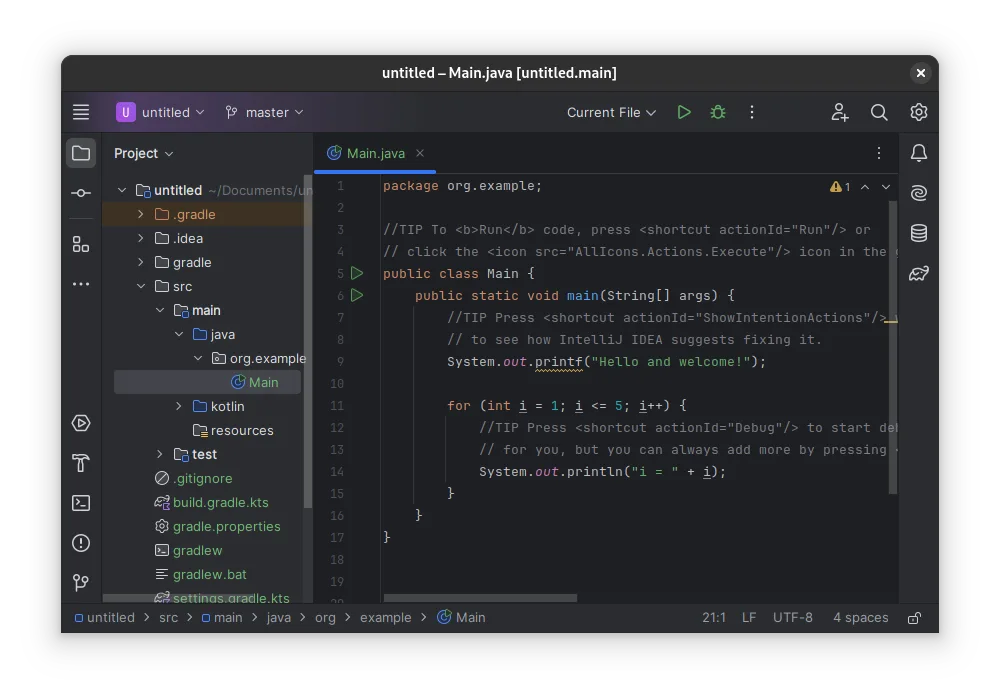
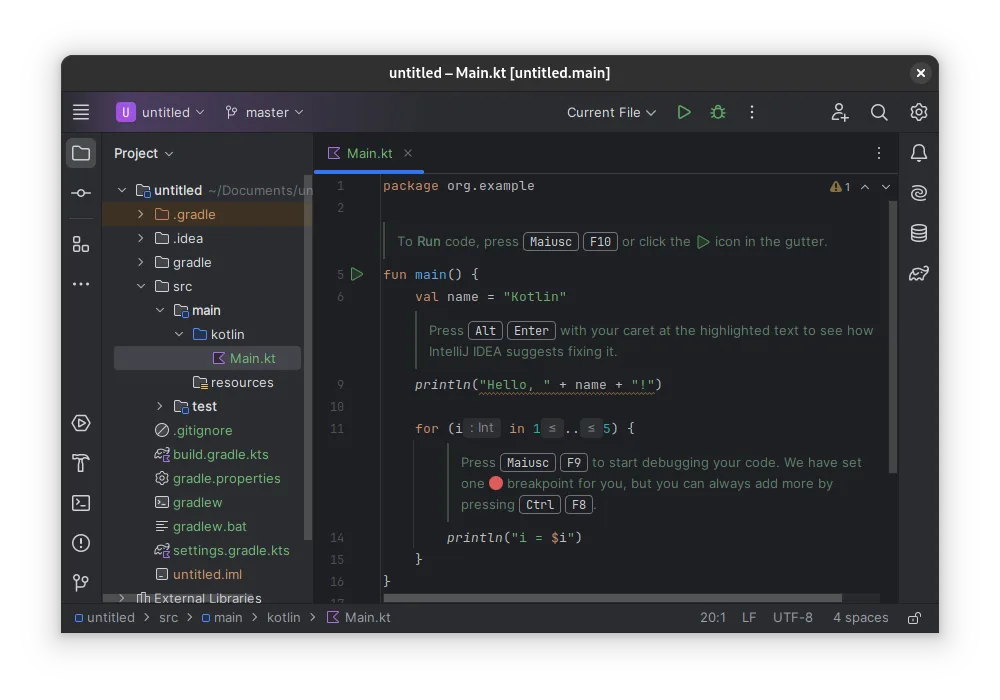
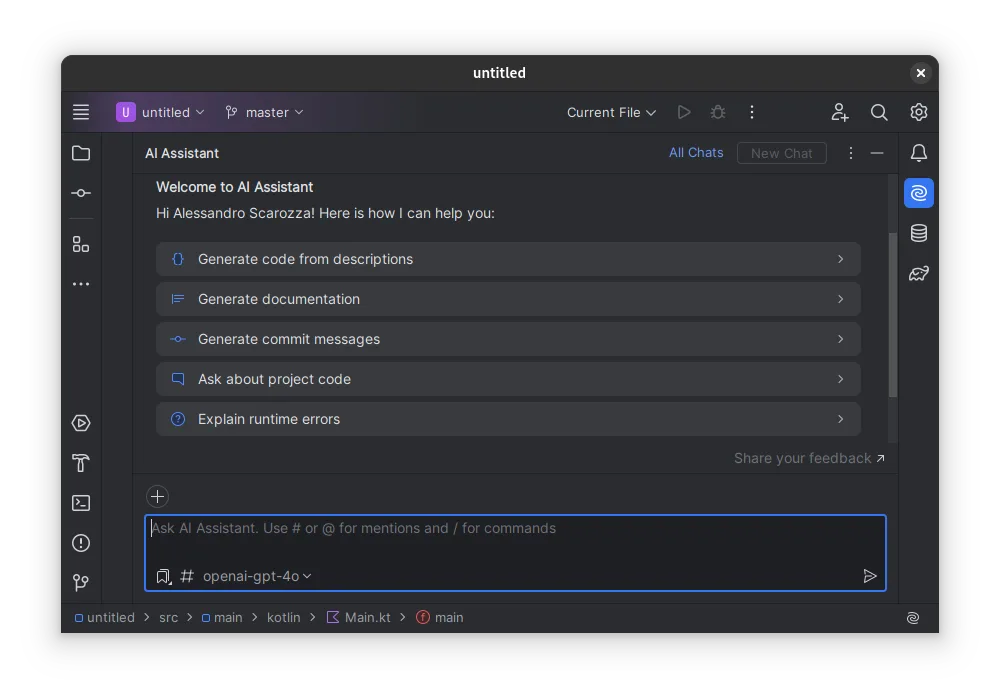
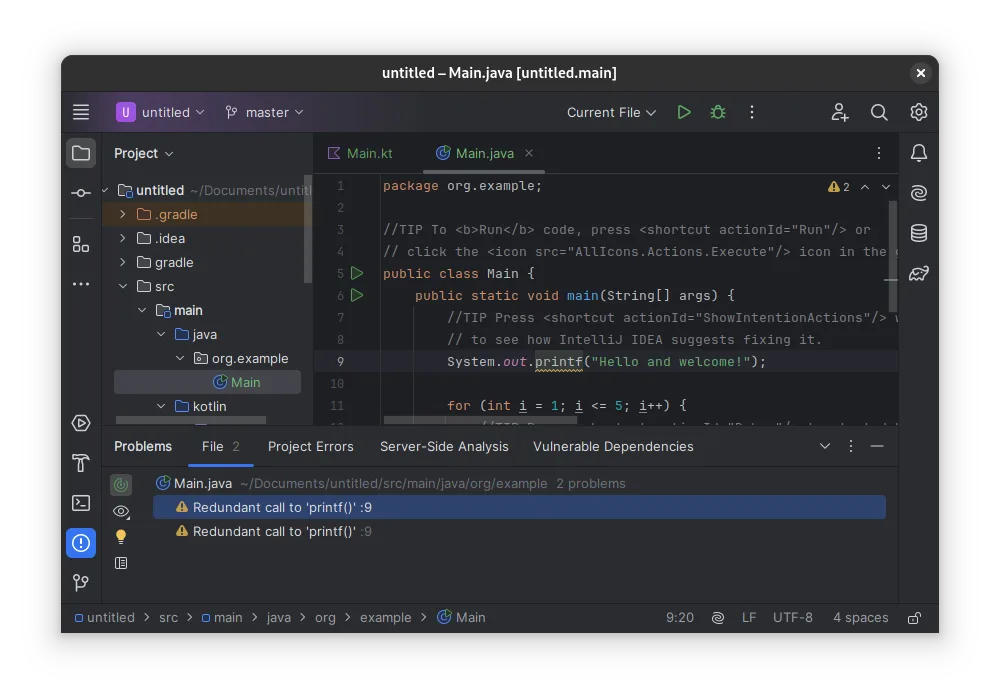
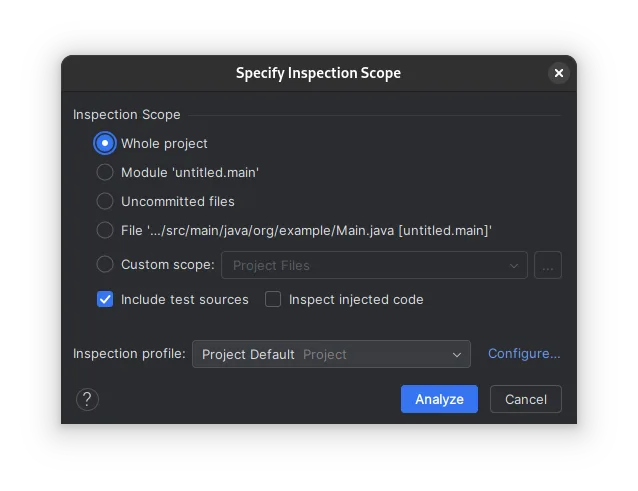
Screenshots of the Linux version, from Flathub.
Downloads
Windows 2026.3
Show SHA-256
9b7e91d41e315df62024f8fff4cbc882eb1dad28edb45f1facf9b4c53f7484ac Show SHA-256
9b7e91d41e315df62024f8fff4cbc882eb1dad28edb45f1facf9b4c53f7484ac Show SHA-256
1ee720764808fb72f74c653ddd3ee6ea4798de79943f68fde4aece472edb69ad Show SHA-256
1ee720764808fb72f74c653ddd3ee6ea4798de79943f68fde4aece472edb69ad Mac 2026.3.0.1
Show SHA-256
d334d0d4dd394db59c4c08db452ce601ce655df3d842e1845263d7fbdf80d3c0 Show SHA-256
b855345099ee8402e2e6c529d69467d1581dd90a65477e7a76b0b119f21fda4e Linux 2026.3.0.1
Choose the x64 (64-bit) installer for Intel or AMD PCs and the ARM64 installer for ARM PCs. The package data states no minimum Windows version, so check the publisher’s system requirements before installing on an older PC. Choose the Apple silicon (ARM64) build for Macs with an M-series chip and the Intel (x64) build for older Intel Macs. The Homebrew cask states no minimum macOS version, so check the publisher’s system requirements before installing on an older Mac. Choose the x64 (64-bit) download for Intel or AMD computers and the ARM64 download for ARM computers. The Flathub listing states no minimum Linux version or distribution, so check the publisher’s system requirements before installing.
Install with winget: winget install --id JetBrains.IntelliJIDEA --exact
Install with Homebrew: brew install --cask intellij-idea
Install with Flatpak (Flathub): flatpak install flathub com.jetbrains.IntelliJ-IDEA-Ultimate
Check a download: Get-FileHash .\<file> -Algorithm SHA256 (PowerShell) or shasum -a 256 ~/Downloads/<file> (Terminal) and compare it with the SHA-256 above.
Linux (Flatpak): Flathub publishes no file checksum; Flatpak checks the app against Flathub’s signed repository when it installs. The ownership of the com.jetbrains.IntelliJ-IDEA-Ultimate app ID has not been verified and it may be a community package. App page on Flathub.
What the installer does
Windows
- Delivered as an NSIS (Nullsoft) setup program (.exe) for x64 and ARM64.
- Offers both a per-user and an all-users installer.
- Must be run with administrator rights.
- No custom silent switch is declared; winget falls back to its default for this installer type (
/S). - Associates with the file types
.groovy,.ipr,.java,.kt, and.kts. - Upgrades remove the previous version first.
PC requirements
- CPU architecture: x64 (64-bit), ARM64
Mac
- Delivered as a disk image (.dmg) for Intel (x64) and Apple silicon (ARM64).
- Installs the app
IntelliJ IDEA.appinto the Applications folder. - The app updates itself, so it may be newer than the version Homebrew lists.
- On uninstall, Homebrew asks the app to quit and stops background services.
- A full “zap” removal also deletes up to 7 support, cache and preference locations in your home folder.
Mac requirements
- CPU architecture: Intel (x64), Apple silicon (ARM64)
Linux
- Delivered as a "flatpak" installer for x64 and ARM64.
- The manifest does not state an install scope.
- No silent-install switch is declared in the manifest.
Linux requirements
- Architectures: ARM64, x64 (64-bit)
- Download size: 1.5 GiB
- Installed size: 4.5 GiB
Description
IntelliJ IDEA is undoubtedly the top-choice IDE for software developers. It makes Java and Kotlin development a more productive and enjoyable experience.
Best for: Java and Kotlin developers who want JetBrains' IDE for free at work or at home, and who may pay for Ultimate once they need Spring tooling, the profiler or AI help.
Features
- One download, free core: Since 2025.3 there is a single IntelliJ IDEA installer. Core Java and Kotlin work is free for commercial and personal projects and needs no activation.
- Former Ultimate pieces now free: The free tier now includes database connections, full SQL support, a Spring Boot project wizard, basic Spring and Jakarta EE highlighting, and LSP support.
- What Ultimate still holds: Full Spring tooling, the IntelliJ Profiler, the HTTP Client and AI assistance need an Ultimate subscription. Every install starts a 30-day Ultimate trial, which needs a connection to activate.
- Lapsing is not a lockout: If the subscription ends, the IDE keeps working with the free features. A fallback license also keeps the major version that was current when your last unbroken subscription year began, without updates.
- Hardware it expects: JetBrains lists 8 GB of RAM, a 4-core x86_64 or Arm64 CPU and 10 GB of disk, on Windows 10 or 11, macOS 26 or 27, or recent Ubuntu, Fedora and Debian with GNOME or KDE. A Java runtime is bundled, but you still need a JDK to build Java code.
- Linux Flatpak is not JetBrains': The Flatpak here comes from Flathub, which does not mark it as verified by JetBrains. JetBrains itself suggests the Toolbox App or its .tar.gz archive.
- Installs and history: The Windows installer comes for x64 and Arm64 and can install per user or for all users. The Windows listing keeps 17 versions; macOS and Linux list only the current release.
IntelliJ IDEA at a glance
| What it is | The Leading Java and Kotlin IDE |
|---|---|
| Latest version | Windows 2026.3 (November 5, 2026) Mac 2026.3.0.1 Linux 2026.3.0.1 (November 24, 2026) |
| Price | Not stated in winget-pkgs |
| Open source | Not stated |
| License | Proprietary |
| Copyright | Copyright © 2000-2026 JetBrains s.r.o. |
| Made by | JetBrains s.r.o. |
| Category | Code editors and IDEs |
| Runs on | Windows, Mac, Linux |
| Official website | jetbrains.com |
| More links | Support · Resources · Privacy policy · Release notes · Pricing / purchase |
| Tags | code coding develop development java kotlin programming |
| winget ID | JetBrains.IntelliJIDEA |
| Homebrew cask | intellij-idea |
| Flathub | com.jetbrains.IntelliJ-IDEA-Ultimate Unverified · community data from Flathub |
| Flathub verification | The ownership of the com.jetbrains.IntelliJ-IDEA-Ultimate app ID has not been verified and it may be a community package. |
| License on Flathub | LicenseRef-proprietary=https://www.jetbrains.com/legal/docs/toolbox/user/ as listed on Flathub |
| winget moniker | intellij-idea |
| Check your download | SHA-256 checksums in the download tables · Security scan |
What’s new in IntelliJ IDEA 2026.3
Notes for the Windows release.
IntelliJ IDEA 2026.3 is now out! The highlights of this release include: - JetBrains Air – a new layer for agentic development - IntelliJ IDEA's Java and Kotlin extension for Cursor and VS Code - Debugging improvements: - ij-debugger agent skill - Hibernate debugger - Spring Security diagnostics in HTTP responses - AppGlass - Support for the latest technologies: - Java 28 - Jakarta Persistence 4 and Hibernate 8 support - Scala updates - Kotlin support for Spring Modulith - Quick tasks and edits without opening a project - Git worktrees for parallel work and easy code reviews Visit our What's New page to learn about these and other improvements.
Read the full release notes on the publisher’s site
Notes for older versions are inside each version below.
Is IntelliJ IDEA safe?
Score result: Not scanned yet
We have no VirusTotal result for this software yet, so we show no score. The links below open VirusTotal's own page for each file.
Scan info
- Last scan
- Not scanned yet
- Scan provider
- VirusTotal · Full report
File integrity
| File | SHA-256 | Hash check | Signature | VirusTotal |
|---|---|---|---|---|
| idea-2026.3.exeWindows · x64 (64-bit) | 9b7e91d41e315df62024f8fff4cbc882eb1dad28edb45f1facf9b4c53f7484ac |
Matches the manifest (re-computed) | Valid | Open not on VirusTotal |
| idea-2026.3-aarch64.exeWindows · ARM64 | 1ee720764808fb72f74c653ddd3ee6ea4798de79943f68fde4aece472edb69ad |
Matches the manifest (re-computed) | Valid | Open not on VirusTotal |
| ideaIU-2026.3.0.1.dmgMac · Intel (x64) | d334d0d4dd394db59c4c08db452ce601ce655df3d842e1845263d7fbdf80d3c0 |
Matches the manifest (re-computed) | Not signed | Open not on VirusTotal |
| ideaIU-2026.3.0.1-aarch64.dmgMac · Apple silicon (ARM64) | b855345099ee8402e2e6c529d69467d1581dd90a65477e7a76b0b119f21fda4e |
Matches the manifest (re-computed) | Not signed | Open not on VirusTotal |
| com.jetbrains.IntelliJ-IDEA-Ultimate.flatpakrefLinux · x64 (64-bit) | Not provided | Copied from the manifest, not re-computed | Not checked | — |
| Hash re-computed by Everyversion | 4 of 4 installers match. |
|---|---|
| Code signature checked | 2 valid, 2 unsigned. |
We host no installers. Every download link goes to the download location named in the package listing, normally the publisher’s own server. For this software we downloaded the files from that source ourselves, re-computed each checksum and checked the code signature where our tools could, as shown above. A passing check shows a file is the one that was published; it is not a guarantee it is free of problems. For more information, visit our Security and Trust Center.
Source and provenance
| Windows: source | microsoft/winget-pkgs |
|---|---|
| Windows: SHA-256 in upstream manifest | Yes |
| Windows: observed at commit | 02b48d0cbf12 · retrieved 2026-11-18 |
| Mac: source | Homebrew/homebrew-cask |
| Mac: SHA-256 in upstream manifest | Yes |
| Mac: observed at commit | 05ed6977d588 · retrieved 2026-11-25 |
| Linux: source | Flathub · Flathub API · github.com/flathub/com.jetbrains.IntelliJ-IDEA-Ultimate |
| Linux: checksum | None published. Flatpak checks the app against Flathub’s signed repository when it installs. |
| Linux: publisher verified | The ownership of the com.jetbrains.IntelliJ-IDEA-Ultimate app ID has not been verified and it may be a community package. |
| Linux: data retrieved | 2026-11-25 · attribution: app data from Flathub, license listed there: LicenseRef-proprietary=https://www.jetbrains.com/legal/docs/toolbox/user/ |
Old versions
Windows versions
17 versions listed. Open a version for its installers, checksums and a command that pins it.
2026.3 latest · 2026-11-05 · 4 installers notes
| Architecture | Format | Scope | SHA-256 | Download |
|---|---|---|---|---|
| x64 (64-bit) | NSIS | All users | 9b7e91d41e315df62024f8fff4cbc882eb1dad28edb45f1facf9b4c53f7484ac |
Download |
| x64 (64-bit) | NSIS | Per user | 9b7e91d41e315df62024f8fff4cbc882eb1dad28edb45f1facf9b4c53f7484ac |
Download |
| ARM64 | NSIS | All users | 1ee720764808fb72f74c653ddd3ee6ea4798de79943f68fde4aece472edb69ad |
Download |
| ARM64 | NSIS | Per user | 1ee720764808fb72f74c653ddd3ee6ea4798de79943f68fde4aece472edb69ad |
Download |
Pin this version: winget install --id JetBrains.IntelliJIDEA --version 2026.3 --exact
Release notes
IntelliJ IDEA 2026.3 is now out! The highlights of this release include: - JetBrains Air – a new layer for agentic development - IntelliJ IDEA's Java and Kotlin extension for Cursor and VS Code - Debugging improvements: - ij-debugger agent skill - Hibernate debugger - Spring Security diagnostics in HTTP responses - AppGlass - Support for the latest technologies: - Java 28 - Jakarta Persistence 4 and Hibernate 8 support - Scala updates - Kotlin support for Spring Modulith - Quick tasks and edits without opening a project - Git worktrees for parallel work and easy code reviews Visit our What's New page to learn about these and other improvements.
2026.2.4 · 2026-10-30 · 4 installers notes
| Architecture | Format | Scope | SHA-256 | Download |
|---|---|---|---|---|
| x64 (64-bit) | NSIS | All users | b44afef7ecb05bbd1ec09f1b4e0491d5d3140539ecb01b427d3288d55285bd19 |
Download |
| x64 (64-bit) | NSIS | Per user | b44afef7ecb05bbd1ec09f1b4e0491d5d3140539ecb01b427d3288d55285bd19 |
Download |
| ARM64 | NSIS | All users | 6d087e604d36775ec49b8d737cc61e9f6f979bac614c60ef2c83a8bdd5318920 |
Download |
| ARM64 | NSIS | Per user | 6d087e604d36775ec49b8d737cc61e9f6f979bac614c60ef2c83a8bdd5318920 |
Download |
Pin this version: winget install --id JetBrains.IntelliJIDEA --version 2026.2.4 --exact
Release notes
IntelliJ IDEA 2026.2.4 is now available! The latest update brings the following improvements: - Files and directories in WSL projects no longer incorrectly appear as deleted or missing when file system prefetching fails. [IJPL-252022] - The Java onboarding tour now ensures smooth progression through its lessons. [IJPL-250871] - Import optimization now works as expected without affecting IDE responsiveness during code formatting, saving, or committing changes. [IJPL-249060] - The IDE starts up reliably even if the plugin cache file contains invalid data. [IJPL-250688] - Oracle's fixes for CVE-2026-91403 and CVE-2026-114820 were integrated into JBR. Get more details in our blog post.
2026.2.3 · 2026-09-16 · 4 installers notes
| Architecture | Format | Scope | SHA-256 | Download |
|---|---|---|---|---|
| x64 (64-bit) | NSIS | All users | cd6398bafe6202674676dcff0b0c7791cd55dbe7e3ce0a4e996cc68f6dc80f9a |
Download |
| x64 (64-bit) | NSIS | Per user | cd6398bafe6202674676dcff0b0c7791cd55dbe7e3ce0a4e996cc68f6dc80f9a |
Download |
| ARM64 | NSIS | All users | e1f9033d0cad3e193739e4681e5167d134a52aeb8abe695782a72cbe1f3bff9f |
Download |
| ARM64 | NSIS | Per user | e1f9033d0cad3e193739e4681e5167d134a52aeb8abe695782a72cbe1f3bff9f |
Download |
Pin this version: winget install --id JetBrains.IntelliJIDEA --version 2026.2.3 --exact
Release notes
IntelliJ IDEA 2026.2.3 is out with the following improvements: - When opening a recent project, the Maven tool window is now populated with the corresponding data. [IDEA-391792] - Several causes of IDE freezes have been resolved. [IJPL-235455], [IJPL-252292] - The vertical scrollbar is once again displayed correctly in the Markdown preview pane. [IJPL-251259] Get more details in our blog post.
2026.2.2 · 2026-09-02 · 4 installers notes
| Architecture | Format | Scope | SHA-256 | Download |
|---|---|---|---|---|
| x64 (64-bit) | NSIS | All users | 692855b1b85f6d9291cf2fa78c95f3dc331316e150506c300d6860bd7f6f3907 |
Download |
| x64 (64-bit) | NSIS | Per user | 692855b1b85f6d9291cf2fa78c95f3dc331316e150506c300d6860bd7f6f3907 |
Download |
| ARM64 | NSIS | All users | 60cf66f5162f76daeb94a6dc242ab352910c36266a6e0f9933c7f78a3c6f39d7 |
Download |
| ARM64 | NSIS | Per user | 60cf66f5162f76daeb94a6dc242ab352910c36266a6e0f9933c7f78a3c6f39d7 |
Download |
Pin this version: winget install --id JetBrains.IntelliJIDEA --version 2026.2.2 --exact
Release notes
IntelliJ IDEA 2026.2.2 is out with the following improvements: - Loading a remote OpenAPI specification no longer fails. [IJPL-63202] - The order of terminal tabs is now preserved after reopening a project. [IJPL-212254] - Checkboxes in Markdown now have improved contrast for better visibility. [IJPL-93391] - The vertical scrollbar is once again displayed correctly in the Markdown preview pane. [IJPL-251259] Get more details in our blog post.
2026.2.1 · 2026-08-10 · 4 installers notes
| Architecture | Format | Scope | SHA-256 | Download |
|---|---|---|---|---|
| x64 (64-bit) | NSIS | All users | 83278d24439e582ab1af7965a3c3f894e64b43e3f1bdf0c2d659d4e23f790a57 |
Download |
| x64 (64-bit) | NSIS | Per user | 83278d24439e582ab1af7965a3c3f894e64b43e3f1bdf0c2d659d4e23f790a57 |
Download |
| ARM64 | NSIS | All users | f99faf4258b782d9406a35b358fd3ee0f5f574b0f251d59a9e0d60cf225a3ce7 |
Download |
| ARM64 | NSIS | Per user | f99faf4258b782d9406a35b358fd3ee0f5f574b0f251d59a9e0d60cf225a3ce7 |
Download |
Pin this version: winget install --id JetBrains.IntelliJIDEA --version 2026.2.1 --exact
Release notes
IntelliJ IDEA 2026.2.1 is out with the following improvements: - Markdown shell scripts now execute in the correct order. [IJPL-92206] - Undo now works correctly after applying Optimize imports on the fly. [IDEA-285011] - Dragging a terminal tab after using the Move to Editor action no longer restarts the terminal session. [IJPL-165734] Get more details in our blog post.
2026.2.0.1 · 2026-07-23 · 4 installers notes
| Architecture | Format | Scope | SHA-256 | Download |
|---|---|---|---|---|
| x64 (64-bit) | NSIS | All users | c2588f6e624037458cc76c892efb5f49016e6a914b13419e23b7b278453c919a |
Download |
| x64 (64-bit) | NSIS | Per user | c2588f6e624037458cc76c892efb5f49016e6a914b13419e23b7b278453c919a |
Download |
| ARM64 | NSIS | All users | 327b578b297dc92b3684b221d9f70b16128153b0c28edccc14baaf263f0018d4 |
Download |
| ARM64 | NSIS | Per user | 327b578b297dc92b3684b221d9f70b16128153b0c28edccc14baaf263f0018d4 |
Download |
Pin this version: winget install --id JetBrains.IntelliJIDEA --version 2026.2.0.1 --exact
Release notes
IntelliJ IDEA 2026.2.0.1 is out with the following hotfix: Resolved issues affecting projects containing files stored in cloud-synced folders on Windows [IJPL-250709], preventing repeated project reloads, endless re-imports, and files from disappearing or closing unexpectedly. [IDEA-391665], [IJPL-250598], [IJPL-250615], [IJPL-250539]. For more details, please refer to the release notes
2026.1.4 · 2026-07-02 · 4 installers notes
| Architecture | Format | Scope | SHA-256 | Download |
|---|---|---|---|---|
| x64 (64-bit) | NSIS | All users | e86473dd1aa946359cad5e8f8fd92aad631654ac4ae91370d39e26ca9ff5c306 |
Download |
| x64 (64-bit) | NSIS | Per user | e86473dd1aa946359cad5e8f8fd92aad631654ac4ae91370d39e26ca9ff5c306 |
Download |
| ARM64 | NSIS | All users | 7ec009f0c502edfd413d38365840e953e34e87455c879cb155da3e55190c6d32 |
Download |
| ARM64 | NSIS | Per user | 7ec009f0c502edfd413d38365840e953e34e87455c879cb155da3e55190c6d32 |
Download |
Pin this version: winget install --id JetBrains.IntelliJIDEA --version 2026.1.4 --exact
Release notes
IntelliJ IDEA 2026.1.4 is out with the following improvements: - The active Git branch now updates correctly. [IJPL-240184] - Fixed an issue where using pull_policy in Docker Compose files prevented the PHP interpreter from being created. [IJPL-189121] - The IDE no longer erroneously marks successful Gradle syncs as failed when running Gradle 9.5.0 on WSL. [IDEA-388949] - Fixed an error that caused Dev Container connections to fail with an Unknown Docker endpoint schema message. [IJPL-240184] Get more details in our blog post.
2026.1.3 · 2026-06-04 · 4 installers notes
| Architecture | Format | Scope | SHA-256 | Download |
|---|---|---|---|---|
| x64 (64-bit) | NSIS | All users | 020ebe7567f5c2f676a3852ae9558117491e4ee3e013e7540808858e400f99bb |
Download |
| x64 (64-bit) | NSIS | Per user | 020ebe7567f5c2f676a3852ae9558117491e4ee3e013e7540808858e400f99bb |
Download |
| ARM64 | NSIS | All users | 1b24767a1ef728dd43e49d67978838b95ec8808c6e530a13cdf3fe25f4f5c8d0 |
Download |
| ARM64 | NSIS | Per user | 1b24767a1ef728dd43e49d67978838b95ec8808c6e530a13cdf3fe25f4f5c8d0 |
Download |
Pin this version: winget install --id JetBrains.IntelliJIDEA --version 2026.1.3 --exact
Release notes
IntelliJ IDEA 2026.1.3 is out! The latest update brings the following improvements: - In tmux, the terminal cursor is no longer rendered above the current line. [IJPL-102697] - The Markdown preview now correctly displays images when referencing files outside the project directory. [IJPL-171896] - Custom colors are rendered correctly in various UI components in the Database tool window. [DBE-25711] - Launching WSL via wsl.exe -d <distribution> no longer causes shell integration and process detection issues. [IJPL-236576] Get more details in our blog post.
2026.1.2 · 2026-05-15 · 4 installers notes
| Architecture | Format | Scope | SHA-256 | Download |
|---|---|---|---|---|
| x64 (64-bit) | NSIS | All users | 21dd566d678cdb16390b9ba0f90b1c3c1ff4f799910cd6dbc6fdfccf5dfc6d26 |
Download |
| x64 (64-bit) | NSIS | Per user | 21dd566d678cdb16390b9ba0f90b1c3c1ff4f799910cd6dbc6fdfccf5dfc6d26 |
Download |
| ARM64 | NSIS | All users | 5753bc0b73e558cf874a50a180f49cb2d815ba0a570181a74997325381c852dc |
Download |
| ARM64 | NSIS | Per user | 5753bc0b73e558cf874a50a180f49cb2d815ba0a570181a74997325381c852dc |
Download |
Pin this version: winget install --id JetBrains.IntelliJIDEA --version 2026.1.2 --exact
Release notes
IntelliJ IDEA 2026.1.2 is out with the following improvements: - Projects can now be opened correctly via .iprfiles generated by the Gradle idea task. [IJPL-242321] - The indentation for Java ternary expressions with chained method calls has been fixed. [IDEA-387867] - Pressing the Alt+Enter key combination on Windows no longer opens the context menu unexpectedly. [IJPL-47743] - Live templates with groovyScript now work as expected again. [IJPL-241581] - Dragging and dropping selected code with the mouse onto its original position no longer causes the code to disappear. [IJPL-235895] - Several IDE freezes have been resolved. [IJPL-235455] [IJPL-224542] [IJPL-203153] Get more details in our blog post.
2026.1.1 · 2026-04-23 · 4 installers notes
| Architecture | Format | Scope | SHA-256 | Download |
|---|---|---|---|---|
| x64 (64-bit) | NSIS | All users | 4962db9c25454477557153011c8058e1516b7472cd22a8903532e464528156df |
Download |
| x64 (64-bit) | NSIS | Per user | 4962db9c25454477557153011c8058e1516b7472cd22a8903532e464528156df |
Download |
| ARM64 | NSIS | All users | d8c63d6ffc4f5aa81a37acf806605d0cf2acb6b2cdad9f011ba57767fdb71c62 |
Download |
| ARM64 | NSIS | Per user | d8c63d6ffc4f5aa81a37acf806605d0cf2acb6b2cdad9f011ba57767fdb71c62 |
Download |
Pin this version: winget install --id JetBrains.IntelliJIDEA --version 2026.1.1 --exact
Release notes
IntelliJ IDEA 2026.1.1 is out with the following improvements: - It's once again possible to set up a WSL Python SDK. [IJPL-240728] - Emmet in remote development now works as expected. [IJPL-168255] - Gradle sync no longer fails due to a class cast error involving InternalIdeaModule and org.gradle.tooling.model.ProjectModel. [IDEA-386409] - The IDE now correctly connects to the WildFly admin process after server startup, restoring deployment and the Open browser after launch option. [IDEA-387483] Get more details in our blog post.
2026.1 · 2026-03-25 · 4 installers notes
| Architecture | Format | Scope | SHA-256 | Download |
|---|---|---|---|---|
| x64 (64-bit) | NSIS | All users | 32b9965fbf639c90693f587ce133dad74b4ed48ee22e53b203938b6c1020848a |
Download |
| x64 (64-bit) | NSIS | Per user | 32b9965fbf639c90693f587ce133dad74b4ed48ee22e53b203938b6c1020848a |
Download |
| ARM64 | NSIS | All users | 116814ce899cb08f0bb93339a91c9892b668b21f6197f81211e3255596849cff |
Download |
| ARM64 | NSIS | Per user | 116814ce899cb08f0bb93339a91c9892b668b21f6197f81211e3255596849cff |
Download |
Pin this version: winget install --id JetBrains.IntelliJIDEA --version 2026.1 --exact
Release notes
IntelliJ IDEA 2026.1 is now out! The highlights of this release include: Any agent, built-in: - ACP Registry: Browse and install AI agents in one click. - Git worktrees: Work in parallel branches and hand one off to an agent while you keep moving in another. - Database access for AI agents: Let Codex or Claude Agent query and modify your data sources natively. Intelligence in the platform: - Quota-free next edit suggestions: Propagate changes throughout a given file with IDE-driven assistance. - Spring runtime insight: Inspect injected beans, endpoint security, and property values without pausing execution. - Kotlin-aware JPA: Detect and fix Kotlin-specific pitfalls in Jakarta Persistence entities. First-class language support: - Java 26: Enjoy day-one support, including preview features. - Kotlin 2.3.20: Enjoy day-one support, including experimental features. - C/C++ in IntelliJ IDEA: Access first-class C/C++ coding assistance for multi-language projects. - Support for JavaScript without an Ultimate subscription. Productivity and environment: - Expanded command completion, now with AI actions, postfix templates, and config file support. - Better performance for large-scale TypeScript projects. - Native Dev Container workflow: Open containerized projects as if they were local. Visit our What's New page to learn about these and other improvements.
2025.3.4 · 2026-03-17 · 4 installers notes
| Architecture | Format | Scope | SHA-256 | Download |
|---|---|---|---|---|
| x64 (64-bit) | NSIS | All users | e604583cc91604262bc7b51134d9f994f66a65149386bfcc128293f34c6daa1a |
Download |
| x64 (64-bit) | NSIS | Per user | e604583cc91604262bc7b51134d9f994f66a65149386bfcc128293f34c6daa1a |
Download |
| ARM64 | NSIS | All users | b8bd8e82a0560ae41d783b1207e7f5cf17beb8e331907efcf2d0e641eb5d4acc |
Download |
| ARM64 | NSIS | Per user | b8bd8e82a0560ae41d783b1207e7f5cf17beb8e331907efcf2d0e641eb5d4acc |
Download |
Pin this version: winget install --id JetBrains.IntelliJIDEA --version 2025.3.4 --exact
Release notes
IntelliJ IDEA 2025.3.4 is out! This update introduces full support for Java 26 along with several notable improvements: - Resolved an issue where running an HTTP request could trigger a different request in the same file. [IJPL-66727] - Local changes refresh in large Perforce projects now works as expected. [IJPL-236557] - The Dependencies tab now opens correctly when using the Analyze Cyclic Dependencies feature. [IJPL-206236] Get more details in our blog post.
2025.3.3 · 2026-02-20 · 4 installers notes
| Architecture | Format | Scope | SHA-256 | Download |
|---|---|---|---|---|
| x64 (64-bit) | NSIS | All users | 5831b2f4450aa5ed4c363cd4bbd4d9fc31ae10e46503b3c553dbe8ebdf726888 |
Download |
| x64 (64-bit) | NSIS | Per user | 5831b2f4450aa5ed4c363cd4bbd4d9fc31ae10e46503b3c553dbe8ebdf726888 |
Download |
| ARM64 | NSIS | All users | fcbc8451964fd4fff74582d0e9092c76c3aeadd1b744c3a93964c4eba09877f3 |
Download |
| ARM64 | NSIS | Per user | fcbc8451964fd4fff74582d0e9092c76c3aeadd1b744c3a93964c4eba09877f3 |
Download |
Pin this version: winget install --id JetBrains.IntelliJIDEA --version 2025.3.3 --exact
Release notes
IntelliJ IDEA 2025.3.3 is out with the following improvements: - MCP server output schema now correctly handles default properties in the schema, preventing invalid schema errors during structured output. [IJPL-230494] - Downloading the IDE backend now works as intended with a configured proxy. [IJPL-164318] - Resolved an issue that prevented successful proxy authentication. [IJPL-231829] - Package annotations referenced through JAR dependencies are now correctly reflected in the PSI model. [IDEA-383732] Get more details in our blog post.
2025.3.2 · 2026-01-22 · 4 installers notes
| Architecture | Format | Scope | SHA-256 | Download |
|---|---|---|---|---|
| x64 (64-bit) | NSIS | All users | 0d256675f144361b82f845d761d8c1853a050dcb6c3f2d2e3587445cde8229b8 |
Download |
| x64 (64-bit) | NSIS | Per user | 0d256675f144361b82f845d761d8c1853a050dcb6c3f2d2e3587445cde8229b8 |
Download |
| ARM64 | NSIS | All users | b696be0905ff5637ae867eb5847eea0d2541e7c82407c8d9225a6edb3eb0cba7 |
Download |
| ARM64 | NSIS | Per user | b696be0905ff5637ae867eb5847eea0d2541e7c82407c8d9225a6edb3eb0cba7 |
Download |
Pin this version: winget install --id JetBrains.IntelliJIDEA --version 2025.3.2 --exact
Release notes
IntelliJ IDEA 2025.3.2 is now out with the following improvements: - The Terminal tool window no longer flickers when you use CLI tools with synchronized output, such as Claude Code. [IJPL-204106], [IJPL-212577] - Several issues related to credential storage and settings synchronization in remote development have been resolved: [IJPL-229203], [IJPL-227079], [IJPL-225754], [IJPL-170100], [IJPL-229877], [IJPL-229439], [IJPL-229417], [IJPL-227079] - Run configuration handling in the Services tool window has received multiple improvements: [IJPL-220985], [IJPL-218977] [IJPL-223486], [IJPL-220985], [IJPL-227260], [IJPL-229476], [IJPL-229272], [IJPL-220900] Get more details in our blog post.
2025.3.1.1 · 2026-01-08 · 4 installers notes
| Architecture | Format | Scope | SHA-256 | Download |
|---|---|---|---|---|
| x64 (64-bit) | NSIS | All users | 6bb77730749838f824d93e387fd2da2a8d9d6345c04d09b5080a42db787935c3 |
Download |
| x64 (64-bit) | NSIS | Per user | 6bb77730749838f824d93e387fd2da2a8d9d6345c04d09b5080a42db787935c3 |
Download |
| ARM64 | NSIS | All users | a6109dd6de68397a77a5c3333735df912bc4dd0d14c539dae9d4716815ba6dbe |
Download |
| ARM64 | NSIS | Per user | a6109dd6de68397a77a5c3333735df912bc4dd0d14c539dae9d4716815ba6dbe |
Download |
Pin this version: winget install --id JetBrains.IntelliJIDEA --version 2025.3.1.1 --exact
Release notes
IntelliJ IDEA 2025.3.1.1 is out! This update includes a hotfix for memory leak in large Maven projects and fixes related to project settings behavior when working with WSL. Check out the release notes for all the details.
2025.3.1 · 2025-12-18 · 4 installers notes
| Architecture | Format | Scope | SHA-256 | Download |
|---|---|---|---|---|
| x64 (64-bit) | NSIS | All users | bc8f9ccf9fcf692779f4dd911a0fa31042cccb643ac5950dac6bc4a930ffe43e |
Download |
| x64 (64-bit) | NSIS | Per user | bc8f9ccf9fcf692779f4dd911a0fa31042cccb643ac5950dac6bc4a930ffe43e |
Download |
| ARM64 | NSIS | All users | 0160c4669ea30ad7205ce04bca9c1ac720e78c1754d79bad4965f209a0ed477f |
Download |
| ARM64 | NSIS | Per user | 0160c4669ea30ad7205ce04bca9c1ac720e78c1754d79bad4965f209a0ed477f |
Download |
Pin this version: winget install --id JetBrains.IntelliJIDEA --version 2025.3.1 --exact
Release notes
IntelliJ IDEA 2025.3.1 is out with the following improvements: - The IDE once again shows the Resume Build From button in the Run tool window for Maven projects. [IDEA-376908] - In the Version Control section of Advanced Settings, there's now an option to disable the warning dialog on force-pushing. [IDEA-285542] - Query result tabs now follow the corresponding active editor tabs as expected. [IJPL-222217] - Several issues that appeared when running or debugging in WSL using Gradle have been resolved. [IDEA-357963], [IDEA-285542], [IDEA-363930], [IDEA-352779] Get more details in our blog post.
2025.3 · 2025-12-08 · 4 installers notes
| Architecture | Format | Scope | SHA-256 | Download |
|---|---|---|---|---|
| x64 (64-bit) | NSIS | All users | d7f0310423078c6a3b136c8a04090c1b6d316c2104dc2502d99167feb7ecc1fc |
Download |
| x64 (64-bit) | NSIS | Per user | d7f0310423078c6a3b136c8a04090c1b6d316c2104dc2502d99167feb7ecc1fc |
Download |
| ARM64 | NSIS | All users | a145833fb8e49db398c97fadcadb3c05083d428df4e47b7215669b939fe28e5d |
Download |
| ARM64 | NSIS | Per user | a145833fb8e49db398c97fadcadb3c05083d428df4e47b7215669b939fe28e5d |
Download |
Pin this version: winget install --id JetBrains.IntelliJIDEA --version 2025.3 --exact
Release notes
IntelliJ IDEA 2025.3 is now out! The highlights of this release include: Productivity-enhancing features: - Unified distribution - Command completion - Spring Debugger improvements - Islands theme Support for new technologies: - Spring Boot 4 and Spring Framework 7 - Java 25 - Spring Data JDBC - Vitest 4 AI upgrades: - Bring Your Own Key (Coming soon) - Native support for Junie and Claude Agent - Transparent AI quota Visit our What's New page to learn about these and other improvements.
Mac versions
Homebrew casks list only the current release. Earlier builds appear in the cask’s history on GitHub, and Homebrew cannot install them directly.
2026.3.0.1 latest · 2 installers
| Architecture | Format | Requires | File & source | SHA-256 | Download |
|---|---|---|---|---|---|
| Intel (x64) | DMG | — | ideaIU-2026.3.0.1.dmgdownload.jetbrains.com | d334d0d4dd394db59c4c08db452ce601ce655df3d842e1845263d7fbdf80d3c0 |
Download |
| Apple silicon (ARM64) | DMG | — | ideaIU-2026.3.0.1-aarch64.dmgdownload.jetbrains.com | b855345099ee8402e2e6c529d69467d1581dd90a65477e7a76b0b119f21fda4e |
Download |
Release notes
Linux versions
Flathub lists only the current release, and Flatpak installs the newest build; earlier versions cannot be chosen from the listing.
Alternatives to IntelliJ IDEA
Similar apps in Code editors and IDEs on Everyversion. Each one links to the download location named in the publisher’s package data, with a SHA-256 checksum.


IntelliJ IDEA FAQ
Is IntelliJ IDEA safe to download from here?
We host no installers. Every download button goes to the download location named in the package listing, and the checks below were run on those files.
On 2026-11-25 we downloaded the latest 4 installers from those sources and re-computed the SHA-256 of each: 4 of 4 match the package catalog’s value. Code signatures: 2 valid, 2 not signed.
VirusTotal has no report for these files yet, so we show no safety rating.
Our rating: Not scanned. No check is a guarantee. See the security details above and our Security and Trust Center. Publisher’s website: IntelliJ IDEA’s official website.
Does IntelliJ IDEA update itself after I install an old version?
For Windows, we have no information on whether IntelliJ IDEA updates itself, and for Mac, the app is listed as updating itself, so an older build will likely offer, or simply install, the newest release when you open it. To keep an old version, look for an automatic-update setting in IntelliJ IDEA (see IntelliJ IDEA’s documentation) and turn it off before you rely on it.
Does IntelliJ IDEA cost anything?
We could not tell from the package catalog whether IntelliJ IDEA costs anything. For current pricing, see the publisher’s pricing page.
Which versions of IntelliJ IDEA are listed here, and how far back?
For Windows, we list 17 versions, from 2025.3 (2025-12-08) up to 2026.3, and for Mac, only the current release (2026.3.0.1) is listed, because older Mac builds are not kept in the package listing, and for Linux, we list 1 version, from 2026.3.0.1 (2026-11-24) up to 2026.3.0.1. This page shows all of the Windows versions.
Where do the download links go?
They go straight to the source named in the package catalog, with nothing added by us: for Windows, to download.jetbrains.com, and for Mac, to download.jetbrains.com, and for Linux, to dl.flathub.org. We host no files. Compare the SHA-256 shown next to each file with the one you compute after downloading. Publisher’s website: IntelliJ IDEA’s official website.