
Download DB Browser for SQLite 3.13.1
Safe so farDeveloper: DB Browser for SQLite Team
Last updated: · Verified by  CristianBuilt Everyversion after working at Softonic. Runs the checks and answers for the results. ClaudeAnthropic’s AI. Runs the download, checksum and signature checks and reports every result. VirusTotalScans files with dozens of security engines. We look up each file by its SHA-256 only.
A high quality, visual, open source tool to create, design, and edit database files compatible with SQLite.
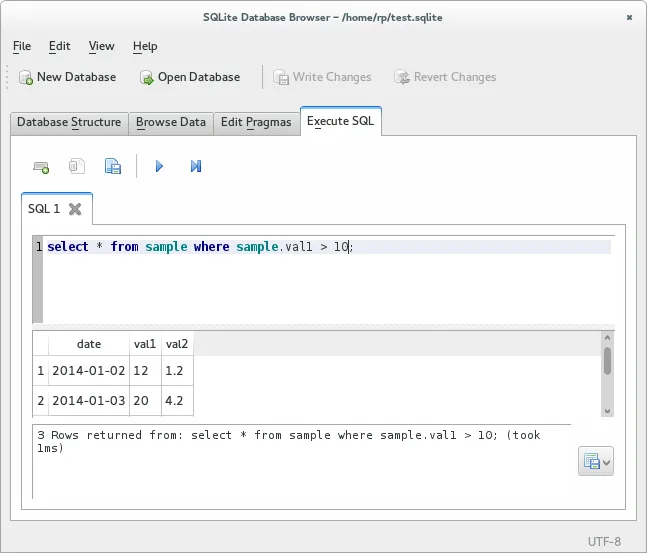
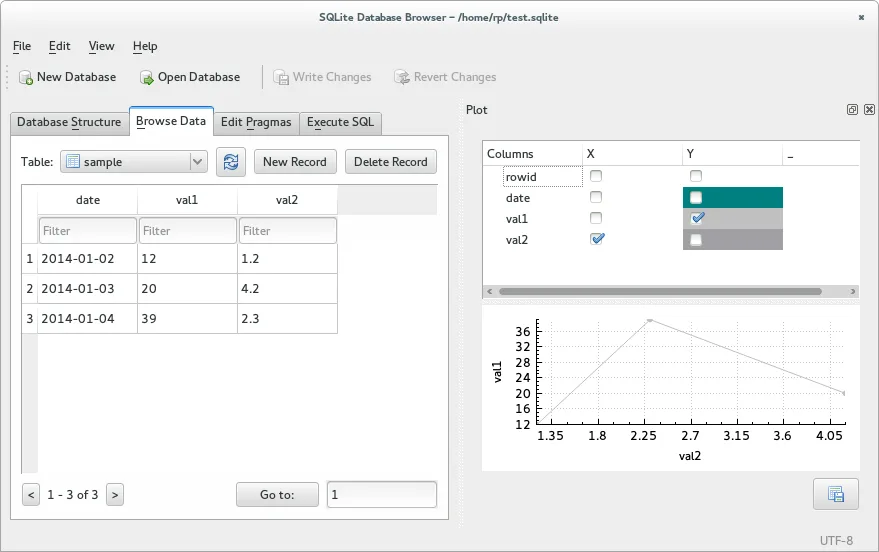
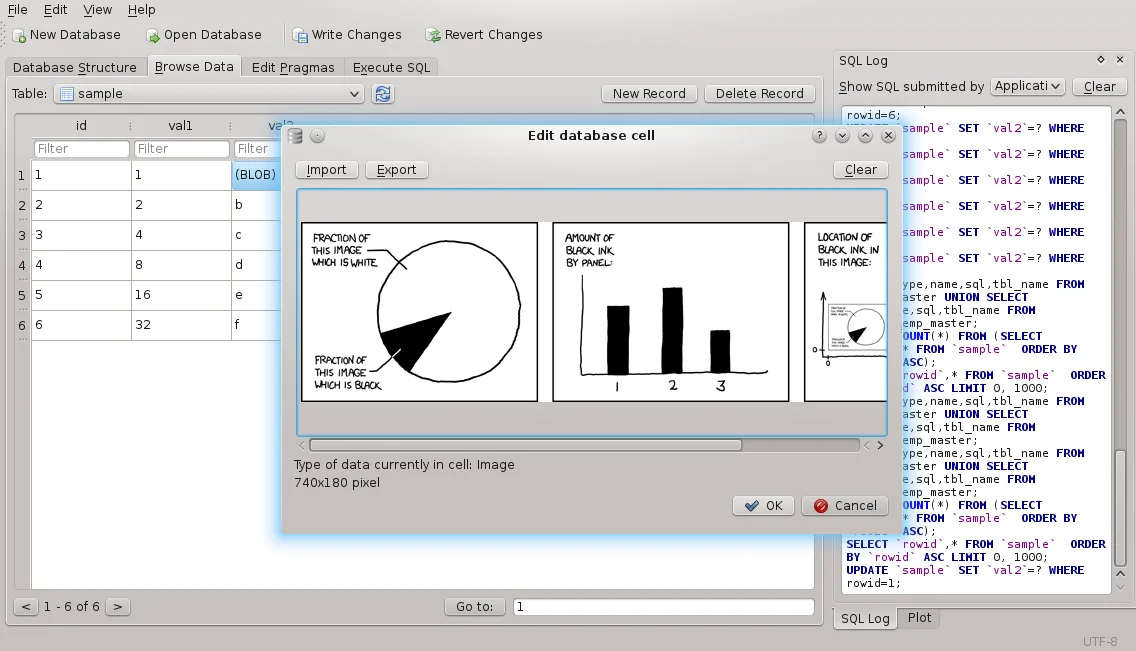
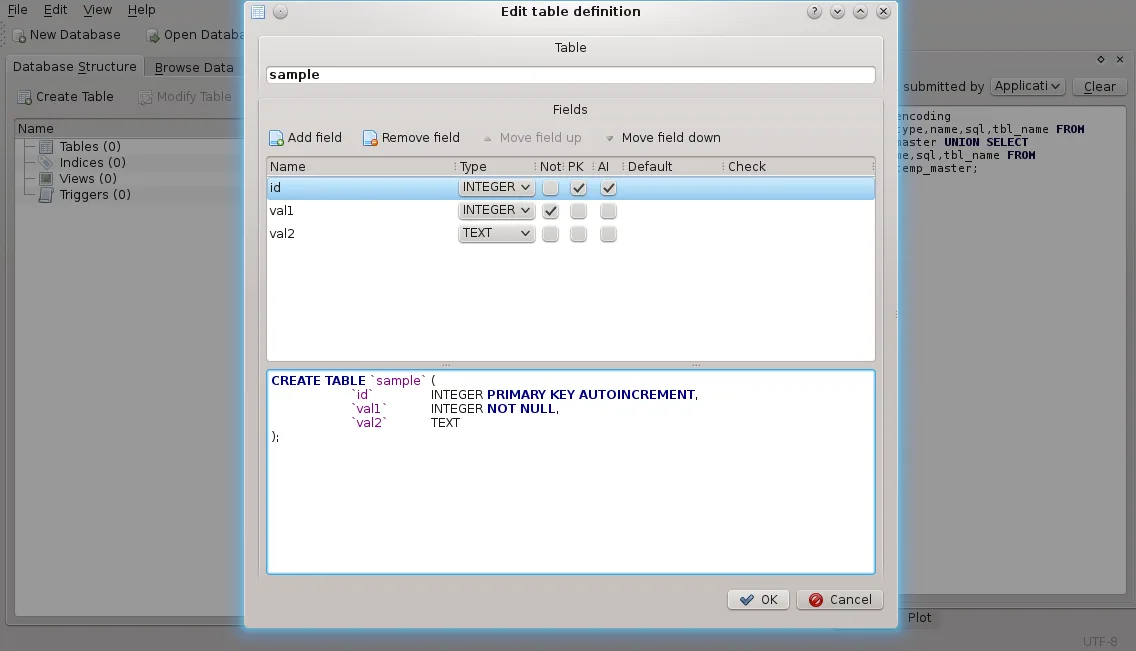
Screenshots of the Linux version, from Flathub.
Downloads
Windows 3.13.1
Show SHA-256
d023d54b3a5db10c7e896089bb3dbe6e7f4bc4eaa9bbecb34ca414be5970f688 Show SHA-256
89bf0adafad492f44d850d76c188204f0639f185b50482a3cbd59afe509b1d84 Show SHA-256
e0b9f86d3da4d8d800e144295487e43de306c1bd27f14dccfe41e904736f25f7 Mac 3.13.1
Show SHA-256
a641cfbfcc2ce609f07de44a35134dab53485ecc18e6d9afa297b514d74bd75e Linux 3.13.1
Choose the x64 (64-bit) installer for Intel or AMD PCs and the ARM64 installer for ARM PCs. The x86 (32-bit) installer is only for 32-bit Windows. The package data states no minimum Windows version, so check the publisher’s system requirements before installing on an older PC. The Universal build runs on both Intel and Apple silicon Macs. The Homebrew cask states no minimum macOS version, so check the publisher’s system requirements before installing on an older Mac. Choose the x64 (64-bit) download for Intel or AMD computers and the ARM64 download for ARM computers. The Flathub listing states no minimum Linux version or distribution, so check the publisher’s system requirements before installing.
Install with winget: winget install --id DBBrowserForSQLite.DBBrowserForSQLite --exact
Install with Homebrew: brew install --cask db-browser-for-sqlite
Install with Flatpak (Flathub): flatpak install flathub org.sqlitebrowser.sqlitebrowser
Check a download: Get-FileHash .\<file> -Algorithm SHA256 (PowerShell) or shasum -a 256 ~/Downloads/<file> (Terminal) and compare it with the SHA-256 above.
Linux (Flatpak): Flathub publishes no file checksum; Flatpak checks the app against Flathub’s signed repository when it installs. Flathub shows this app as publisher-verified. App page on Flathub.
What the installer does
Windows
- Delivered as a Windows Installer package built with WiX (.msi) for x64, x86, and ARM64.
- Installs for all users on the PC, which normally requires administrator rights.
- No custom silent switch is declared; winget falls back to its default for this installer type (
/quiet /norestart). - Declared install modes: interactive, silent, and silentWithProgress.
- Associates with the file types
.db,.db3,.sqlite, and.sqlite3. - Upgrades install over the existing version.
PC requirements
- CPU architecture: x86 (32-bit), x64 (64-bit), ARM64
Mac
- Delivered as a disk image (.dmg) for Apple silicon and Intel.
- Installs the app
DB Browser for SQLite.appinto the Applications folder. - A full “zap” removal also deletes up to 3 support, cache and preference locations in your home folder.
Mac requirements
- CPU architecture: Universal (Apple silicon + Intel)
Linux
- Delivered as a "flatpak" installer for x64 and ARM64.
- The manifest does not state an install scope.
- No silent-install switch is declared in the manifest.
Linux requirements
- Architectures: ARM64, x64 (64-bit)
- Download size: 9 MiB
- Installed size: 20 MiB
Description
DB Browser for SQLite (DB4S) is a high quality, visual, open source tool designed for people who want to create, search, and edit SQLite or SQLCipher database files. DB4S gives a familiar spreadsheet-like interface on the database in addition to providing a full SQL query facility. It works with Windows, macOS, and most versions of Linux and Unix.
Best for: Developers, students and data hobbyists who need to open, inspect or fix a SQLite file and would rather click through tables than type every query in the sqlite3 shell.
Features
- A spreadsheet view of your database: Browse, sort, search and edit records in a grid, and create or change tables and indexes without writing the SQL yourself. A full SQL tab is there when you want it.
- Gets data in and out: It imports and exports CSV, plain text and SQL dump files, and can draw simple plots from a table or query. A log shows every SQL command the app runs for you.
- Handles encrypted files: It can open SQLCipher databases and add, change or remove their encryption.
- Free and local: No account and no price. The code is open source under MPL-2.0 and GPL-3.0 or later. It works on database files on disk, not on database servers, and the related DBHub.io sharing site was shut down in February 2025.
- Releases are slow: The current release, 3.13.1, dates from October 2024. For bugs fixed since then, the project points to nightly builds for Windows, macOS and Linux.
- Builds for every kind of PC: Windows MSI installers come in 32-bit, 64-bit and Arm64 and install for all users; zip and PortableApps versions exist too. The Mac build is a universal .dmg. On Linux, the Flatpak here is verified on Flathub, so it comes from the project.
- Older versions: The Windows listing keeps 8 versions; macOS and Linux list only the current release, so downgrades there need another source.
DB Browser for SQLite at a glance
| What it is | A high quality, visual, open source tool to create, design, and edit database files compatible with SQLite. |
|---|---|
| Latest version | Windows 3.13.1 (April 3, 2026) Mac 3.13.1 Linux 3.13.1 (October 16, 2024) |
| Price | Free and open source |
| Open source | Yes |
| License | MPL-2.0 and GPL-3.0-or-later |
| License type | Open source |
| Copyright | Copyright © DB Browser for SQLite Team |
| Made by | DB Browser for SQLite Team |
| Category | API and database tools |
| Runs on | Windows, Mac, Linux |
| Official website | sqlitebrowser.org |
| More links | Support · Bug tracker · Wiki · Privacy policy · Release notes |
| Source code | github.com/sqlitebrowser/sqlitebrowser |
| Tags | c-plus-plus cross-platform database database-browser database-gui sqlite sqlitebrowser |
| winget ID | DBBrowserForSQLite.DBBrowserForSQLite |
| Homebrew cask | db-browser-for-sqlite |
| Flathub | org.sqlitebrowser.sqlitebrowser Verified data from Flathub |
| Flathub verification | Publisher verified on Flathub by proving control of sqlitebrowser.org, 2026-01-28 |
| License on Flathub | MPL-2.0 and GPL-3.0+ as listed on Flathub |
| winget moniker | dbbrowser |
| Check your download | SHA-256 checksums in the download tables · Security scan |
What’s new in DB Browser for SQLite 3.13.1
> [!NOTE] > > Binaries for Windows on ARM were released on April 3, 2026. > and this work was successfully completed thanks to the support provided by the Microsoft App Assure Service team. > We would like to take this opportunity to express our gratitude. :) > [!NOTE] > > A problem has been reported where the AppImage cannot be run on some previous OS versions, > leading to the release of version v2 specifically for the AppImage binary. Further information: #3781, > https://github.com/sqlitebrowser/sqlitebrowser/discussions/3775#discussioncomment-10969170 This is a new release with several improvements over the v3.13.0 release from three months ago. 🚀 As a special mention, SQLean has a new time extension! Check out the following link for more information: https://github.com/nalgeon/sqlean/blob/main/docs/time.md Thanks to everyone for being part of our Community! Related Discussion: https://github.com/sqlitebrowser/sqlitebrowser/discussions/3775 ### Changelog ## Added - Add links to the wiki as help for many dialogs (7af1256, b5abc86) ## Changed - Change the default to install a shortcut to the Start menu when installing on Windows (623bec6) - Improve icon image for links in 'Help' menu (#3693, 027c6a8) - Pragma names and values can now be translated (#3697, bf62f3a, ad00ad4) - Remove trailing characters when copying a single cell (#3735, 20f481a) - Update AppImage binary to use the latest SQLCipher library (#3744, 21ba2d0) - When editing the DB cells, expanded queries…
Read the full release notes on the publisher’s site
Notes for older versions are inside each version below.
Is DB Browser for SQLite safe?
Score result: No detections so far
None of the 63 security engines on VirusTotal flagged any of the 4 scanned files.
Covers 4 of 5 files. The rest have no VirusTotal report yet, so this result does not speak for them.
- 0 flagged in total
- 4 of 5 files scanned
- 63 engines
Scan info
- Last scan
- Scan provider
- VirusTotal · Full report
File integrity
| File | SHA-256 | Hash check | Signature | VirusTotal |
|---|---|---|---|---|
| DB.Browser.for.SQLite-v3.13.1-win64.msiWindows · x64 (64-bit) | d023d54b3a5db10c7e896089bb3dbe6e7f4bc4eaa9bbecb34ca414be5970f688 |
Matches the manifest (re-computed) | Valid | 0/63 flagged |
| DB.Browser.for.SQLite-v3.13.1-arm64.msiWindows · ARM64 | 89bf0adafad492f44d850d76c188204f0639f185b50482a3cbd59afe509b1d84 |
Matches the manifest (re-computed) | Not signed | 0/58 flagged |
| DB.Browser.for.SQLite-v3.13.1-win32.msiWindows · x86 (32-bit) | e0b9f86d3da4d8d800e144295487e43de306c1bd27f14dccfe41e904736f25f7 |
Matches the manifest (re-computed) | Valid | 0/63 flagged |
| DB.Browser.for.SQLite-v3.13.1.dmgMac · Universal (Apple silicon + Intel) | a641cfbfcc2ce609f07de44a35134dab53485ecc18e6d9afa297b514d74bd75e |
Matches the manifest (re-computed) | Valid | 0/61 flagged |
| org.sqlitebrowser.sqlitebrowser.flatpakrefLinux · x64 (64-bit) | Not provided | Copied from the manifest, not re-computed | Not checked | — |
| Hash re-computed by Everyversion | 4 of 4 installers match. |
|---|---|
| Code signature checked | 3 valid, 1 unsigned. |
We host no installers. Every download link goes to the download location named in the package listing, normally the publisher’s own server. For this software we downloaded the files from that source ourselves, re-computed each checksum and checked the code signature where our tools could, as shown above. A passing check shows a file is the one that was published; it is not a guarantee it is free of problems. For more information, visit our Security and Trust Center.
Source and provenance
| Windows: source | microsoft/winget-pkgs |
|---|---|
| Windows: SHA-256 in upstream manifest | Yes |
| Windows: observed at commit | b14495759653 · retrieved 2026-11-16 |
| Mac: source | Homebrew/homebrew-cask |
| Mac: SHA-256 in upstream manifest | Yes |
| Mac: observed at commit | 9ee85620da80 · retrieved 2026-11-16 |
| Linux: source | Flathub · Flathub API · github.com/flathub/org.sqlitebrowser.sqlitebrowser |
| Linux: checksum | None published. Flatpak checks the app against Flathub’s signed repository when it installs. |
| Linux: publisher verified | Publisher verified on Flathub by proving control of sqlitebrowser.org, 2026-01-28 |
| Linux: data retrieved | 2026-11-16 · attribution: app data from Flathub, license listed there: MPL-2.0 and GPL-3.0+ |
Old versions
Windows versions
8 versions listed. Open a version for its installers, checksums and a command that pins it.
3.13.1 latest · 2026-04-03 · 3 installers notes
| Architecture | Format | Scope | SHA-256 | Download |
|---|---|---|---|---|
| x64 (64-bit) | MSI (WiX) | All usersen-US | d023d54b3a5db10c7e896089bb3dbe6e7f4bc4eaa9bbecb34ca414be5970f688 |
Download |
| ARM64 | MSI (WiX) | All usersen-US | 89bf0adafad492f44d850d76c188204f0639f185b50482a3cbd59afe509b1d84 |
Download |
| x86 (32-bit) | MSI (WiX) | All usersen-US | e0b9f86d3da4d8d800e144295487e43de306c1bd27f14dccfe41e904736f25f7 |
Download |
Pin this version: winget install --id DBBrowserForSQLite.DBBrowserForSQLite --version 3.13.1 --exact
Release notes
> [!NOTE] > > Binaries for Windows on ARM were released on April 3, 2026. > and this work was successfully completed thanks to the support provided by the Microsoft App Assure Service team. > We would like to take this opportunity to express our gratitude. :) > [!NOTE] > > A problem has been reported where the AppImage cannot be run on some previous OS versions, > leading to the release of version v2 specifically for the AppImage binary. Further information: #3781, > https://github.com/sqlitebrowser/sqlitebrowser/discussions/3775#discussioncomment-10969170 This is a new release with several improvements over the v3.13.0 release from three months ago. 🚀 As a special mention, SQLean has a new time extension! Check out the following link for more information: https://github.com/nalgeon/sqlean/blob/main/docs/time.md Thanks to everyone for being part of our Community! Related Discussion: https://github.com/sqlitebrowser/sqlitebrowser/discussions/3775 ### Changelog ## Added - Add links to the wiki as help for many dialogs (7af1256, b5abc86) ## Changed - Change the default to install a shortcut to the Start menu when installing on Windows (623bec6) - Improve icon image for links in 'Help' menu (#3693, 027c6a8) - Pragma names and values can now be translated (#3697, bf62f3a, ad00ad4) - Remove trailing characters when copying a single cell (#3735, 20f481a) - Update AppImage binary to use the latest SQLCipher library (#3744, 21ba2d0) - When editing the DB cells, expanded queries…
Full release notes from the publisher
Manifest: manifests/d/DBBrowserForSQLite/DBBrowserForSQLite/3.13.1
3.13.0 · 2024-07-23 · 2 installers notes
| Architecture | Format | Scope | SHA-256 | Download |
|---|---|---|---|---|
| x64 (64-bit) | MSI (WiX) | All users | 4fd5a308481fa8ff3008bcbd069da03944698f1397b509f22a43bfda93dfccd3 |
Download |
| x86 (32-bit) | MSI (WiX) | All users | 81af0e90257b96d4ddac32b93801c160e18ec450c2727d507f80ba3c585279f3 |
Download |
Pin this version: winget install --id DBBrowserForSQLite.DBBrowserForSQLite --version 3.13.0 --exact
Release notes
Read the release notes on the publisher’s site
Manifest: manifests/d/DBBrowserForSQLite/DBBrowserForSQLite/3.13.0
3.12.2 · 2021-05-17 · 2 installers notes
| Architecture | Format | Scope | SHA-256 | Download |
|---|---|---|---|---|
| x64 (64-bit) | MSI (WiX) | All users | 723d601f125b0d2402d9ea191e4b310345ec52f76b61e117bf49004a2ff9b8ae |
Download |
| x86 (32-bit) | MSI (WiX) | All users | 2b87a0ca1b14f436f2dc2cbfaa380249e754c3c87c81b6648a513f75d3c73368 |
Download |
Pin this version: winget install --id DBBrowserForSQLite.DBBrowserForSQLite --version 3.12.2 --exact
Release notes
Read the release notes on the publisher’s site
Manifest: manifests/d/DBBrowserForSQLite/DBBrowserForSQLite/3.12.2
3.12.1 · 2020-11-09 · 2 installers notes
| Architecture | Format | Scope | SHA-256 | Download |
|---|---|---|---|---|
| x64 (64-bit) | MSI (WiX) | All users | 512f68ff998564b6a297ee0910563bd97808ce292bf09a840f097faea9be577e |
Download |
| x86 (32-bit) | MSI (WiX) | All users | 6fb72e41cf867e34d1fffdd5b544dc317fbbd25e3c4e56986d62de0c0e46da06 |
Download |
Pin this version: winget install --id DBBrowserForSQLite.DBBrowserForSQLite --version 3.12.1 --exact
Release notes
Read the release notes on the publisher’s site
Manifest: manifests/d/DBBrowserForSQLite/DBBrowserForSQLite/3.12.1
3.12.0 · 2020-06-25 · 2 installers notes
| Architecture | Format | Scope | SHA-256 | Download |
|---|---|---|---|---|
| x64 (64-bit) | MSI (WiX) | All users | 0298b9e441f619f6945e8c52878171790aaefd84df349d84770cdde6a639a583 |
Download |
| x86 (32-bit) | MSI (WiX) | All users | 67f2bd4574fc46f0769bb6fcd940a91367cf32e56a94d4dbd6efe156dfc48e43 |
Download |
Pin this version: winget install --id DBBrowserForSQLite.DBBrowserForSQLite --version 3.12.0 --exact
Release notes
Read the release notes on the publisher’s site
Manifest: manifests/d/DBBrowserForSQLite/DBBrowserForSQLite/3.12.0
3.11.2 · 2019-04-03 · 2 installers notes
| Architecture | Format | Scope | SHA-256 | Download |
|---|---|---|---|---|
| x64 (64-bit) | MSI (WiX) | All users | 9db9d0c69c1372f09ef54599e3f87af3e28057a20c2bd6f59787d1cf16edb742 |
Download |
| x86 (32-bit) | MSI (WiX) | All users | 0a660c8eefdfbb8be6cf8be2abe223b0149ce8723cc1c19a36b88198be071abe |
Download |
Pin this version: winget install --id DBBrowserForSQLite.DBBrowserForSQLite --version 3.11.2 --exact
Release notes
Read the release notes on the publisher’s site
Manifest: manifests/d/DBBrowserForSQLite/DBBrowserForSQLite/3.11.2
3.11.1 · 2019-02-18 · 2 installers notes
| Architecture | Format | Scope | SHA-256 | Download |
|---|---|---|---|---|
| x64 (64-bit) | MSI (WiX) | All users | ffe1f44f10d49c9d382e66b951125ae1ee10d4bce93e5a32dbb8547d6bf7122f |
Download |
| x86 (32-bit) | MSI (WiX) | All users | 76076d5c20240479238705f2211cad709f23c31cabe1682e2953bf6a7168b8d0 |
Download |
Pin this version: winget install --id DBBrowserForSQLite.DBBrowserForSQLite --version 3.11.1 --exact
Release notes
Read the release notes on the publisher’s site
Manifest: manifests/d/DBBrowserForSQLite/DBBrowserForSQLite/3.11.1
3.11.0 · 2019-02-07 · 2 installers notes
| Architecture | Format | Scope | SHA-256 | Download |
|---|---|---|---|---|
| x64 (64-bit) | MSI (WiX) | All users | 83c8847d0f86354c53b30407fa4af96c9674711bf92c8705e2e4f33897fc9cdd |
Download |
| x86 (32-bit) | MSI (WiX) | All users | d1e28bb123ab758b476f1d1f86be5f9b0c4f4e55a72f9d6e29cfc7924adf44bb |
Download |
Pin this version: winget install --id DBBrowserForSQLite.DBBrowserForSQLite --version 3.11.0 --exact
Release notes
Read the release notes on the publisher’s site
Manifest: manifests/d/DBBrowserForSQLite/DBBrowserForSQLite/3.11.0
Mac versions
Homebrew casks list only the current release. Earlier builds appear in the cask’s history on GitHub, and Homebrew cannot install them directly.
3.13.1 latest · 1 installer
| Architecture | Format | Requires | File & source | SHA-256 | Download |
|---|---|---|---|---|---|
| Universal (Apple silicon + Intel) | DMG | — | DB.Browser.for.SQLite-v3.13.1.dmggithub.com | a641cfbfcc2ce609f07de44a35134dab53485ecc18e6d9afa297b514d74bd75e |
Download |
Release notes
Linux versions
Flathub lists only the current release, and Flatpak installs the newest build; earlier versions cannot be chosen from the listing.
Alternatives to DB Browser for SQLite
Similar apps in API and database tools on Everyversion. Each one links to the download location named in the publisher’s package data, with a SHA-256 checksum.


DB Browser for SQLite FAQ
Is DB Browser for SQLite safe to download from here?
We host no installers. Every download button goes to the download location named in the package listing, and the checks below were run on those files.
On 2026-11-16 we downloaded the latest 4 installers from those sources and re-computed the SHA-256 of each: 4 of 4 match the package catalog’s value. Code signatures: 3 valid, 1 not signed.
VirusTotal: none of its 63 security engines flagged any of the 4 scanned files.
Reports exist for 4 of 5 files, so the rating does not cover the rest.
Our rating: Safe so far. No check is a guarantee. See the security details above and our Security and Trust Center. Publisher’s website: DB Browser for SQLite’s official website.
Does DB Browser for SQLite update itself after I install an old version?
For Windows, we have no information on whether DB Browser for SQLite updates itself, and for Mac, we have no confirmation that the app updates itself, although many apps check for updates and offer to install them. Look for an update setting in DB Browser for SQLite (see DB Browser for SQLite’s documentation) before you rely on an older version.
Does DB Browser for SQLite cost anything?
No. DB Browser for SQLite is free and open source (license: MPL-2.0 and GPL-3.0-or-later).
Which versions of DB Browser for SQLite are listed here, and how far back?
For Windows, we list 8 versions, from 3.11.0 (2019-02-07) up to 3.13.1, and for Mac, only the current release (3.13.1) is listed, because older Mac builds are not kept in the package listing, and for Linux, we list 1 version, from 3.13.1 (2024-10-16) up to 3.13.1. This page shows all of the Windows versions.
Where do the download links go?
They go straight to the source named in the package catalog, with nothing added by us: for Windows, to github.com, and for Mac, to github.com, and for Linux, to dl.flathub.org. We host no files. Compare the SHA-256 shown next to each file with the one you compute after downloading. Publisher’s website: DB Browser for SQLite’s official website.