
Download Raspberry Pi Imager 2.0.8
Safe so farDeveloper: Raspberry Pi Ltd
Last updated: · Verified by  CristianBuilt Everyversion after working at Softonic. Runs the checks and answers for the results. ClaudeAnthropic’s AI. Runs the download, checksum and signature checks and reports every result. VirusTotalScans files with dozens of security engines. We look up each file by its SHA-256 only.
Raspberry Pi Imager is the quick and easy way to install Raspberry Pi OS and other operating systems to a microSD card, ready to use with your Raspberry Pi.
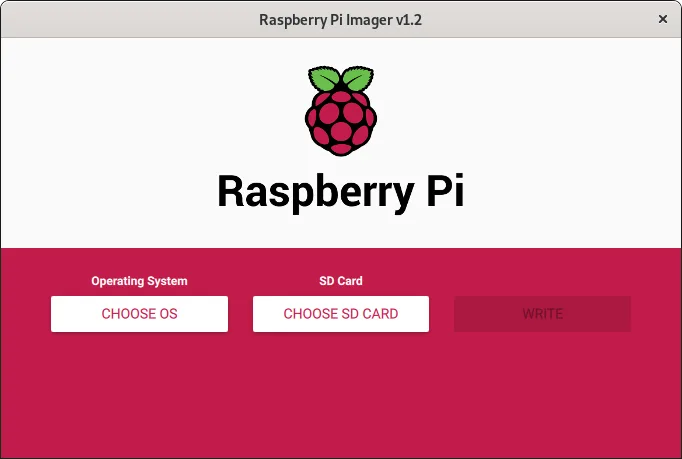
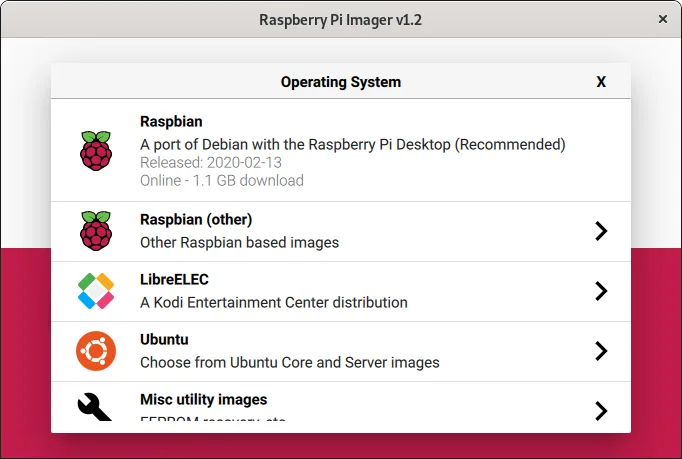
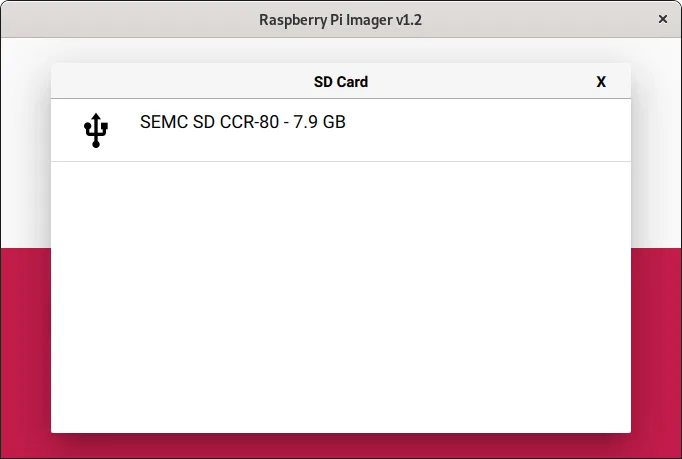
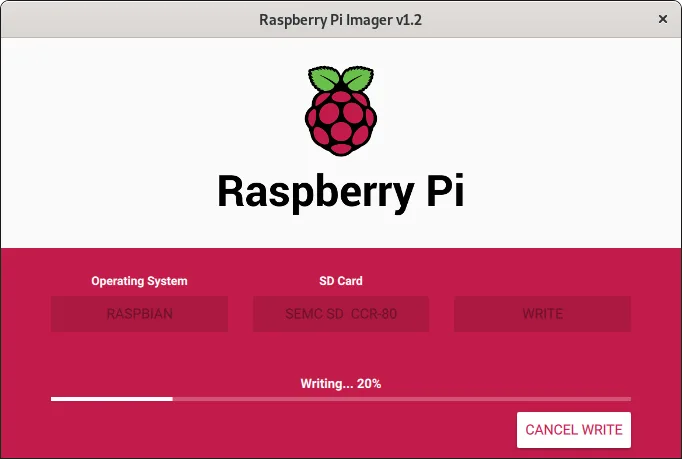
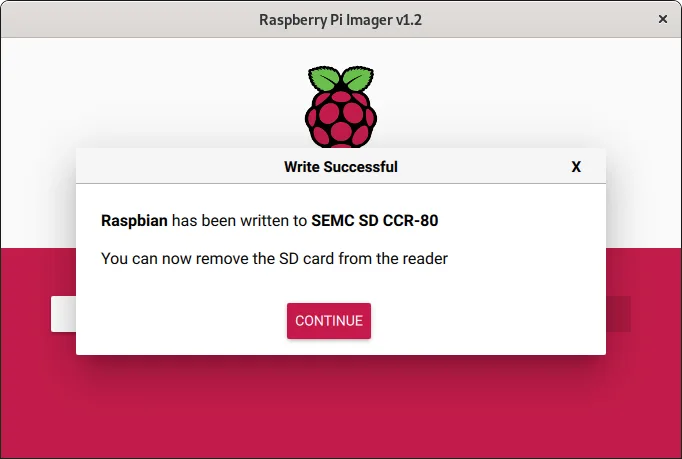
Screenshots of the Linux version, from Flathub.
Downloads
Windows 2.0.8
Show SHA-256
3a2eddf6598a6f1570ce683a76b2bfbe0e4b9ebfb24cde91ac0005140675cbf7 Mac 2.0.12
Show SHA-256
15b1a94c712c0032750855653c2bf129dceb401329fbce0a83d7cf05dc58a421 Linux 2.0.12
The publisher offers a 64-bit (x64) build for Intel or AMD PCs. The package data states no minimum Windows version, so check the publisher’s system requirements before installing on an older PC. The Universal build runs on both Intel and Apple silicon Macs. This build needs macOS 13 Ventura or later. Choose the x64 (64-bit) download for Intel or AMD computers and the ARM64 download for ARM computers. The Flathub listing states no minimum Linux version or distribution, so check the publisher’s system requirements before installing.
Install with winget: winget install --id RaspberryPiFoundation.RaspberryPiImager --exact
Install with Homebrew: brew install --cask raspberry-pi-imager
Install with Flatpak (Flathub): flatpak install flathub org.raspberrypi.rpi-imager
Check a download: Get-FileHash .\<file> -Algorithm SHA256 (PowerShell) or shasum -a 256 ~/Downloads/<file> (Terminal) and compare it with the SHA-256 above.
Linux (Flatpak): Flathub publishes no file checksum; Flatpak checks the app against Flathub’s signed repository when it installs. The ownership of the org.raspberrypi.rpi-imager app ID has not been verified and it may be a community package. App page on Flathub.
What the installer does
Windows
- Delivered as an Inno Setup program (.exe) for x64.
- Installs for all users on the PC, which normally requires administrator rights.
- The installer asks Windows for administrator rights itself.
- No custom silent switch is declared; winget falls back to its default for this installer type (
/SP- /VERYSILENT /SUPPRESSMSGBOXES /NORESTART). - Associates with the file type
.img.
PC requirements
- CPU architecture: x64 (64-bit)
Mac
- Delivered as a disk image (.dmg) for Apple silicon and Intel.
- Installs the app
Raspberry Pi Imager.appinto the Applications folder. - A full “zap” removal also deletes up to 3 support, cache and preference locations in your home folder.
Mac requirements
- Minimum macOS version: macOS 13 or later
- CPU architecture: Universal (Apple silicon + Intel)
Linux
- Delivered as a "flatpak" installer for x64 and ARM64.
- The manifest does not state an install scope.
- No silent-install switch is declared in the manifest.
Linux requirements
- Architectures: ARM64, x64 (64-bit)
- Download size: 4 MiB
- Installed size: 8 MiB
Description
Raspberry Pi Imager is the quick and easy way to install Raspberry Pi OS and other operating systems to a microSD card, ready to use with your Raspberry Pi.
Download and install Raspberry Pi Imager on a computer with an SD card reader. Insert the microSD card you’ll use with your Raspberry Pi into the reader and run Raspberry Pi Imager.
Best for: Raspberry Pi owners setting up a board without a screen, who want Wi-Fi, SSH and a user account written onto the microSD card before first boot.
Features
- Card ready in one pass: Pick your Pi model, an operating system and the card, and Imager downloads and writes it. Raspberry Pi OS is the default, and other systems are on the list.
- Set it up before it boots: You can set a hostname, user and password, time zone and keyboard, Wi-Fi including hidden networks, and SSH with a password or public key, and link Raspberry Pi Connect. A headless Pi then joins your network on its first start.
- Telemetry is on by default: Imager reports which OS you chose, its own version, your computer's OS version, architecture and locale. Raspberry Pi keeps daily totals and raw logs for a week. You can switch it off in App Options.
- Your own image list: Starting it with
--repoand a URL points it at your own image repository, which helps when you set up many boards the same way. - Free and open source: Imager is free under the Apache 2.0 license, from Raspberry Pi Ltd.
- Platforms differ here: The Windows listing keeps 26 versions but is at 2.0.8, with a 64-bit installer for all users. macOS (universal, macOS 13 or later) and the Linux Flatpak are at 2.0.12, current release only. The Flatpak carries Raspberry Pi's name, but Flathub does not mark it verified.
Raspberry Pi Imager at a glance
| What it is | Raspberry Pi Imager is the quick and easy way to install Raspberry Pi OS and other operating systems to a microSD card, ready to use with your Raspberry Pi. |
|---|---|
| Latest version | Windows 2.0.8 (April 8, 2026) Mac 2.0.12 Linux 2.0.12 (October 8, 2026) |
| Price | Free and open source |
| Open source | Yes |
| License | Apache-2.0 |
| License type | Open source · Permissive Few conditions on reuse; the copyright notice has to stay. |
| Copyright | Copyright (C) 2026 Raspberry Pi Ltd |
| Made by | Raspberry Pi Ltd |
| Category | System utilities |
| Runs on | Windows, Mac, Linux |
| Official website | github.com |
| More links | Support · Bug tracker · Raspberry Pi Documentation · Release notes |
| Source code | github.com/raspberrypi/rpi-imager |
| Tags | flash imager raspberrypi sd |
| winget ID | RaspberryPiFoundation.RaspberryPiImager |
| Homebrew cask | raspberry-pi-imager |
| Flathub | org.raspberrypi.rpi-imager Unverified · community data from Flathub |
| Flathub verification | The ownership of the org.raspberrypi.rpi-imager app ID has not been verified and it may be a community package. |
| License on Flathub | Apache-2.0 as listed on Flathub |
| winget moniker | rpi-imager |
| Check your download | SHA-256 checksums in the download tables · Security scan |
What’s new in Raspberry Pi Imager 2.0.8
Notes for the Windows release.
What's changed - Fastboot: - Enumerate storage devices - Add mount, unmount, and custom gadget support - Rename stage to download - Retry on transient USB errors - OS Customisation: - Don't set any groups, leave it to the OS - Use explicit runcmds for passwordless sudo - Require active locale selection; no pre-filled defaults - UI: - Refresh clipboard status as text fields show - SSH: - Add state machine for handling PuTTY's multiline SSH keys - Linux: - Explicitly exclude libsystemd - Write Operations: - Increase watchdog stall timeout to 180s to match the async write timeout - Exclude final data sync from write watchdog to avoid false stalls on slow cards - i18n: Updated French, Slovak translation dictionaries - Documentation: - Add a screenshot of the interface PRs - Screenshot by @nafanz in https://github.com/raspberrypi/rpi-imager/pull/1559 - Improve french translation by @martignoni in https://github.com/raspberrypi/rpi-imager/pull/1560 - Added a state machine for handling PuTTY's multiline SSH keys by @bjepson in https://github.com/raspberrypi/rpi-imager/pull/1574 - 2.0.8: Bugfixes, fastboot improvements by @tdewey-rpi in https://github.com/raspberrypi/rpi-imager/pull/1582 - Update Slovak translation. by @jose1711 in https://github.com/raspberrypi/rpi-imager/pull/1571 - 2.0.8: GH templates, changelog by @tdewey-rpi in https://github.com/raspberrypi/rpi-imager/pull/1583 - fix(stall): Relax thresholds, don't count final sync as stallable. by @tdewey-rpi in…
Read the full release notes on the publisher’s site
Notes for older versions are inside each version below.
Is Raspberry Pi Imager safe?
Score result: No detections so far
None of the 70 security engines on VirusTotal flagged any of the 2 scanned files.
Covers 2 of 3 files. The rest have no VirusTotal report yet, so this result does not speak for them.
- 0 flagged in total
- 2 of 3 files scanned
- 70 engines
Scan info
- Last scan
- Scan provider
- VirusTotal · Full report
File integrity
| File | SHA-256 | Hash check | Signature | VirusTotal |
|---|---|---|---|---|
| imager-v2.0.8.exeWindows · x64 (64-bit) | 3a2eddf6598a6f1570ce683a76b2bfbe0e4b9ebfb24cde91ac0005140675cbf7 |
Matches the manifest (re-computed) | Valid | 0/70 flagged |
| rpi-imager-v2.0.12.dmgMac · Universal (Apple silicon + Intel) | 15b1a94c712c0032750855653c2bf129dceb401329fbce0a83d7cf05dc58a421 |
Matches the manifest (re-computed) | Not signed | 0/60 flagged |
| org.raspberrypi.rpi-imager.flatpakrefLinux · x64 (64-bit) | Not provided | Copied from the manifest, not re-computed | Not checked | — |
| Hash re-computed by Everyversion | 2 of 2 installers match. |
|---|---|
| Code signature checked | 1 valid, 1 unsigned. |
We host no installers. Every download link goes to the download location named in the package listing, normally the publisher’s own server. For this software we downloaded the files from that source ourselves, re-computed each checksum and checked the code signature where our tools could, as shown above. A passing check shows a file is the one that was published; it is not a guarantee it is free of problems. For more information, visit our Security and Trust Center.
Source and provenance
| Windows: source | microsoft/winget-pkgs |
|---|---|
| Windows: SHA-256 in upstream manifest | Yes |
| Windows: observed at commit | 4fb5e09afe52 · retrieved 2026-11-11 |
| Mac: source | Homebrew/homebrew-cask |
| Mac: SHA-256 in upstream manifest | Yes |
| Mac: observed at commit | 6b8a59b4e9b9 · retrieved 2026-11-11 |
| Linux: source | Flathub · Flathub API · github.com/flathub/org.raspberrypi.rpi-imager |
| Linux: checksum | None published. Flatpak checks the app against Flathub’s signed repository when it installs. |
| Linux: publisher verified | The ownership of the org.raspberrypi.rpi-imager app ID has not been verified and it may be a community package. |
| Linux: data retrieved | 2026-11-11 · attribution: app data from Flathub, license listed there: Apache-2.0 |
Old versions
Windows versions
Showing the newest 20 of 26 versions (the JSON and Markdown versions list 26). Open a version for its installers, checksums and a command that pins it.
2.0.8 latest · 2026-04-08 · 1 installer notes
| Architecture | Format | Scope | SHA-256 | Download |
|---|---|---|---|---|
| x64 (64-bit) | Inno Setup | All usersen-US | 3a2eddf6598a6f1570ce683a76b2bfbe0e4b9ebfb24cde91ac0005140675cbf7 |
Download |
Pin this version: winget install --id RaspberryPiFoundation.RaspberryPiImager --version 2.0.8 --exact
Release notes
What's changed - Fastboot: - Enumerate storage devices - Add mount, unmount, and custom gadget support - Rename stage to download - Retry on transient USB errors - OS Customisation: - Don't set any groups, leave it to the OS - Use explicit runcmds for passwordless sudo - Require active locale selection; no pre-filled defaults - UI: - Refresh clipboard status as text fields show - SSH: - Add state machine for handling PuTTY's multiline SSH keys - Linux: - Explicitly exclude libsystemd - Write Operations: - Increase watchdog stall timeout to 180s to match the async write timeout - Exclude final data sync from write watchdog to avoid false stalls on slow cards - i18n: Updated French, Slovak translation dictionaries - Documentation: - Add a screenshot of the interface PRs - Screenshot by @nafanz in https://github.com/raspberrypi/rpi-imager/pull/1559 - Improve french translation by @martignoni in https://github.com/raspberrypi/rpi-imager/pull/1560 - Added a state machine for handling PuTTY's multiline SSH keys by @bjepson in https://github.com/raspberrypi/rpi-imager/pull/1574 - 2.0.8: Bugfixes, fastboot improvements by @tdewey-rpi in https://github.com/raspberrypi/rpi-imager/pull/1582 - Update Slovak translation. by @jose1711 in https://github.com/raspberrypi/rpi-imager/pull/1571 - 2.0.8: GH templates, changelog by @tdewey-rpi in https://github.com/raspberrypi/rpi-imager/pull/1583 - fix(stall): Relax thresholds, don't count final sync as stallable. by @tdewey-rpi in…
Full release notes from the publisher
Manifest: manifests/r/RaspberryPiFoundation/RaspberryPiImager/2.0.8
2.0.7 · 2026-03-26 · 1 installer notes
| Architecture | Format | Scope | SHA-256 | Download |
|---|---|---|---|---|
| x64 (64-bit) | Inno Setup | All usersen-US | a1bb2b60fca9cf5f71f4f034e28b9812ad873e70ca5155eeb0f0df7b3bb179c4 |
Download |
Pin this version: winget install --id RaspberryPiFoundation.RaspberryPiImager --version 2.0.7 --exact
Release notes
What's Changed - chore(release): v2.0.6 by @tdewey-rpi in https://github.com/raspberrypi/rpi-imager/pull/1477 - feat(installer): Add windows installer dark mode support in rpi-imager.iss.in by @rc-chuah in https://github.com/raspberrypi/rpi-imager/pull/1480 - fix(main): Add warning for log paths that are too long by @Ferdinaelectro1 in https://github.com/raspberrypi/rpi-imager/pull/1481 - Add pt-br translation by @eduardoaddad in https://github.com/raspberrypi/rpi-imager/pull/1490 - Update Turkish translations by @Sype0 in https://github.com/raspberrypi/rpi-imager/pull/1488 - Added documentation clarifying the interaction between old versions of Imager and new versions of RPi OS by @lurch in https://github.com/raspberrypi/rpi-imager/pull/1497 - Fix malformed rpi-imager_pt-BR.ts by @lurch in https://github.com/raspberrypi/rpi-imager/pull/1499 - Move the development instructions to a separate CONTRIBUTING.md file by @lurch in https://github.com/raspberrypi/rpi-imager/pull/1508 - QML: fix property name mismatch in ImFileDialog by @wallentx in https://github.com/raspberrypi/rpi-imager/pull/1505 - 2.0.7: Remove legacy mountutils/drivelist, bugfixes by @tdewey-rpi in https://github.com/raspberrypi/rpi-imager/pull/1513 - fix(debian): Add missing GUI library dependencies by @tdewey-rpi in https://github.com/raspberrypi/rpi-imager/pull/1517 - 2.0.7: Improved combobox search, HK & Macau added, don't store experimental options by @tdewey-rpi in…
Full release notes from the publisher
Manifest: manifests/r/RaspberryPiFoundation/RaspberryPiImager/2.0.7
2.0.6 · 2026-01-22 · 1 installer notes
| Architecture | Format | Scope | SHA-256 | Download |
|---|---|---|---|---|
| x64 (64-bit) | Inno Setup | All usersen-US | 0f41e44b42e9c114a486398b894a86a3a5fbe09f3d56f9320110078612ecb3ed |
Download |
Pin this version: winget install --id RaspberryPiFoundation.RaspberryPiImager --version 2.0.6 --exact
Release notes
What's Changed - Update de translations by @rejas in https://github.com/raspberrypi/rpi-imager/pull/1468 - refactor(ImButton): Update implicit width calculation for better cont… by @tdewey-rpi in https://github.com/raspberrypi/rpi-imager/pull/1473 Full Changelog: https://github.com/raspberrypi/rpi-imager/compare/v2.0.5...v2.0.6
Full release notes from the publisher
Manifest: manifests/r/RaspberryPiFoundation/RaspberryPiImager/2.0.6
2.0.5 · 2026-01-20 · 1 installer notes
| Architecture | Format | Scope | SHA-256 | Download |
|---|---|---|---|---|
| x64 (64-bit) | Inno Setup | All usersen-US | 1fc1ca5cff1b45daeb2197cb7a6c6d8788a846f8329a8a14bdf29f24e31d6769 |
Download |
Pin this version: winget install --id RaspberryPiFoundation.RaspberryPiImager --version 2.0.5 --exact
Release notes
What's Changed - all platforms: CLI option added to help on GUI builds - macOS: - Add dark mode and Liquid Glass icon support with pre-compiled assets - Add icon compilation script for regenerating icon assets - UI: - Enhance update popup with version tracking functionality - Improve BaseDialog minimum height for better usability - Use indeterminate progressbar for local gzip files without size info - Fixup updatePopupRequested trigger - Local JSON Helper: - Add device capabilities support - Add OS capabilities support PRs - Add capabilities to create_local_json by @tdewey-rpi in https://github.com/raspberrypi/rpi-imager/pull/1458 - v2.0.5: Update dialog fixed, macOS icon variants fixed by @tdewey-rpi in https://github.com/raspberrypi/rpi-imager/pull/1465 Full Changelog: https://github.com/raspberrypi/rpi-imager/compare/v2.0.4...v2.0.5
Full release notes from the publisher
Manifest: manifests/r/RaspberryPiFoundation/RaspberryPiImager/2.0.5
2.0.4 · 2026-01-16 · 1 installer notes
| Architecture | Format | Scope | SHA-256 | Download |
|---|---|---|---|---|
| x64 (64-bit) | Inno Setup | All usersen-US | 110f1c8a4387157cb5b68f42c692807b659fc2d32b3dfea2f9d0bca340f51785 |
Download |
Pin this version: winget install --id RaspberryPiFoundation.RaspberryPiImager --version 2.0.4 --exact
Release notes
What's new - Write Robustness: - Introduce WriteProgressWatchdog to monitor write progress and detect stalls - Implement recovery strategies for async I/O including queue depth reduction and sync fallback mechanisms - Standardize timeout handling for pending writes across all platforms - Add 5-minute emergency timeout as fallback for stalled operations - Performance: - Enhance recovery event handling and monitoring diagnostics - Capture SHA256 hash values in performance profiles for verification diagnostics - Image Handling: - Add support for parsing .gz files to extract uncompressed size information - Improve handling for files larger than 4GB - Disk Formatting: - Fix FAT32 formatting for large drives (>8GB) - Improve root directory handling based on sectors per cluster - Bug Fixes: - Fix external tools (runuser, xdg-open) failing in AppImage due to LD_LIBRARY_PATH conflicts causing PAM module loading errors - Improve thread safety for download cancellation - Enhance error handling for timeout conditions - Use Pathlib to generate file:// URIs in local JSON helper script - Use XDG-compliant canberra-gtk-play and PipeWire for audio notifications on Linux, fixing beep on Raspberry Pi OS which no longer ships PulseAudio control by default - Accessibility: - Bypass confirmation dialog timer when screen reader is active - Build: - Refactor Qt build scripts for improved POSIX compliance and consistency - Add macOS-specific optimizations for universal builds PRs - Use Pathlib to…
Full release notes from the publisher
Manifest: manifests/r/RaspberryPiFoundation/RaspberryPiImager/2.0.4
2.0.3 · 2025-12-22 · 1 installer notes
| Architecture | Format | Scope | SHA-256 | Download |
|---|---|---|---|---|
| x64 (64-bit) | Inno Setup | All usersen-US | c49c9bb46bc27536bf3174d92c32718eab697ff076761be5382154f412568d74 |
Download |
Pin this version: winget install --id RaspberryPiFoundation.RaspberryPiImager --version 2.0.3 --exact
Release notes
✨ Features Performance - Implement bottleneck detection and real-time progress updates showing network, decompression, or write-bound status - Add detailed write timing breakdown for hypothesis testing and performance analysis - Skip periodic sync when direct I/O is enabled to improve throughput - Enhance async I/O support and configuration options across all platforms Networking - Implement comprehensive network monitoring across all platforms to detect connectivity changes and automatically retry OS list fetching - Add automatic fallback and retry logic when network connection is restored - Introduce CurlFetcher and CurlNetworkConfig for improved network operations with better error handling - Add CA certificate bundle detection for AppImage compatibility on Linux distributions with non-standard CA paths - Enable file:// protocol support in curl configuration for local repository testing Custom Repositories - Add rpi-imager:// URI scheme for deep-linking to custom OS repositories (e.g., rpi-imager://open?repo=https://example.com/repo.json) - Register .rpi-imager-manifest file type association on macOS (UTI), Windows (registry), and Linux (MIME) - Show custom repository host in window title bar with punycode encoding to prevent IDN homograph attacks - Add confirmation dialog with security delay for remote repository URLs Drive Handling - Detect and handle counterfeit storage devices that may hang during I/O operations - Add timeout mechanism for critical operations like…
Full release notes from the publisher
Manifest: manifests/r/RaspberryPiFoundation/RaspberryPiImager/2.0.3
2.0.2 · 2025-12-10 · 1 installer notes
| Architecture | Format | Scope | SHA-256 | Download |
|---|---|---|---|---|
| x86 (32-bit) | Inno Setup | All usersen-US | 8486a3515814f7b52d2625cf8443d5ede955d5ac38a7acc64185dab248d1ee71 |
Download |
Pin this version: winget install --id RaspberryPiFoundation.RaspberryPiImager --version 2.0.2 --exact
Release notes
✨ Features Performance - Add direct I/O bypass for Linux (O_DIRECT), macOS (F_NOCACHE), and Windows (FILE_FLAG_NO_BUFFERING) to reduce memory pressure during writes - Add zero-copy ring buffer for data transfer between download and write threads, reducing CPU overhead - Add asynchronous cache file writer to overlap download and disk I/O operations - Dynamically adjust write queue depth based on available system memory, tuned for more aggressive performance - Add sequential read hints (FADV_SEQUENTIAL, F_RDAHEAD) during verification for better prefetching - Track detailed performance metrics for network, decompression, and write phases - Use Windows IOCTLs (IOCTL_DISK_DELETE_DRIVE_LAYOUT) for faster disk preparation instead of diskpart - Add performance data analysis tool for debugging slow writes (Press CTRL + SHIFT + P, save the JSON, attach to a new Issue). Drive Handling - Switch drive polling from fixed 1-second interval to adaptive mode (fast during selection, paused during writes) - Fix NVMe namespace detection on Linux to correctly identify NVMe drives by parsing /sys/class/nvme/ - Suppress Windows "Insert a disk" error dialog when accessing empty removable drives - Fix macOS APFS volume handling to correctly identify child partitions - Allow virtual disks to be treated as 'system' drives on Windows & Linux (macOS was supported from 2.0.0) User Interface - Add password field component with show/hide toggle button - Add type-to-search in combo boxes with backspace…
Full release notes from the publisher
Manifest: manifests/r/RaspberryPiFoundation/RaspberryPiImager/2.0.2
2.0.0 · 2025-11-24 · 1 installer notes
| Architecture | Format | Scope | SHA-256 | Download |
|---|---|---|---|---|
| x86 (32-bit) | Inno Setup | All usersen-US | a4f32e3a83c075ec61be6a44237e7abaaf52c6f4e1534174e14473c1458136c8 |
Download |
Pin this version: winget install --id RaspberryPiFoundation.RaspberryPiImager --version 2.0.0 --exact
Release notes
Headline What if we just changed...everything*? https://www.raspberrypi.com/news/a-new-raspberry-pi-imager/ *(311 changed files with 79,315 additions and 17,156 deletions, to be more accurate) What's Changed - New UI - New installer for Windows - New back-end writing algorithms - New download algorithms - Accessbility annotations throughout - Raspberry Pi Connect integration - Keyboard navigation - Enhanced guardrails - New CLI-only package - So, so much more. New Contributors - @paulober made their first contribution in #1181 - @mhalano made their first contribution in #1204 - @Omikorin made their first contribution in #1218 Full Changelog: v1.9.6...v2.0.0
Full release notes from the publisher
Manifest: manifests/r/RaspberryPiFoundation/RaspberryPiImager/2.0.0
1.9.6 · 2025-07-21 · 1 installer notes
| Architecture | Format | Scope | SHA-256 | Download |
|---|---|---|---|---|
| x86 (32-bit) | Inno Setup | All usersen-US | 2c77d0c513dd51e67ae7c362a581f72373a9e4ab22a31344123b1f3de56f748d |
Download |
Pin this version: winget install --id RaspberryPiFoundation.RaspberryPiImager --version 1.9.6 --exact
Release notes
- README: Fix script name typo by @ahresse in #1114 - Updated Russian translations by @nafanz in #1118 - Italian language update by @bovirus in #1112 - 1.9.6: Fix roll-up by @tdewey-rpi in #1113 - Update ssh validation message to match regex by @tdewey-rpi in #1121 - Update error in README.md by @itsMattShull in #1119 - lupdate: Update translation reference strings by @tdewey-rpi in #1127 - README fix by @lurch in #1122 - Update second bad SSH key helper string by @tdewey-rpi in #1128 - Added Russian translation for new lines by @nafanz in #1120 - Update Simplified Chinese translation by @ykla in #1102 - WiFi country code validation by @tdewey-rpi in #1129 - Italian language update by @bovirus in #1124 - Update French translation by @martignoni in #1126 - Update Bengali and Irish translations: remove outdated error messages… by @tdewey-rpi in #1130 - meta: v1.9.6 by @tdewey-rpi in #1131
Full release notes from the publisher
Manifest: manifests/r/RaspberryPiFoundation/RaspberryPiImager/1.9.6
1.9.5 · 2025-07-11 · 1 installer notes
| Architecture | Format | Scope | SHA-256 | Download |
|---|---|---|---|---|
| x86 (32-bit) | Inno Setup | —en-US | b3440b19bf7d86ca0f723132efee89c38659fd760951e95d584ba748be9e1259 |
Download |
Pin this version: winget install --id RaspberryPiFoundation.RaspberryPiImager --version 1.9.5 --exact
Release notes
Read the release notes on the publisher’s site
Manifest: manifests/r/RaspberryPiFoundation/RaspberryPiImager/1.9.5
1.9.4 · 2025-06-04 · 1 installer notes
| Architecture | Format | Scope | SHA-256 | Download |
|---|---|---|---|---|
| x86 (32-bit) | Inno Setup | —en-US | 3d750fe364b10ed2d5299f1f4d6c12ebacf3b56c6d7177c8e5801b0825c4556d |
Download |
Pin this version: winget install --id RaspberryPiFoundation.RaspberryPiImager --version 1.9.4 --exact
Release notes
Headlines The first 'official' 1.9.x series release, with a range of UI improvements, new translations, and bugfixes. System Requirements - Windows 10 x86_64 or later - macOS 11 (Apple Silicon or Intel) or later - ~Ubuntu 22.04 x86_64 or later - ~Debian Bookworm aarch64 or later What's Changed - Update the issue templates for the latest release by @christian-heusel in #923 - Correcting a few minor errors in zh-CN (Simplified Chinese) translation by @ykla in #922 - Update german translation by @rejas in #921 - Update Catalan and Spanish translations by @JofreFaraudo in #891 - Update Slovak translation. by @jose1711 in #882 - Add syntax highlighting to readme by @ZevEisenberg in #925 - Added Hebrew translation by @yarons in #928 - Roll-up: v1.9.1 by @tdewey-rpi in #931 - Explicitly add '--tree' to the lsblk to remove partitions from top level output by @alkersan in #936 - CMake: Display v1.9.1 by @tdewey-rpi in #939 - v1.9.2 by @tdewey-rpi in #940 - feat(installer): add quiet uninstall for windows by @Rotzbua in #953 - Added Portuguese translation by @hugok79 in #948 - OS Customisation: Regex to match ssh public keys by @tdewey-rpi in #959 - deps: libarchive 3.7.{4->7} by @tdewey-rpi in #962 - deps: zlib: Remove preconfigured header by @tdewey-rpi in #963 - deps: cURL 8.{8->11}.0 by @tdewey-rpi in #964 - cmake: Build Windows binary unsigned by default by @tdewey-rpi in #971 - Make 'gigabytes' translatable by @tdewey-rpi in #970 - Filter system drives by user choice by…
Full release notes from the publisher
Manifest: manifests/r/RaspberryPiFoundation/RaspberryPiImager/1.9.4
1.9.0 · 2024-09-11 · 1 installer notes
| Architecture | Format | Scope | SHA-256 | Download |
|---|---|---|---|---|
| x86 (32-bit) | NSIS | — | 6ecf51f11c6190bd49e95351e8a658f38959ed4bc72b47684a5f1b1a2784ab03 |
Download |
Pin this version: winget install --id RaspberryPiFoundation.RaspberryPiImager --version 1.9.0 --exact
Release notes
Headlines: - Imager now uses Qt 6.7.2, providing a lightly refreshed UI throughout on all platforms. - Releases are now signed with the new Raspberry Pi Ltd signing key - Linux builds are supplied as AppImages - Dependencies are now intentionally included in this repo - providing a more uniform experience across platforms System Requirements: - Windows 10 x86_64 or later - macOS 11 (Apple Silicon or Intel) or later - ~Ubuntu 22.04 x86_64 or later - ~Debian Bookworm aarch64 or later As ever, feedback is encouraged, and issues welcome. What's Changed: - appstream metainfo: Fix appstream-builder generation by @joebonrichie in #792 - Add a message when there are no storage devices. Fixes #798 by @jedahan in #801 - Update Italian language by @bovirus in #802 - imagewriter: Use QCoreApplication::translate by @tdewey-rpi in #805 - Update Italian language by @bovirus in #806 - Exposing 'DRIVELIST_FILTER_SYSTEM_DRIVES' as a cmake variable by @MrSmoer in #816 - OS Customisation: Validate usernames by @tdewey-rpi in #819 - Update issue creation templates by @tdewey-rpi in #823 - Update French translation by @martignoni in #833 - cli: Add disable-eject by @tdewey-rpi in #860 - Corrected the spelling for Kyiv by @diminDDL in #871 - Fix timeout on systems with large numbers of loops by @waveform80 in #872 - localectl doesn't work on modern Debian/Ubuntu by @waveform80 in #867 - Update zh-CN (Simplified Chinese) translation by @ykla in #879 - BCM2712d0 support by @tdewey-rpi in #884 - Fix…
Full release notes from the publisher
Manifest: manifests/r/RaspberryPiFoundation/RaspberryPiImager/1.9.0
1.8.5 · 2024-01-21 · 1 installer
| Architecture | Format | Scope | SHA-256 | Download |
|---|---|---|---|---|
| x86 (32-bit) | NSIS | — | 659c54979fa4c75840e4ee9b17393be08dd86c5e7c726493b7eb58a8623bb6a7 |
Download |
Pin this version: winget install --id RaspberryPiFoundation.RaspberryPiImager --version 1.8.5 --exact
Release notes
Manifest: manifests/r/RaspberryPiFoundation/RaspberryPiImager/1.8.5
1.8.4 · 2023-12-22 · 1 installer notes
| Architecture | Format | Scope | SHA-256 | Download |
|---|---|---|---|---|
| x86 (32-bit) | NSIS | — | 4228546baa7d0e1a240e84b97ce7e428e5eb2783449788d3571be8d8e3f3886b |
Download |
Pin this version: winget install --id RaspberryPiFoundation.RaspberryPiImager --version 1.8.4 --exact
Release notes
- OS customisation: Fixed first character being dropped when replacing existing password - OS customisation: Impose character limits on usernames & hostnames - i18n: Added Polish translation - i18n: Updated Catalan, Japanese translations - cli: Fixed local file passing via --repo - Windows 7 - Mac OS X 10.15 - Ubuntu 22.04
Full release notes from the publisher
Manifest: manifests/r/RaspberryPiFoundation/RaspberryPiImager/1.8.4
1.8.3 · 2023-11-16 · 1 installer notes
| Architecture | Format | Scope | SHA-256 | Download |
|---|---|---|---|---|
| x86 (32-bit) | NSIS | — | ab1638727335cf9373ad6faa30c40b39963ccc98e3e61556999ff2b0fd8f9909 |
Download |
Pin this version: winget install --id RaspberryPiFoundation.RaspberryPiImager --version 1.8.3 --exact
Release notes
- Home: Device filtering reworked to download OS list eagerly - OS List: Fixed 'Recommended' tag annotation - i18n: Added zh-TW Traditional Chinese translation - i18n: Updated Korean, German, Ukranian, translations - build: Linux: Fix libdrm dependency requirement on non-embedded - Common: Disable QML caching entirely - OS customisation: Allow use if only cloudinit payload available - OS customisation: Allow empty PSK for 'Open' WiFi networks. - OS List: Use ImageList v4 URL - Windows 7 - Mac OS X 10.15 - Ubuntu 22.04
Full release notes from the publisher
Manifest: manifests/r/RaspberryPiFoundation/RaspberryPiImager/1.8.3
1.8.1 · 2023-10-19 · 1 installer notes
| Architecture | Format | Scope | SHA-256 | Download |
|---|---|---|---|---|
| x86 (32-bit) | NSIS | — | 529902c74c3c7fb63f5da648077cfa4031b7f3b9a56b1bdd58e4e54c7973b86a |
Download |
Pin this version: winget install --id RaspberryPiFoundation.RaspberryPiImager --version 1.8.1 --exact
Release notes
- Advanced options: Rename to OS customization - OS customization: change to tabbed UI - OS customization: make SSH public key field a textarea - OS customization: add convenience button to run ssh-keygen - OS customization: Enforce choice as part of write flow - OS customization: Fixes for state consistency across UI - Home: Add mechanism for selecting Raspberry Pi device - Shared: Multiple keyboard focus fixes - i18n: Adds Spanish/Ukrainian translations - i18n: Updates French, Catalan, Italian, German, Spanish, Russian, - i18n: Use en_US as reference string, and make en_GB a translation - Linux: Workaround for ArchLinux's lsblk labeling internal SD card readers - Allow drag-dropping image files to Imager. - Local .xz files: parse uncompressed size for better progress reports. - Windows: fix .zst support
Full release notes from the publisher
Manifest: manifests/r/RaspberryPiFoundation/RaspberryPiImager/1.8.1
1.7.5 · 2023-05-22 · 1 installer notes
| Architecture | Format | Scope | SHA-256 | Download |
|---|---|---|---|---|
| x86 (32-bit) | NSIS | — | a529ee3d9d1c1dc2e02a27fc9208507316af4f61e4b7900b3b61e66e0d86468b |
Download |
Pin this version: winget install --id RaspberryPiFoundation.RaspberryPiImager --version 1.7.5 --exact
Release notes
- Windows: fix handling .zip files. - Windows: allow Imager to start on Windows server editions that do not have "Wireless LAN service" role installed and are missing wlanapi.dll
Full release notes from the publisher
Manifest: manifests/r/RaspberryPiFoundation/RaspberryPiImager/1.7.5
1.7.4.1 · 2023-05-19 · 1 installer notes
| Architecture | Format | Scope | SHA-256 | Download |
|---|---|---|---|---|
| x86 (32-bit) | NSIS | — | 68379302434516bdac450da4861a18a9f9d70600d814dc3aa3e71fe49f79932a |
Download |
Pin this version: winget install --id RaspberryPiFoundation.RaspberryPiImager --version 1.7.4.1 --exact
Release notes
Read the release notes on the publisher’s site
Manifest: manifests/r/RaspberryPiFoundation/RaspberryPiImager/1.7.4.1
1.7.4 · 2023-03-01 · 1 installer notes
| Architecture | Format | Scope | SHA-256 | Download |
|---|---|---|---|---|
| x86 (32-bit) | NSIS | — | 44e6f70412f0430a372c04d3bd60162d175600ab4da38da8efe20d9be3f37fac |
Download |
Pin this version: winget install --id RaspberryPiFoundation.RaspberryPiImager --version 1.7.4 --exact
Release notes
Read the release notes on the publisher’s site
Manifest: manifests/r/RaspberryPiFoundation/RaspberryPiImager/1.7.4
1.7.3 · 1 installer
| Architecture | Format | Scope | SHA-256 | Download |
|---|---|---|---|---|
| x86 (32-bit) | NSIS | — | 88db6e02dbca0bf49e859b89656c9d35c48653c31ca4492dadf7836149f2d854 |
Download |
Pin this version: winget install --id RaspberryPiFoundation.RaspberryPiImager --version 1.7.3 --exact
Release notes
Manifest: manifests/r/RaspberryPiFoundation/RaspberryPiImager/1.7.3
All older versions: manifests/r/RaspberryPiFoundation/RaspberryPiImager
Mac versions
Homebrew casks list only the current release. Earlier builds appear in the cask’s history on GitHub, and Homebrew cannot install them directly.
2.0.12 latest · 1 installer
| Architecture | Format | Requires | File & source | SHA-256 | Download |
|---|---|---|---|---|---|
| Universal (Apple silicon + Intel) | DMG | macOS 13+ | rpi-imager-v2.0.12.dmggithub.com | 15b1a94c712c0032750855653c2bf129dceb401329fbce0a83d7cf05dc58a421 |
Download |
Release notes
Linux versions
Flathub lists only the current release, and Flatpak installs the newest build; earlier versions cannot be chosen from the listing.
Alternatives to Raspberry Pi Imager
Similar apps in System utilities on Everyversion. Each one links to the download location named in the publisher’s package data, with a SHA-256 checksum.


Raspberry Pi Imager FAQ
Is Raspberry Pi Imager safe to download from here?
We host no installers. Every download button goes to the download location named in the package listing, and the checks below were run on those files.
On 2026-11-11 we downloaded the latest 2 installers from those sources and re-computed the SHA-256 of each: 2 of 2 match the package catalog’s value. Code signatures: 1 valid, 1 not signed.
VirusTotal: none of its 70 security engines flagged any of the 2 scanned files.
Reports exist for 2 of 3 files, so the rating does not cover the rest.
Our rating: Safe so far. No check is a guarantee. See the security details above and our Security and Trust Center. Publisher’s website: Raspberry Pi Imager’s official website.
Does Raspberry Pi Imager update itself after I install an old version?
For Windows, we have no information on whether Raspberry Pi Imager updates itself, and for Mac, we have no confirmation that the app updates itself, although many apps check for updates and offer to install them. Look for an update setting in Raspberry Pi Imager (see Raspberry Pi Imager’s documentation) before you rely on an older version.
Does Raspberry Pi Imager cost anything?
No. Raspberry Pi Imager is free and open source (license: Apache-2.0).
Which versions of Raspberry Pi Imager are listed here, and how far back?
For Windows, we list 26 versions, from 1.2 up to 2.0.8, and for Mac, only the current release (2.0.12) is listed, because older Mac builds are not kept in the package listing, and for Linux, we list 1 version, from 2.0.12 (2026-10-08) up to 2.0.12. This page shows the newest 20 Windows versions; the JSON and Markdown files for this app list all 26 Windows versions.
Where do the download links go?
They go straight to the source named in the package catalog, with nothing added by us: for Windows, to github.com, and for Mac, to github.com, and for Linux, to dl.flathub.org. We host no files. Compare the SHA-256 shown next to each file with the one you compute after downloading. Publisher’s website: Raspberry Pi Imager’s official website.