
Download Azure Storage Explorer 1.47.1
Safe so farDeveloper: Microsoft Corporation
Last updated: · Verified by  CristianBuilt Everyversion after working at Softonic. Runs the checks and answers for the results. ClaudeAnthropic’s AI. Runs the download, checksum and signature checks and reports every result. VirusTotalScans files with dozens of security engines. We look up each file by its SHA-256 only.
Free tool to easily manage your Azure cloud storage resources anywhere, from Windows, macOS, or Linux.
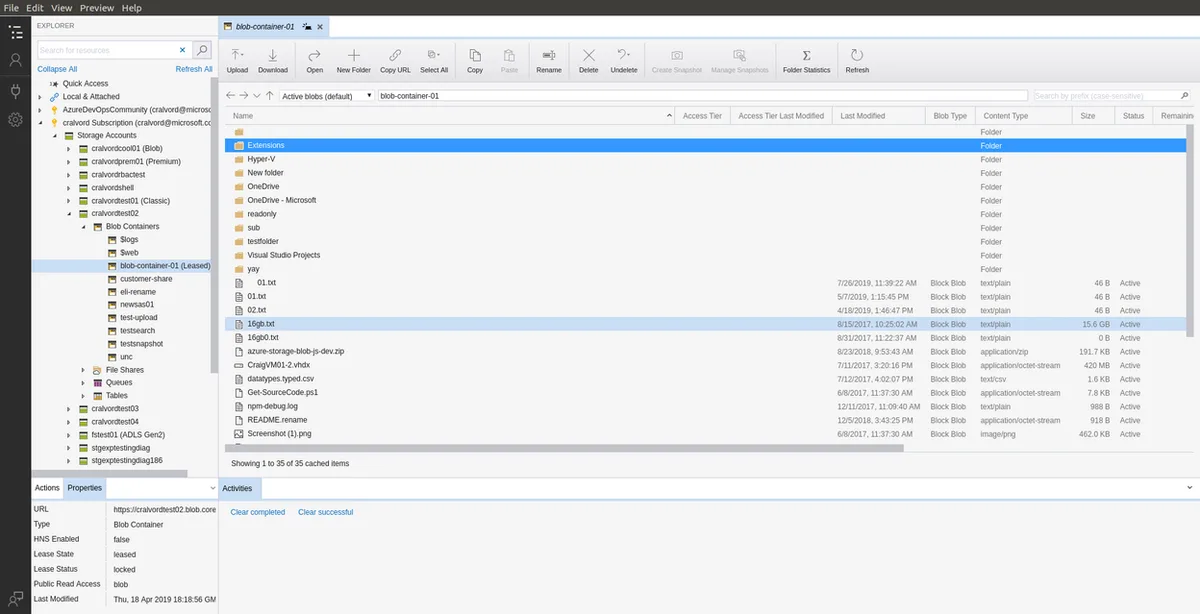
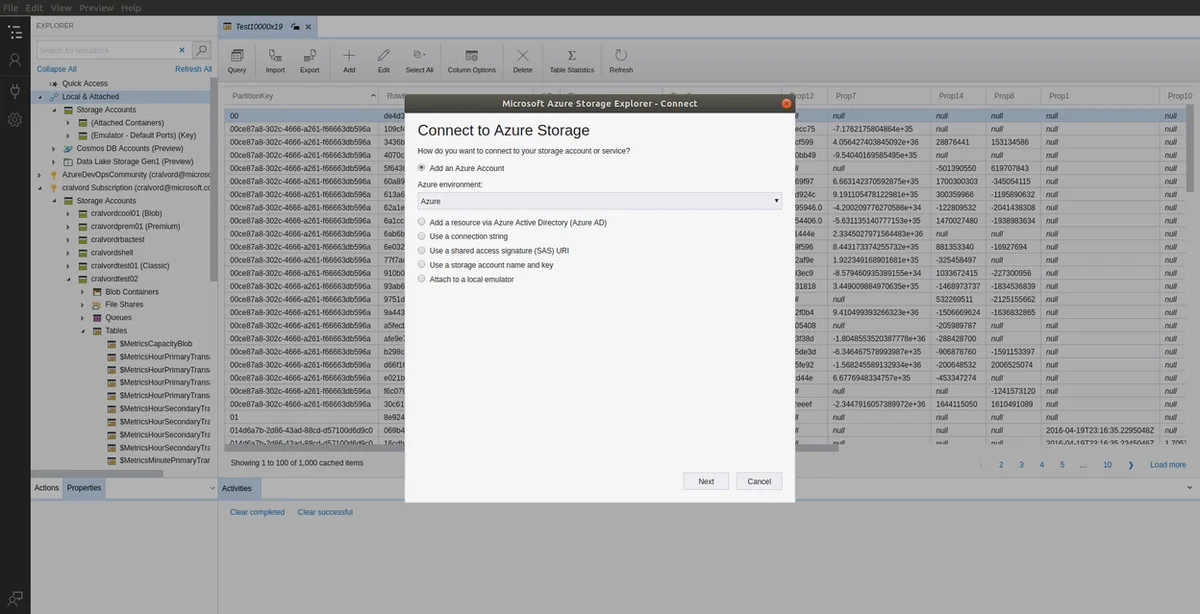
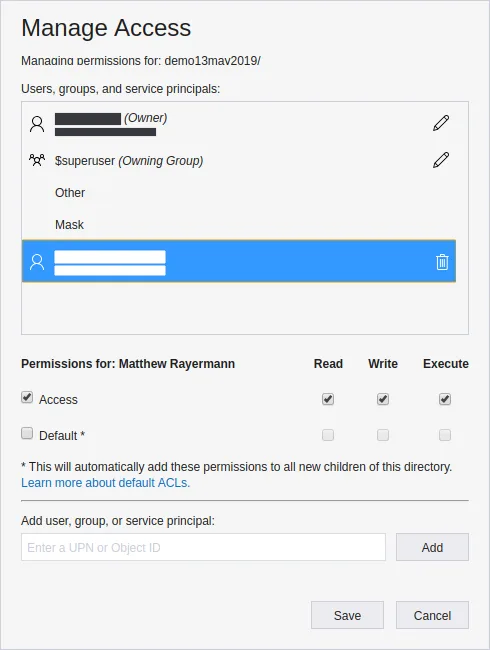
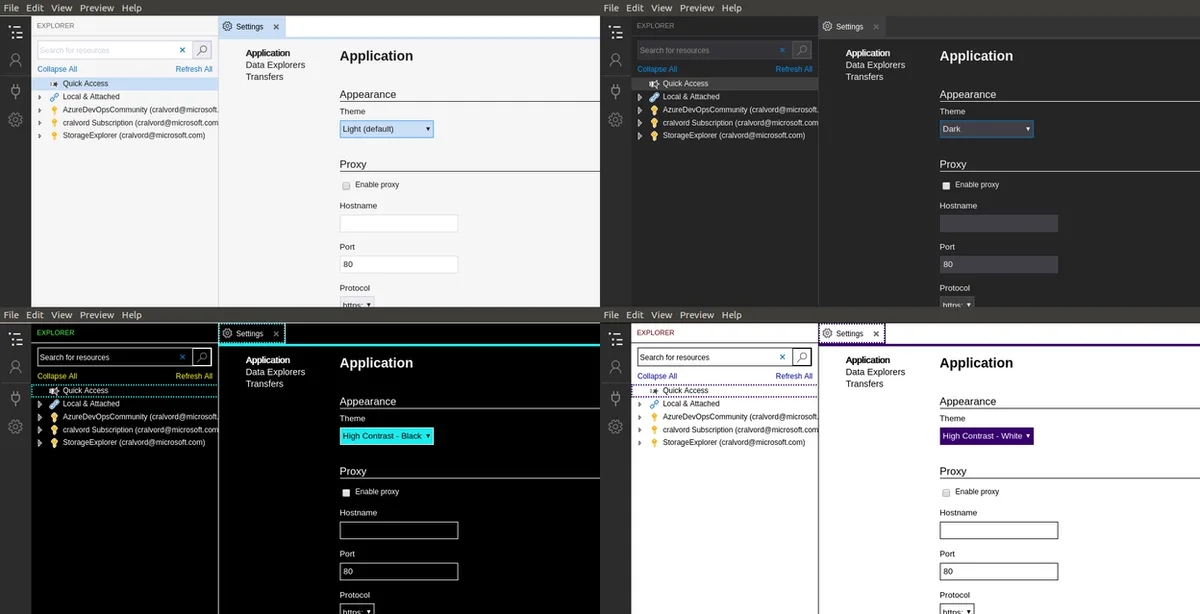
Screenshots of the Linux version, from Flathub.
Downloads
Windows 1.47.1
Show SHA-256
6c248ed66b69ff8867ebd07bb0f86f741cd91ca4a9caeb01b755ed0656abebce Show SHA-256
6c248ed66b69ff8867ebd07bb0f86f741cd91ca4a9caeb01b755ed0656abebce Show SHA-256
ed1dc4537d2da4040dbc4f07ec2eed916f0d74253a2202357b8f3e3fae928b46 Show SHA-256
ed1dc4537d2da4040dbc4f07ec2eed916f0d74253a2202357b8f3e3fae928b46 Mac 1.47.1
Show SHA-256
f50db6b43f4644e189b5b3ae1f13f28b0cf1d5cc07cdbfe1f63e644da88d4b5c Show SHA-256
bee06b5d49a281b7ddc11846925cdc1849358752732ee17af7806d02b6125f87 Linux v1.47.0
Choose the x64 (64-bit) installer for Intel or AMD PCs and the ARM64 installer for ARM PCs. The package data states no minimum Windows version, so check the publisher’s system requirements before installing on an older PC. Choose the Apple silicon (ARM64) build for Macs with an M-series chip and the Intel (x64) build for older Intel Macs. Every build needs macOS 12 Monterey or later. The publisher offers a 64-bit (x64) build for Intel or AMD computers. The Flathub listing states no minimum Linux version or distribution, so check the publisher’s system requirements before installing.
Install with winget: winget install --id Microsoft.Azure.StorageExplorer --exact
Install with Homebrew: brew install --cask microsoft-azure-storage-explorer
Install with Flatpak (Flathub): flatpak install flathub com.microsoft.AzureStorageExplorer
Check a download: Get-FileHash .\<file> -Algorithm SHA256 (PowerShell) or shasum -a 256 ~/Downloads/<file> (Terminal) and compare it with the SHA-256 above.
Linux (Flatpak): Flathub publishes no file checksum; Flatpak checks the app against Flathub’s signed repository when it installs. The ownership of the com.microsoft.AzureStorageExplorer app ID has not been verified and it may be a community package. App page on Flathub.
What the installer does
Windows
- Delivered as an Inno Setup program (.exe) for x64 and ARM64.
- Offers both a per-user and an all-users installer.
- The installer asks Windows for administrator rights itself.
- No custom silent switch is declared; winget falls back to its default for this installer type (
/SP- /VERYSILENT /SUPPRESSMSGBOXES /NORESTART). - Upgrades install over the existing version.
PC requirements
- CPU architecture: x64 (64-bit), ARM64
Mac
- Delivered as a ZIP archive for Intel (x64) and Apple silicon (ARM64).
- Installs the app
Microsoft Azure Storage Explorer.appinto the Applications folder. - A full “zap” removal also deletes up to 4 support, cache and preference locations in your home folder.
Mac requirements
- Minimum macOS version: macOS 12 or later
- CPU architecture: Intel (x64), Apple silicon (ARM64)
Linux
- Delivered as a "flatpak" installer for x64.
- The manifest does not state an install scope.
- No silent-install switch is declared in the manifest.
Linux requirements
- Architectures: x64 (64-bit)
- Download size: 238 MiB
- Installed size: 344 MiB
Description
Free tool to easily manage your Azure cloud storage resources anywhere, from Windows, macOS, or Linux.
Best for: Developers and cloud admins who move files in and out of Azure blob containers, file shares and queues every week, and who would rather drag and drop than type az storage commands.
Features
- One window for Azure Storage: Browse, upload and download blobs, file shares, queues and tables, plus Data Lake Storage containers and managed disks. You can also set access tiers, permissions and access control lists without opening the Azure portal.
- Many ways to connect: Sign in with an Azure account to see whole subscriptions, or attach a single resource with an account key, a SAS connection string or URL, or Microsoft Entra ID. National clouds and Azure Stack are supported too.
- Works offline against Azurite: It connects to the Azurite emulator on Windows, macOS or Linux, so you can test storage code locally without paying for an account. It does not start the emulator for you; run it first.
- Needs .NET 10 and 64-bit: Since version 1.42.0 the app needs a .NET 10 runtime that matches its architecture. The Windows installer adds one if it is missing, but keeping .NET updated is up to you. On Windows, only 10 and 11 are supported, and only 64-bit.
- Linux: Snap is Microsoft's pick: Microsoft recommends the Snap Store package, which brings its dependencies and updates itself, or a .tar.gz where you install dependencies by hand. The Flatpak listed here is a Flathub build that Flathub does not mark as verified, and it sits at v1.47.0.
- Versions kept on this site: The Windows listing keeps 52 versions, with x64 and Arm64 installers for either one user or the whole machine. macOS (Intel and Apple Silicon, macOS 12 or later) and Linux list only the current release, so downgrades there need another source.
Azure Storage Explorer at a glance
| What it is | Free tool to easily manage your Azure cloud storage resources anywhere, from Windows, macOS, or Linux. |
|---|---|
| Latest version | Windows 1.47.1 (November 6, 2026) Mac 1.47.1 Linux v1.47.0 (October 30, 2026) |
| Price | Not stated in winget-pkgs |
| Open source | Not stated |
| License | CC-BY-4.0 |
| Made by | Microsoft Corporation |
| Category | Cloud storage, sync and backup |
| Runs on | Windows, Mac, Linux |
| Official website | azure.microsoft.com |
| More links | Support · Bug tracker · Release notes |
| Tags | azure azure-storage-explorer azurestorageexplorer explorer storage storage-explorer |
| winget ID | Microsoft.Azure.StorageExplorer |
| Homebrew cask | microsoft-azure-storage-explorer |
| Flathub | com.microsoft.AzureStorageExplorer Unverified · community data from Flathub |
| Flathub verification | The ownership of the com.microsoft.AzureStorageExplorer app ID has not been verified and it may be a community package. |
| License on Flathub | LicenseRef-proprietary=https://github.com/microsoft/AzureStorageExplorer/blob/main/LICENSE/ as listed on Flathub |
| winget moniker | storageexplorer |
| Check your download | SHA-256 checksums in the download tables · Security scan |
What’s new in Azure Storage Explorer 1.47.1
Notes for the Windows release.
The publisher gives no notes text for this release.
Release notes on the publisher’s site
Notes for older versions are inside each version below.
Is Azure Storage Explorer safe?
Score result: No detections so far
None of the 64 security engines on VirusTotal flagged any of the 4 scanned files.
Covers 4 of 5 files. The rest have no VirusTotal report yet, so this result does not speak for them.
- 0 flagged in total
- 4 of 5 files scanned
- 64 engines
Scan info
- Last scan
- Scan provider
- VirusTotal · Full report
File integrity
| File | SHA-256 | Hash check | Signature | VirusTotal |
|---|---|---|---|---|
| StorageExplorer-windows-x64.exeWindows · x64 (64-bit) | 6c248ed66b69ff8867ebd07bb0f86f741cd91ca4a9caeb01b755ed0656abebce |
Matches the manifest (re-computed) | Valid | 0/64 flagged |
| StorageExplorer-windows-arm64.exeWindows · ARM64 | ed1dc4537d2da4040dbc4f07ec2eed916f0d74253a2202357b8f3e3fae928b46 |
Matches the manifest (re-computed) | Valid | 0/57 flagged |
| StorageExplorer-darwin-x64.zipMac · Intel (x64) | f50db6b43f4644e189b5b3ae1f13f28b0cf1d5cc07cdbfe1f63e644da88d4b5c |
Matches the manifest (re-computed) | Not applicable | 0/63 flagged |
| StorageExplorer-darwin-arm64.zipMac · Apple silicon (ARM64) | bee06b5d49a281b7ddc11846925cdc1849358752732ee17af7806d02b6125f87 |
Matches the manifest (re-computed) | Not applicable | 0/60 flagged |
| com.microsoft.AzureStorageExplorer.flatpakrefLinux · x64 (64-bit) | Not provided | Copied from the manifest, not re-computed | Not checked | — |
| Hash re-computed by Everyversion | 4 of 4 installers match. |
|---|---|
| Code signature checked | 2 valid, 2 not signable (ZIP/portable). |
We host no installers. Every download link goes to the download location named in the package listing, normally the publisher’s own server. For this software we downloaded the files from that source ourselves, re-computed each checksum and checked the code signature where our tools could, as shown above. A passing check shows a file is the one that was published; it is not a guarantee it is free of problems. For more information, visit our Security and Trust Center.
Source and provenance
| Windows: source | microsoft/winget-pkgs |
|---|---|
| Windows: SHA-256 in upstream manifest | Yes |
| Windows: observed at commit | 6581c2e6d123 · retrieved 2026-11-25 |
| Mac: source | Homebrew/homebrew-cask |
| Mac: SHA-256 in upstream manifest | Yes |
| Mac: observed at commit | eb30e54fc76f · retrieved 2026-11-20 |
| Linux: source | Flathub · Flathub API · github.com/flathub/com.microsoft.AzureStorageExplorer |
| Linux: checksum | None published. Flatpak checks the app against Flathub’s signed repository when it installs. |
| Linux: publisher verified | The ownership of the com.microsoft.AzureStorageExplorer app ID has not been verified and it may be a community package. |
| Linux: data retrieved | 2026-11-20 · attribution: app data from Flathub, license listed there: LicenseRef-proprietary=https://github.com/microsoft/AzureStorageExplorer/blob/main/LICENSE/ |
Old versions
Windows versions
Showing the newest 20 of 52 versions (the JSON and Markdown versions list 52). Open a version for its installers, checksums and a command that pins it.
1.47.1 latest · 2026-11-06 · 4 installers notes
| Architecture | Format | Scope | SHA-256 | Download |
|---|---|---|---|---|
| x64 (64-bit) | Inno Setup | All usersen-US | 6c248ed66b69ff8867ebd07bb0f86f741cd91ca4a9caeb01b755ed0656abebce |
Download |
| x64 (64-bit) | Inno Setup | Per useren-US | 6c248ed66b69ff8867ebd07bb0f86f741cd91ca4a9caeb01b755ed0656abebce |
Download |
| ARM64 | Inno Setup | All usersen-US | ed1dc4537d2da4040dbc4f07ec2eed916f0d74253a2202357b8f3e3fae928b46 |
Download |
| ARM64 | Inno Setup | Per useren-US | ed1dc4537d2da4040dbc4f07ec2eed916f0d74253a2202357b8f3e3fae928b46 |
Download |
Pin this version: winget install --id Microsoft.Azure.StorageExplorer --version 1.47.1 --exact
Release notes
Read the release notes on the publisher’s site
Manifest: manifests/m/Microsoft/Azure/StorageExplorer/1.47.1
1.47.0 · 2026-10-30 · 4 installers notes
| Architecture | Format | Scope | SHA-256 | Download |
|---|---|---|---|---|
| x64 (64-bit) | Inno Setup | All usersen-US | 6b2aa7962a40b3b8e9997d09899ead89b300434369652f7316acdccab4a63423 |
Download |
| x64 (64-bit) | Inno Setup | Per useren-US | 6b2aa7962a40b3b8e9997d09899ead89b300434369652f7316acdccab4a63423 |
Download |
| ARM64 | Inno Setup | All usersen-US | b1bf59cab15f7e30e0f7a0dc76aa371f1140f726f04965720153d299d344ce3b |
Download |
| ARM64 | Inno Setup | Per useren-US | b1bf59cab15f7e30e0f7a0dc76aa371f1140f726f04965720153d299d344ce3b |
Download |
Pin this version: winget install --id Microsoft.Azure.StorageExplorer --version 1.47.0 --exact
Release notes
Read the release notes on the publisher’s site
Manifest: manifests/m/Microsoft/Azure/StorageExplorer/1.47.0
1.46.0 · 2026-08-31 · 4 installers notes
| Architecture | Format | Scope | SHA-256 | Download |
|---|---|---|---|---|
| x64 (64-bit) | Inno Setup | All usersen-US | 2aec3da3f7fff243279a86ab2fbece419e3867ff5ac97d45296edbd150d62349 |
Download |
| x64 (64-bit) | Inno Setup | Per useren-US | 2aec3da3f7fff243279a86ab2fbece419e3867ff5ac97d45296edbd150d62349 |
Download |
| ARM64 | Inno Setup | All usersen-US | 7f9125b6842e0d8ff34a81caa1069098e59e813f2cbb1839ff8b8d33abe3315d |
Download |
| ARM64 | Inno Setup | Per useren-US | 7f9125b6842e0d8ff34a81caa1069098e59e813f2cbb1839ff8b8d33abe3315d |
Download |
Pin this version: winget install --id Microsoft.Azure.StorageExplorer --version 1.46.0 --exact
Release notes
Read the release notes on the publisher’s site
Manifest: manifests/m/Microsoft/Azure/StorageExplorer/1.46.0
1.45.0 · 2026-07-30 · 4 installers notes
| Architecture | Format | Scope | SHA-256 | Download |
|---|---|---|---|---|
| x64 (64-bit) | Inno Setup | All usersen-US | 040142eb21fe02927e394e63360b76cccff1ce1782723ccc361b4bf8d3b4ccf8 |
Download |
| x64 (64-bit) | Inno Setup | Per useren-US | 040142eb21fe02927e394e63360b76cccff1ce1782723ccc361b4bf8d3b4ccf8 |
Download |
| ARM64 | Inno Setup | All usersen-US | 2ce1c60d30b804f37ae9efca1c9bddca6963284ab176c611b69d23ddcbfaef83 |
Download |
| ARM64 | Inno Setup | Per useren-US | 2ce1c60d30b804f37ae9efca1c9bddca6963284ab176c611b69d23ddcbfaef83 |
Download |
Pin this version: winget install --id Microsoft.Azure.StorageExplorer --version 1.45.0 --exact
Release notes
Read the release notes on the publisher’s site
Manifest: manifests/m/Microsoft/Azure/StorageExplorer/1.45.0
1.44.0 · 2026-06-29 · 4 installers notes
| Architecture | Format | Scope | SHA-256 | Download |
|---|---|---|---|---|
| x64 (64-bit) | Inno Setup | All usersen-US | 58d87ad6237692914e6b4240b345ec03f25005c3b59d016712027ae527f89bea |
Download |
| x64 (64-bit) | Inno Setup | Per useren-US | 58d87ad6237692914e6b4240b345ec03f25005c3b59d016712027ae527f89bea |
Download |
| ARM64 | Inno Setup | All usersen-US | c4b153a777f4c534af1309c618b4a18daf70f46d1dc1008e0e6555019b4d057e |
Download |
| ARM64 | Inno Setup | Per useren-US | c4b153a777f4c534af1309c618b4a18daf70f46d1dc1008e0e6555019b4d057e |
Download |
Pin this version: winget install --id Microsoft.Azure.StorageExplorer --version 1.44.0 --exact
Release notes
Read the release notes on the publisher’s site
Manifest: manifests/m/Microsoft/Azure/StorageExplorer/1.44.0
1.43.0 · 2026-04-07 · 4 installers notes
| Architecture | Format | Scope | SHA-256 | Download |
|---|---|---|---|---|
| x64 (64-bit) | Inno Setup | All usersen-US | 0d6ff1c282cffa003a4c281d92bcc3a4d6581e1158855c19fa54444a7d1de481 |
Download |
| x64 (64-bit) | Inno Setup | Per useren-US | 0d6ff1c282cffa003a4c281d92bcc3a4d6581e1158855c19fa54444a7d1de481 |
Download |
| ARM64 | Inno Setup | All usersen-US | 26721c9ac4f0a07cf3ff9620c96b851e06f5ec48e857d53f0aa9fe8f16ea3f83 |
Download |
| ARM64 | Inno Setup | Per useren-US | 26721c9ac4f0a07cf3ff9620c96b851e06f5ec48e857d53f0aa9fe8f16ea3f83 |
Download |
Pin this version: winget install --id Microsoft.Azure.StorageExplorer --version 1.43.0 --exact
Release notes
Read the release notes on the publisher’s site
Manifest: manifests/m/Microsoft/Azure/StorageExplorer/1.43.0
1.42.0 · 2026-03-17 · 4 installers notes
| Architecture | Format | Scope | SHA-256 | Download |
|---|---|---|---|---|
| x64 (64-bit) | Inno Setup | All usersen-US | 0af583a9d09d02cf06e1bd3e2227733c9acde2ccd0ff9c41d4769b3d24889284 |
Download |
| x64 (64-bit) | Inno Setup | Per useren-US | 0af583a9d09d02cf06e1bd3e2227733c9acde2ccd0ff9c41d4769b3d24889284 |
Download |
| ARM64 | Inno Setup | All usersen-US | e32f1850da7683ea800cb56cb5501a0bc68d4a9c502b843144270779610b8f4d |
Download |
| ARM64 | Inno Setup | Per useren-US | e32f1850da7683ea800cb56cb5501a0bc68d4a9c502b843144270779610b8f4d |
Download |
Pin this version: winget install --id Microsoft.Azure.StorageExplorer --version 1.42.0 --exact
Release notes
March 2026 (Version 1.42.0, build 20260317.3) Welcome to Storage Explorer version 1.42.0. This version adds some new features for sharing resources and addresses these issues. SAS Direct Links Storage Explorer now supports SAS-based direct links. A SAS-based direct link looks just like an ordinary SAS URL, except it has the storageexplorer: protocol. For example: - Blob container: storageexplorer://acct.blob.core.windows.net/container?sig=... - File share directory: storageexplorer://acct.file.core.windows.net/share/dir1?sig=... - Blob: storageexplorer://acct.blob.core.windows.net/container/dir1/blob.txt?sig=... When following a direct link, Storage Explorer can automatically attach at the container root, attach at the target item’s directory, download the target item, or download and open the item. To create a SAS direct link, just take an ordinary SAS URL and change the protocol to storageexplorer:. Keep in mind that only container (sr=c) or share (sr=s) resource SAS URLs are supported, due to permission requirements. If you want the direct link to point to a directory, blob, or file within the container or share, just add the path to the item as part of the URL. Here is a table summarizing the different types of SAS direct links and their supported operations in Storage Explorer. ──────────┬──────────────────┬─────────────────┬────────────────────┬─────────────┬───────────────┬────────┬─────────────── Service │Target Item (path)│SAS Resource (sr)│SAS Permissions…
Full release notes from the publisher
Manifest: manifests/m/Microsoft/Azure/StorageExplorer/1.42.0
1.41.1 · 2026-02-17 · 4 installers notes
| Architecture | Format | Scope | SHA-256 | Download |
|---|---|---|---|---|
| x64 (64-bit) | Inno Setup | All usersen-US | 8fddc37e3032dae43875325af0da75fb69153cdef66602061cd409ca8e6fad42 |
Download |
| x64 (64-bit) | Inno Setup | Per useren-US | 8fddc37e3032dae43875325af0da75fb69153cdef66602061cd409ca8e6fad42 |
Download |
| ARM64 | Inno Setup | All usersen-US | d84a31ac16c3d5a709ded4b6520b09635420547db084ac50a3d7b14a4cd6f857 |
Download |
| ARM64 | Inno Setup | Per useren-US | d84a31ac16c3d5a709ded4b6520b09635420547db084ac50a3d7b14a4cd6f857 |
Download |
Pin this version: winget install --id Microsoft.Azure.StorageExplorer --version 1.41.1 --exact
Release notes
February 2026 (Version 1.41.1, build 20260214.2) Welcome to Storage Explorer version 1.41.1. This version updates the bundled version of .NET to 8.0.24 and addresses these issues. Version 1.41.1 includes all features, improvements, and bug fixes from 1.41.0, which completes support for NFS files and brings improvements to Azurite container support. For a detailed list of all issues closed in 1.41.0, visit our Issues page.
Full release notes from the publisher
Manifest: manifests/m/Microsoft/Azure/StorageExplorer/1.41.1
1.41.0 · 2026-01-31 · 4 installers notes
| Architecture | Format | Scope | SHA-256 | Download |
|---|---|---|---|---|
| x64 (64-bit) | Inno Setup | All usersen-US | 380e09264282cb0b1c84f2d13bfbbebd6d48d66f522414ecedaa544e8cf5003f |
Download |
| x64 (64-bit) | Inno Setup | Per useren-US | 380e09264282cb0b1c84f2d13bfbbebd6d48d66f522414ecedaa544e8cf5003f |
Download |
| ARM64 | Inno Setup | All usersen-US | 3bc2988dff9791b92769e05673dd415d681ca2dce705ae44063977ad3449f298 |
Download |
| ARM64 | Inno Setup | Per useren-US | 3bc2988dff9791b92769e05673dd415d681ca2dce705ae44063977ad3449f298 |
Download |
Pin this version: winget install --id Microsoft.Azure.StorageExplorer --version 1.41.0 --exact
Release notes
January 2026 (Version 1.41.0, build 20260130.7) Welcome to Storage Explorer version 1.41.0. This version completes support for NFS files and brings improvements to Azurite container support. For a detailed list of all issues closed, visit our Issues page. NFS File Share Support This version of Storage Explorer includes AzCopy 10.31, which enhances support for NFS file shares. In addition to features introduced in version 1.40.0, you can now: - Transfer files and directories between NFS and SMB file shares. - Preserve symlinks when transferring files (symlinks remain percent encoded when downloaded, see #8841). - View POSIX properties for files and directories in the Properties dialog. Azurite Instances in Docker and Podman Containers Version 1.36.0 introduced support for automatically detecting and connecting to Azurite instances running in local Docker containers. Version 1.41.0 extends this support to include Podman containers. Configuring Azurite Communication Channels To add support for both Docker and Podman, Storage Explorer now detects Azurite containers differently. Instead of invoking the Docker or Podman CLI, Storage Explorer communicates directly with the Docker and Podman engines via their named pipes (Windows) or Unix domain sockets (Linux and macOS). By default, Storage Explorer looks in the following locations for these communication channels: ────────┬────────────────────────────── Platform│Locations ────────┼────────────────────────────── Windows…
Full release notes from the publisher
Manifest: manifests/m/Microsoft/Azure/StorageExplorer/1.41.0
1.40.2 · 2025-11-04 · 4 installers notes
| Architecture | Format | Scope | SHA-256 | Download |
|---|---|---|---|---|
| x64 (64-bit) | Inno Setup | All usersen-US | fc44425058cafca14c542e2bf4d21f21865bfce6f413bd6d5173a8f07f08769f |
Download |
| x64 (64-bit) | Inno Setup | Per useren-US | fc44425058cafca14c542e2bf4d21f21865bfce6f413bd6d5173a8f07f08769f |
Download |
| ARM64 | Inno Setup | All usersen-US | 594f215283d7aa9268da0e661d549505583e2629ce5f790294ec8edca3904ac5 |
Download |
| ARM64 | Inno Setup | Per useren-US | 594f215283d7aa9268da0e661d549505583e2629ce5f790294ec8edca3904ac5 |
Download |
Pin this version: winget install --id Microsoft.Azure.StorageExplorer --version 1.40.2 --exact
Release notes
October 2025 (Version 1.40.2, build 20251101.1) Welcome to Storage Explorer version 1.40.2. This release updates the bundled version of .NET to 8.0.21 and fixes an issue users may have encountered when trying to sign in to Azure China or Azure US Government clouds. Version 1.40.2 includes features and bug fixes from 1.40.0. For a detailed list of all issues closed, visit our Issues page. Downloading from NFS File Shares In Storage Explorer version 1.40.0, we introduced support for uploading and downloading files from NFS file shares on Linux systems. Some users may have encountered issues when downloading files from NFS file shares. The files are downloaded, but the operation appears to fail in Storage Explorer. AzCopy will not download anything from an NFS file share unless the --preserve-permissions option is provided. This option instructs AzCopy to preserve the original file's ownership on the local machine. However, this requires running AzCopy with sudo, because AzCopy needs to change file ownership, which requires elevated privileges. Storage Explorer cannot invoke AzCopy with sudo. This leads to the issue where downloads appear to fail regardless of settings. If you encounter this issue, you can work around it by copying the AzCopy command and executing it directly from the command line with sudo. This issue will be addressed in a future version of Storage Explorer. Electron 38 Storage Explorer now uses Electron 38. You can learn more from the Electron blog.
Full release notes from the publisher
Manifest: manifests/m/Microsoft/Azure/StorageExplorer/1.40.2
1.40.0 · 2025-09-26 · 4 installers notes
| Architecture | Format | Scope | SHA-256 | Download |
|---|---|---|---|---|
| x64 (64-bit) | Inno Setup | All usersen-US | 8794cdb20f7da70a5b5e848eaec824476d22ced20bae5bc24d4c6e88f7015a26 |
Download |
| x64 (64-bit) | Inno Setup | Per useren-US | 8794cdb20f7da70a5b5e848eaec824476d22ced20bae5bc24d4c6e88f7015a26 |
Download |
| ARM64 | Inno Setup | All usersen-US | 0bf2d13223a78fdddc1ec67d5e7c703cdaa3fc270ee469252e3437bcea87dc75 |
Download |
| ARM64 | Inno Setup | Per useren-US | 0bf2d13223a78fdddc1ec67d5e7c703cdaa3fc270ee469252e3437bcea87dc75 |
Download |
Pin this version: winget install --id Microsoft.Azure.StorageExplorer --version 1.40.0 --exact
Release notes
September 2025 (Version 1.40.0, build 20250925.27) Welcome to Storage Explorer version 1.40.0. This release adds new features for file shares and tables. For a detailed list of all issues closed, visit our Issues page. NFS File Shares Storage Explorer now supports working with NFS file shares. If you have access to Premium File storage accounts, you can now manage NFS file shares in those accounts. In this release, Storage Explorer supports the following operations: - Create NFS file shares. Storage Explorer will ask you whether you want to create an SMB or an NFS file share after entering the name of the new file share. - Copy and paste NFS file shares between storage accounts. - Create, manage, and delete NFS file share snapshots. - Copy and paste files and folders between NFS file shares. Transfers between NFS and SMB, SMB and NFS, NFS and blob, and blob and NFS will be available in a future release. - Upload to or download from NFS file shares (Linux only; Windows and macOS support will come in a future release). We've also updated the Transfers → Preserve Info and Transfers → Preserve Permissions settings to reflect the NFS changes. We recommend enabling these settings when uploading or downloading from NFS file shares. This will help prevent ownership issues when downloading files. When downloading from NFS file shares, AzCopy will attempt to modify the ownership of the local file to match the ownership of the file in the NFS file share. Errors may occur if your Linux…
Full release notes from the publisher
Manifest: manifests/m/Microsoft/Azure/StorageExplorer/1.40.0
1.39.1 · 2025-07-21 · 4 installers notes
| Architecture | Format | Scope | SHA-256 | Download |
|---|---|---|---|---|
| x64 (64-bit) | Inno Setup | All usersen-US | de603040d216b1e52e90b2bff6601d14b870f01386d687ea26cfcab2cace254a |
Download |
| x64 (64-bit) | Inno Setup | Per useren-US | de603040d216b1e52e90b2bff6601d14b870f01386d687ea26cfcab2cace254a |
Download |
| ARM64 | Inno Setup | All usersen-US | d62489f7a1e9dd649da67731bc53038679a8bf1dd5615ac1fe3b5b7b6d8de9e7 |
Download |
| ARM64 | Inno Setup | Per useren-US | d62489f7a1e9dd649da67731bc53038679a8bf1dd5615ac1fe3b5b7b6d8de9e7 |
Download |
Pin this version: winget install --id Microsoft.Azure.StorageExplorer --version 1.39.1 --exact
Release notes
July 2025 (Version 1.39.1, build 20250715.1, Windows x64 and Windows ARM64 build 20250719.5) Welcome to Storage Explorer version 1.39.1. This release addresses several additional issues that were not resolved in 1.39.0. Version 1.39.1 includes feature enhancements and bug fixes from 1.39.0. For a detailed list of all issues closed in 1.39.0, visit our Issues page. AzCopy for Windows ARM Storage Explorer for Windows ARM now comes with an ARM-native binary of AzCopy. Windows ARM users can now benefit from improved performance and reduced memory usage when transferring data with AzCopy. Windows .NET Installation Improvements To help users keep Storage Explorer components up to date, the Storage Explorer installer for Windows now compares the latest version of the .NET Runtime installed with the version of .NET that comes bundled with Storage Explorer. If the installed version is older than the bundled version, the Storage Explorer will prompt you to install the newer version. Storage Explorer Snap Base Upgraded to core22 The Storage Explorer snap for Linux has been upgraded to use the core22 base snap. This change was introduced in 1.39.0. For most users, this change is seamless and requires no additional action.
Full release notes from the publisher
Manifest: manifests/m/Microsoft/Azure/StorageExplorer/1.39.1
1.39.0 · 2025-06-26 · 4 installers notes
| Architecture | Format | Scope | SHA-256 | Download |
|---|---|---|---|---|
| x64 (64-bit) | Inno Setup | All users | 50bcc4bccc1ad53409e3ca86344fd0c7259b570657fb57dac4aee78298454649 |
Download |
| x64 (64-bit) | Inno Setup | Per user | 50bcc4bccc1ad53409e3ca86344fd0c7259b570657fb57dac4aee78298454649 |
Download |
| ARM64 | Inno Setup | All users | e1bdcdcc36de153bfd6f8aab010c4a18cb247f9a3c3827842df38925b8753c69 |
Download |
| ARM64 | Inno Setup | Per user | e1bdcdcc36de153bfd6f8aab010c4a18cb247f9a3c3827842df38925b8753c69 |
Download |
Pin this version: winget install --id Microsoft.Azure.StorageExplorer --version 1.39.0 --exact
Release notes
Read the release notes on the publisher’s site
Manifest: manifests/m/Microsoft/Azure/StorageExplorer/1.39.0
1.38.0 · 2025-04-14 · 4 installers notes
| Architecture | Format | Scope | SHA-256 | Download |
|---|---|---|---|---|
| x64 (64-bit) | Inno Setup | All users | c7aa0dd5316db2347ed1b808f887ee3b7d7d33c65dbcd2de184a95c87f5380bf |
Download |
| x64 (64-bit) | Inno Setup | Per user | c7aa0dd5316db2347ed1b808f887ee3b7d7d33c65dbcd2de184a95c87f5380bf |
Download |
| ARM64 | Inno Setup | All users | 70381aad2d5d858d007a7f633ae43fc8eef6850a6f47e593e61dec814ff3e428 |
Download |
| ARM64 | Inno Setup | Per user | 70381aad2d5d858d007a7f633ae43fc8eef6850a6f47e593e61dec814ff3e428 |
Download |
Pin this version: winget install --id Microsoft.Azure.StorageExplorer --version 1.38.0 --exact
Release notes
Read the release notes on the publisher’s site
Manifest: manifests/m/Microsoft/Azure/StorageExplorer/1.38.0
1.37.0 · 2025-01-07 · 4 installers notes
| Architecture | Format | Scope | SHA-256 | Download |
|---|---|---|---|---|
| x64 (64-bit) | Inno Setup | All users | e04fa2ca676e963b8c92e5eea50323b45182e2de25aec7fe98d0324db443085f |
Download |
| x64 (64-bit) | Inno Setup | Per user | e04fa2ca676e963b8c92e5eea50323b45182e2de25aec7fe98d0324db443085f |
Download |
| ARM64 | Inno Setup | All users | eb1da1a531211ee2831443e06c626cca71ea3ab26818155ec29501b34fae19fb |
Download |
| ARM64 | Inno Setup | Per user | eb1da1a531211ee2831443e06c626cca71ea3ab26818155ec29501b34fae19fb |
Download |
Pin this version: winget install --id Microsoft.Azure.StorageExplorer --version 1.37.0 --exact
Release notes
Read the release notes on the publisher’s site
Manifest: manifests/m/Microsoft/Azure/StorageExplorer/1.37.0
1.36.2 · 2024-10-29 · 4 installers notes
| Architecture | Format | Scope | SHA-256 | Download |
|---|---|---|---|---|
| x64 (64-bit) | Inno Setup | All users | 8776a0e33d8ff04a9bbf94df991f022e826f83f7e663364219001dd78bf4faf6 |
Download |
| x64 (64-bit) | Inno Setup | Per user | 8776a0e33d8ff04a9bbf94df991f022e826f83f7e663364219001dd78bf4faf6 |
Download |
| ARM64 | Inno Setup | All users | bee5e2a09289590e38222e6eda7f5836180e4d835e94451c2508ba55cfa46719 |
Download |
| ARM64 | Inno Setup | Per user | bee5e2a09289590e38222e6eda7f5836180e4d835e94451c2508ba55cfa46719 |
Download |
Pin this version: winget install --id Microsoft.Azure.StorageExplorer --version 1.36.2 --exact
Release notes
Read the release notes on the publisher’s site
Manifest: manifests/m/Microsoft/Azure/StorageExplorer/1.36.2
1.36.1 · 2024-10-24 · 4 installers notes
| Architecture | Format | Scope | SHA-256 | Download |
|---|---|---|---|---|
| x64 (64-bit) | Inno Setup | All users | b62c2344de6f406bc381f838b11acc03422cb984d07a1192b8f86336995af378 |
Download |
| x64 (64-bit) | Inno Setup | Per user | b62c2344de6f406bc381f838b11acc03422cb984d07a1192b8f86336995af378 |
Download |
| ARM64 | Inno Setup | All users | 50b321d9cf0039b0cb0a7c6d3bbde94512a2d42bbec46dcb91d57483bcc18f73 |
Download |
| ARM64 | Inno Setup | Per user | 50b321d9cf0039b0cb0a7c6d3bbde94512a2d42bbec46dcb91d57483bcc18f73 |
Download |
Pin this version: winget install --id Microsoft.Azure.StorageExplorer --version 1.36.1 --exact
Release notes
Read the release notes on the publisher’s site
Manifest: manifests/m/Microsoft/Azure/StorageExplorer/1.36.1
1.36.0 · 2024-10-14 · 4 installers notes
| Architecture | Format | Scope | SHA-256 | Download |
|---|---|---|---|---|
| x64 (64-bit) | Inno Setup | All users | ca63ae67c56031b6c80e42a64b331096910410ce0d7d97bce9abde9b332722d7 |
Download |
| x64 (64-bit) | Inno Setup | Per user | ca63ae67c56031b6c80e42a64b331096910410ce0d7d97bce9abde9b332722d7 |
Download |
| ARM64 | Inno Setup | All users | f0faf147a92de13978fc6b75fb1d1342743bba2d33167346dbeb8bea76b50ad8 |
Download |
| ARM64 | Inno Setup | Per user | f0faf147a92de13978fc6b75fb1d1342743bba2d33167346dbeb8bea76b50ad8 |
Download |
Pin this version: winget install --id Microsoft.Azure.StorageExplorer --version 1.36.0 --exact
Release notes
Read the release notes on the publisher’s site
Manifest: manifests/m/Microsoft/Azure/StorageExplorer/1.36.0
1.35.0 · 4 installers
| Architecture | Format | Scope | SHA-256 | Download |
|---|---|---|---|---|
| x64 (64-bit) | Inno Setup | All users | ff31165449e4ca13040e0bd2ab88433db945f73bcd64782b1e537bd933c6b3c5 |
Download |
| x64 (64-bit) | Inno Setup | Per user | ff31165449e4ca13040e0bd2ab88433db945f73bcd64782b1e537bd933c6b3c5 |
Download |
| ARM64 | Inno Setup | All users | f01787238dee2e9245acfe05bb1c36456f51bc50bf2e1bf4118d2ce9b1959451 |
Download |
| ARM64 | Inno Setup | Per user | f01787238dee2e9245acfe05bb1c36456f51bc50bf2e1bf4118d2ce9b1959451 |
Download |
Pin this version: winget install --id Microsoft.Azure.StorageExplorer --version 1.35.0 --exact
Release notes
Manifest: manifests/m/Microsoft/Azure/StorageExplorer/1.35.0
1.34.0 · 2 installers
| Architecture | Format | Scope | SHA-256 | Download |
|---|---|---|---|---|
| x64 (64-bit) | Inno Setup | All users | c798b2aedc7a74f0daf51eb216aae8cb48b45f208b0409916442b1d61d2ad2ef |
Download |
| x64 (64-bit) | Inno Setup | Per user | c798b2aedc7a74f0daf51eb216aae8cb48b45f208b0409916442b1d61d2ad2ef |
Download |
Pin this version: winget install --id Microsoft.Azure.StorageExplorer --version 1.34.0 --exact
Release notes
Manifest: manifests/m/Microsoft/Azure/StorageExplorer/1.34.0
All older versions: manifests/m/Microsoft/Azure/StorageExplorer
Mac versions
Homebrew casks list only the current release. Earlier builds appear in the cask’s history on GitHub, and Homebrew cannot install them directly.
1.47.1 latest · 2 installers
| Architecture | Format | Requires | File & source | SHA-256 | Download |
|---|---|---|---|---|---|
| Intel (x64) | ZIP | macOS 12+ | StorageExplorer-darwin-x64.zipgithub.com | f50db6b43f4644e189b5b3ae1f13f28b0cf1d5cc07cdbfe1f63e644da88d4b5c |
Download |
| Apple silicon (ARM64) | ZIP | macOS 12+ | StorageExplorer-darwin-arm64.zipgithub.com | bee06b5d49a281b7ddc11846925cdc1849358752732ee17af7806d02b6125f87 |
Download |
Release notes
Linux versions
Flathub lists only the current release, and Flatpak installs the newest build; earlier versions cannot be chosen from the listing.
v1.47.0 latest · 2026-10-30 · 1 installer notes
| Architecture | Format | Scope | SHA-256 | Download |
|---|---|---|---|---|
| x64 (64-bit) | Flatpak | — | Not provided | Download |
Release notes
Azure Storage Explorer FAQ
Is Azure Storage Explorer safe to download from here?
We host no installers. Every download button goes to the download location named in the package listing, and the checks below were run on those files.
On 2026-11-20 we downloaded the latest 4 installers from those sources and re-computed the SHA-256 of each: 4 of 4 match the package catalog’s value. Code signatures: 2 valid, 2 not applicable (archives and similar).
VirusTotal: none of its 64 security engines flagged any of the 4 scanned files.
Reports exist for 4 of 5 files, so the rating does not cover the rest.
Our rating: Safe so far. No check is a guarantee. See the security details above and our Security and Trust Center. Publisher’s website: Azure Storage Explorer’s official website.
Does Azure Storage Explorer update itself after I install an old version?
For Windows, we have no information on whether Azure Storage Explorer updates itself, and for Mac, we have no confirmation that the app updates itself, although many apps check for updates and offer to install them. Look for an update setting in Azure Storage Explorer (see Azure Storage Explorer’s documentation) before you rely on an older version.
Does Azure Storage Explorer cost anything?
We could not tell from the package catalog whether Azure Storage Explorer costs anything. For current pricing, see Azure Storage Explorer’s official website.
Which versions of Azure Storage Explorer are listed here, and how far back?
For Windows, we list 52 versions, from 1.14.0 up to 1.47.1, and for Mac, only the current release (1.47.1) is listed, because older Mac builds are not kept in the package listing, and for Linux, we list 1 version, from v1.47.0 (2026-10-30) up to v1.47.0. This page shows the newest 20 Windows versions; the JSON and Markdown files for this app list all 52 Windows versions.
Where do the download links go?
They go straight to the source named in the package catalog, with nothing added by us: for Windows, to github.com, and for Mac, to github.com, and for Linux, to dl.flathub.org. We host no files. Compare the SHA-256 shown next to each file with the one you compute after downloading. Publisher’s website: Azure Storage Explorer’s official website.